Social Media Analytics API: How to Choose the Right One in 2026
If you search for a social media analytics API today, you quickly run into a messy market.
Some APIs are really just wrappers around official platform access. Some are built for owned-account reporting only. Some are great for dashboards but weak for competitor tracking. Others give you raw data but do very little to help with short-form video workflows, campaign reporting, or creator performance analysis.
That matters because most teams looking for this keyword are not just trying to "get social data." They are usually trying to solve one of these jobs:
- build reporting into a product or internal dashboard
- track performance across TikTok, Instagram, and YouTube in one place
- benchmark competitors or creators without stitching together manual exports
- automate campaign reporting for clients or internal teams
- feed analytics into BI tools, alerts, agents, or workflow automations
This guide is built for that buyer. Instead of repeating generic API marketing copy, we will look at what actually separates a useful social media analytics API from one that creates more work.
What most buyers actually mean by social media analytics API
In practice, this keyword usually hides several very different needs.
1. Owned-account analytics
This is the simplest use case. You want metrics for accounts you control, like reach, engagement, impressions, views, or follower growth.
2. Post and video-level performance tracking
This is where many teams start to outgrow generic tools. They do not just want account totals. They want to understand how individual posts or videos perform over time, which formats work, and what changed day to day.
3. Competitor or benchmark tracking
A lot of social teams need more than internal reporting. They also want to compare their results against competitors, peer creators, or campaign benchmarks. That is a different job than standard owned-account analytics, and many APIs do not support it well.
4. Workflow and automation use cases
Some teams are not buying an API for analysis alone. They want to:
- power automated social media campaign reporting
- enrich internal dashboards
- trigger alerts in Slack or email
- create dynamic leaderboards
- feed data into agents, spreadsheets, or product workflows
That means the best API is not always the one with the biggest docs page. It is the one that fits the workflow you actually need to run.
The 5 questions to ask before choosing any API
If you are evaluating providers, these are the most useful questions to ask first.
1. Is it built for owned reporting, competitor tracking, or both?
A lot of APIs look broad until you read the fine print. Some are strong for owned-account reporting but weak for competitor benchmarks. Others can pull public data but do not help much with campaign workflows.
If your team needs competitive context, do not treat that as a nice-to-have. It changes what kind of API you need.
2. Does it work well for short-form video, not just social posts in general?
A generic social analytics API can sound good on paper but still miss what matters for TikTok, Reels, and Shorts.
For short-form workflows, useful APIs should help you analyze things like:
- video-level performance over time
- creator and account-level trends
- campaign tracking across many videos or accounts
- comparative performance between internal and competitor content
This is one reason teams often combine a reporting workflow with a dedicated short-form analytics stack rather than relying on a broad but shallow social API.
3. Can it support reporting and automation without extra cleanup work?
An API is only useful if the output can slot into a real workflow.
The practical question is not just whether you can fetch data. It is whether your team can use that data to power:
- recurring reports
- leaderboards
- product features
- benchmark views
- notifications
- BI dashboards
If the data model is messy or too shallow, you will end up rebuilding a reporting layer yourself.
4. Does it help with account-, creator-, and campaign-level analysis?
A lot of teams do not think in terms of one isolated post. They think in terms of:
- creators
- tracked accounts
- campaigns
- internal vs competitor performance
If the API only makes it easy to pull individual metrics but not organize those workflows, the integration may still feel fragile.
5. Is the integration surface actually usable?
A strong API buying decision is partly a product decision and partly a developer-experience decision.
Look for:
- clear authentication model
- interactive docs
- understandable schemas
- stable endpoint structure
- realistic examples
- support for tools like n8n, BI pipelines, or internal automation
This is where seemingly similar tools start to separate quickly.
The 3 kinds of APIs buyers usually compare
One thing that makes this category confusing is that people use the same phrase for very different products.
If you are evaluating a “social media analytics API,” you are usually comparing one of these three models.
1. Official platform APIs
These are the native APIs from platforms like Meta or TikTok. They are usually strongest when you have authenticated access to an account you own or manage.
In practice, this often means:
- OAuth or platform-specific app setup
- permissions tied to owned or connected accounts
- stricter access rules and eligibility requirements
- strong coverage for first-party account data, but less workflow help around reporting, benchmarking, or competitive analysis
They are often best when:
- you only need one platform
- you only need owned-account analytics
- your engineering team is happy building the rest of the reporting layer itself
They are often weaker when:
- you want cross-platform reporting in one surface
- you need competitor tracking or market benchmarks
- you need a workflow-ready system, not just raw account access
2. Unified analytics APIs
These vendors abstract away a lot of platform complexity. Instead of integrating TikTok, Instagram, and YouTube separately, you get one API surface for multiple networks.
That is attractive when your main goal is convenience.
These APIs are often useful for:
- dashboards
- reporting tools
- internal analytics products
- BI pipelines
- lightweight automations
Their limitations usually show up in depth. Some are broad but generic. Some help with owned-account reporting but are weaker for short-form benchmarking, tracked competitor sets, or creator/campaign workflows.
3. Workflow-native analytics platforms with API access
This is the most interesting category for teams that do not just need data access.
Instead of selling the API as the whole product, these platforms combine API access with an operating layer built for real reporting and analytics work.
That can include:
- tracked accounts and videos
- internal vs competitor views
- campaign context
- reporting workflows
- benchmark analysis
- operational organization around creators or content
This matters because many teams do not actually have an “API problem.” They have a workflow problem. They need to get analytics into a usable system without rebuilding everything from scratch.
Where viral.app fits
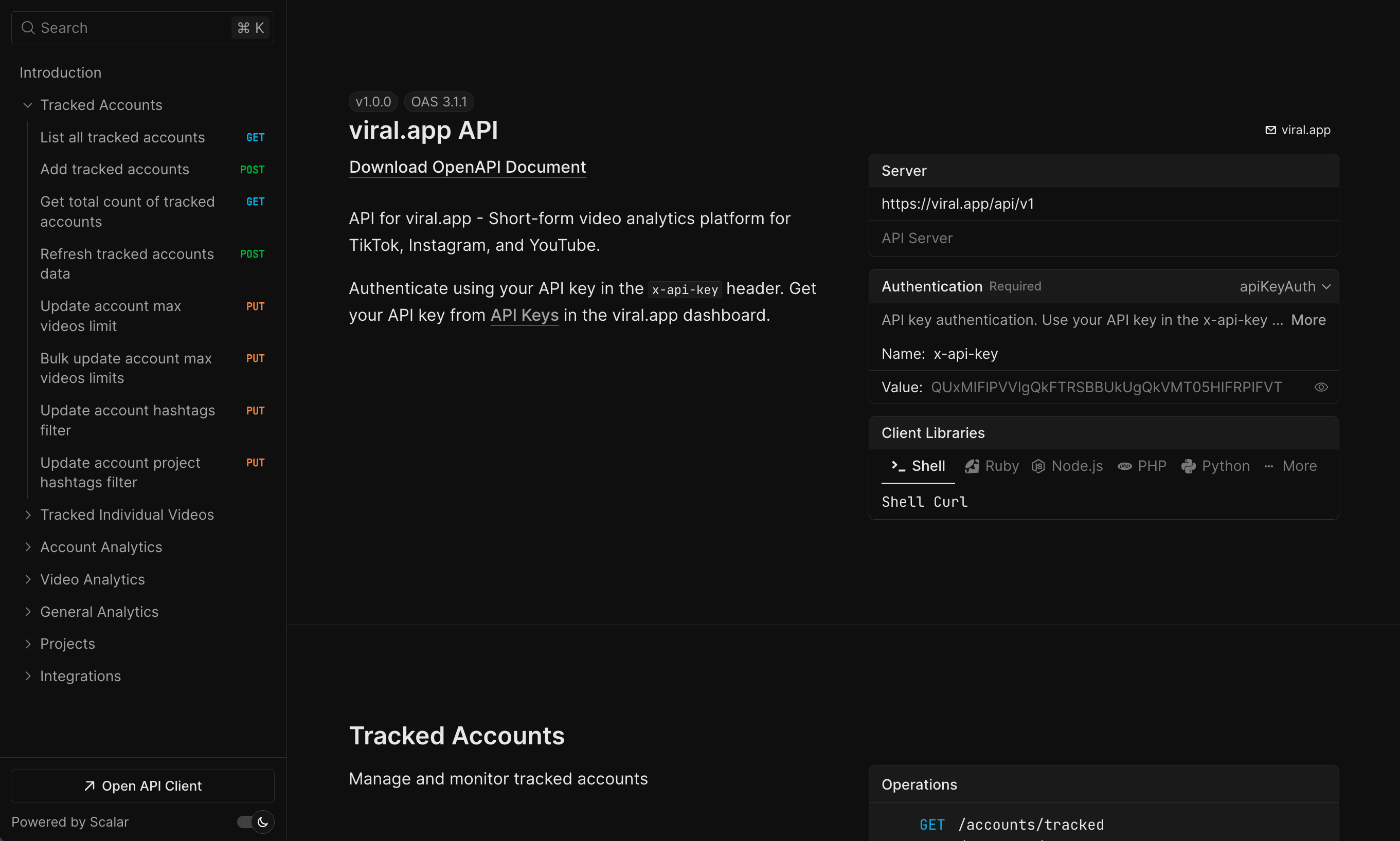
viral.app is not best understood as an official OAuth-style platform API for owned-account analytics only.
It is much closer to the third category: a short-form analytics and workflow system that also exposes API access.
That distinction matters.
If your job is simply:
- connect one owned account
- authenticate via the original platform
- pull basic first-party metrics
then an official platform API may be enough.
But if your job is closer to:
- track short-form performance across multiple accounts
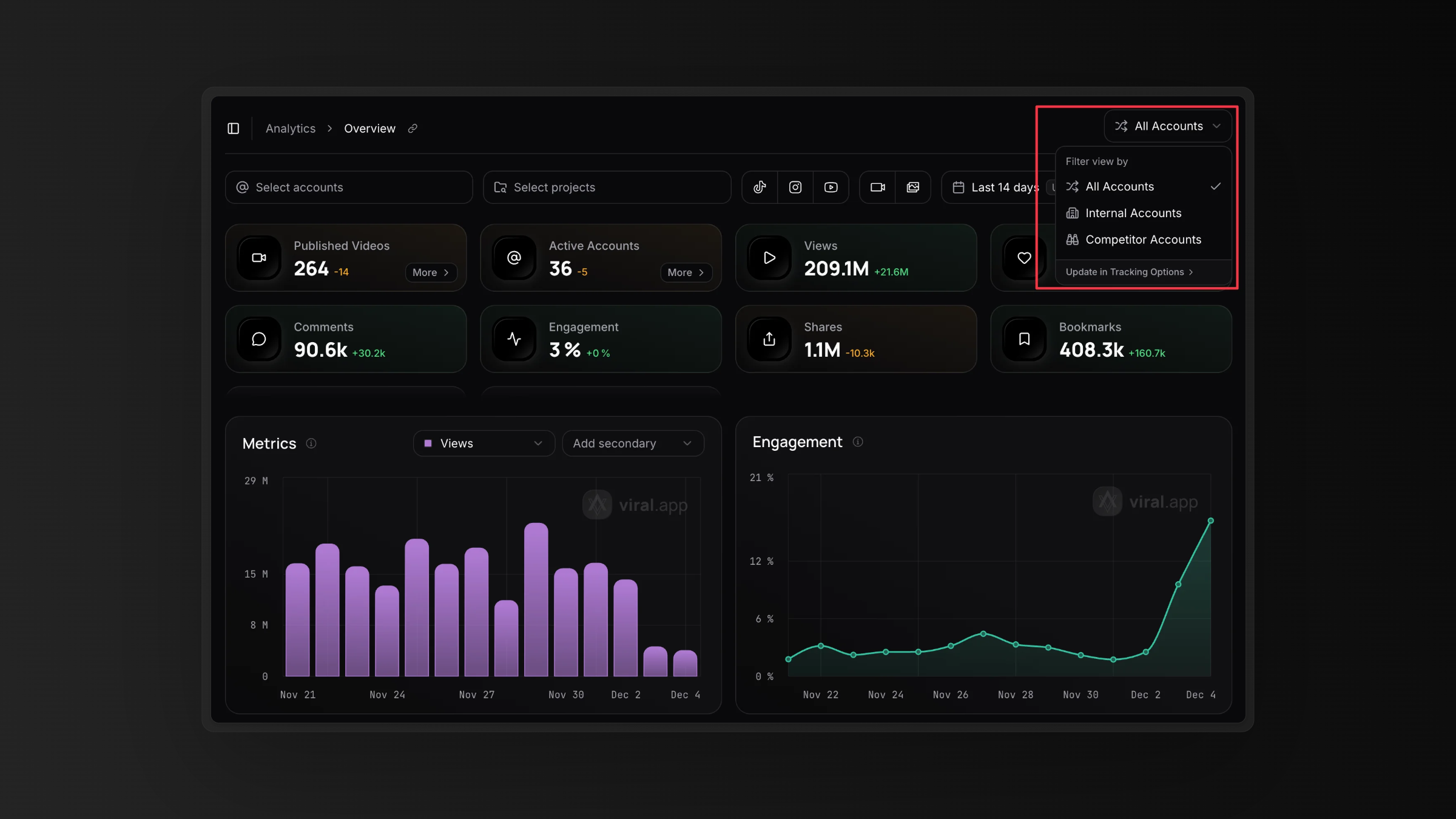
- compare internal and competitor performance
- organize reporting around campaigns
- feed that analytics layer into dashboards, automations, or internal tools
then the value is no longer just “API access.” The value is the combination of:
- short-form analytics
- tracked accounts and videos
- competitor monitoring
- campaign reporting
- creator and content operations
- a developer-ready surface on top of that workflow
That is why viral.app should be evaluated less like a plain platform API and more like workflow-native analytics infrastructure.
A better question to ask is:
Does this API just expose raw social data, or does it sit on top of a system that already understands short-form tracking, competitor analysis, and campaign reporting?
That is where viral.app has a sharper angle than many broad API vendors and many official one-platform integrations.
Why short-form teams often need more than a generic analytics API
Short-form teams usually run into the same problem after the first integration.
They can get data, but they still cannot easily answer questions like:
- Which videos drove the spike this week?
- Which creator formats are outperforming right now?
- How do internal accounts compare against tracked competitors?
- Which campaign is producing the best performance by platform?
- What changed yesterday, not just this month?
Those are workflow questions, not only data questions.
That is also why a lot of teams graduate from spreadsheet-heavy reporting into a more structured system for social media analytics reports, social media engagement metrics, and how to measure social media ROI.
A practical framework for choosing the right API
Use this framework if you are comparing tools internally.
| Question | Why it matters | What strong answers look like |
|---|---|---|
| Do we need owned-account analytics only? | Separates simple reporting from deeper intelligence needs. | Clear support for owned, competitor, or both. |
| Do we need short-form video depth? | Generic post metrics often miss the workflow value of TikTok, Reels, and Shorts. | Video-, account-, and creator-level analysis with short-form context. |
| Do we need competitor tracking? | Benchmarking changes the whole shape of the integration. | Support for competitor views, benchmark workflows, or tracked comparison sets. |
| Do we need automation? | Teams often buy an API to power reporting, alerts, agents, or product logic. | Clear docs, stable auth, practical examples, and integration pathways. |
| Do we need workflow context, not just data? | Data without operating structure still leaves teams doing manual cleanup. | Tracking models, campaign context, and reporting structure built in. |
What a strong social media analytics API page should prove
If you are evaluating vendors, the best pages usually prove five things quickly.
1. Coverage
Which platforms, data surfaces, and reporting jobs are actually supported?
2. Workflow fit
Does this look built for real teams, or just for generic developers?
3. Use-case depth
Can it support:
- dashboards
- campaign reporting
- competitor benchmarks
- alerts
- internal tools
- client reporting
4. Documentation quality
Can a developer realistically get moving without a long support loop?
5. Business relevance
Will this save time, reduce manual work, or improve decision quality for the team buying it?
A better way to evaluate viral.app for this use case
If you are looking at viral.app specifically, start with these three questions.
Can we use it for short-form analytics beyond basic account reporting?
Yes, that is one of the strongest reasons to evaluate it in the first place.
Can we support competitor and benchmark workflows, not just internal reporting?
Yes, and that is an important differentiator for teams that want more than a generic dashboard feed. Features like Competitor Tracking matter because they keep internal and competitor analysis clean instead of mixing everything together.
Can we build operational workflows around the data?
Yes. viral.app already supports programmatic access through the viral.app API, which makes it possible to power custom reporting, dashboards, alerts, and broader automations.
That matters because a lot of buyers searching this keyword are not looking for a static reporting tool. They are looking for infrastructure they can plug into a broader system.
When viral.app is a strong fit
viral.app is likely a strong fit if your team needs to do several of these at once:
- monitor short-form performance across major platforms
- track accounts and videos, not just summary metrics
- compare internal performance against competitors
- build campaign reporting or client reporting workflows
- feed analytics into BI tools, automations, or internal products
It is especially relevant for teams that have moved beyond simple posting analytics and now need cleaner operational visibility.
When another path may make more sense
A different solution may be enough if:
- you only need one official platform API
- you only need owned-account metrics
- you do not need competitor or creator-level analysis
- your engineering team is happy stitching together multiple data sources manually
That is why this keyword should not be treated as one-size-fits-all. The right answer depends on the reporting and workflow maturity of the buyer.
FAQ
Choose the API that matches the workflow, not just the keyword
The easiest mistake with this category is to choose the broadest-sounding API instead of the one that matches your actual reporting job.
If all you need is basic owned-account access, a simple provider may be enough. But if you need short-form video analysis, competitor tracking, and campaign workflows, the buying criteria change fast.
That is where viral.app becomes much more interesting than a generic social API vendor. It combines short-form analytics, operational tracking, and a developer-ready surface in a way that better fits how modern creator and campaign teams actually work.
If you want to evaluate that path, explore the API documentation, read the API launch overview, and see how competitor workflows fit into the stack with Competitor Tracking.
Ready to build on top of your analytics? Start with viral.app →