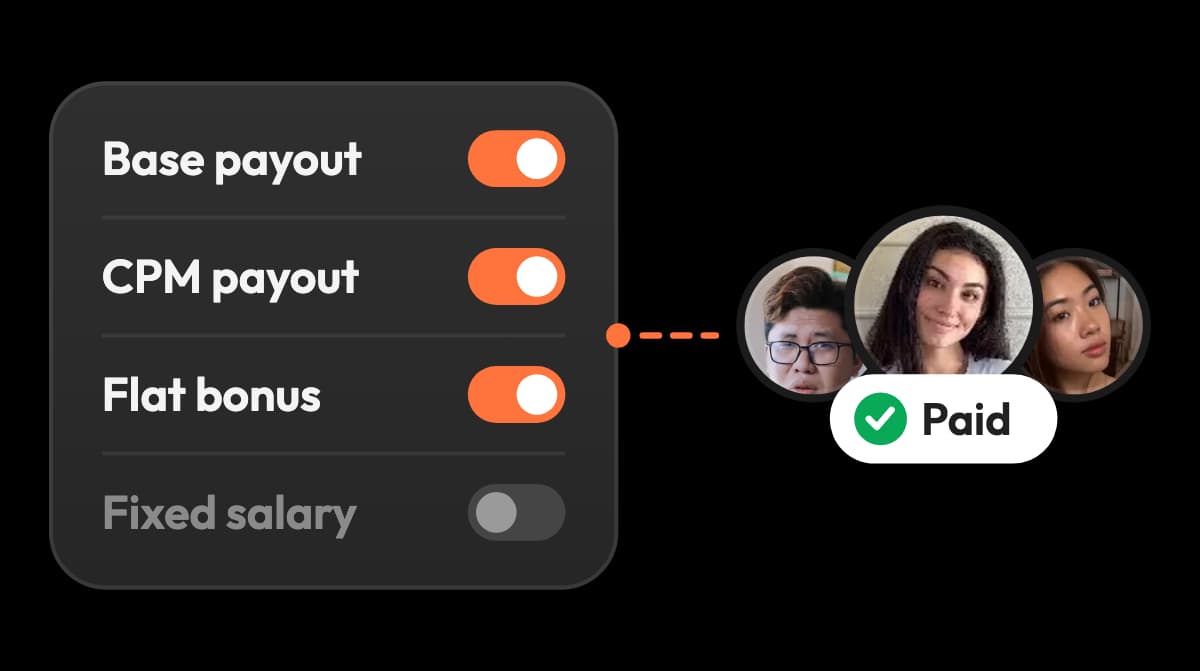
What the performance cap includes
The cap applies to the combined CPM payouts and flat performance bonuses in a payout period. Base payouts and fixed salaries are not affected.
The viral.app UGC campaign builder now gives brands and agencies more control over how creators are paid across TikTok, Instagram, YouTube, and Facebook. You can set platform-specific base rates and performance bonuses, require a minimum view count before a base payout applies, cap performance spend per payout period, and edit the rules of a live campaign.
That means one creator program can keep one campaign structure even when each platform has different economics.
What shipped:
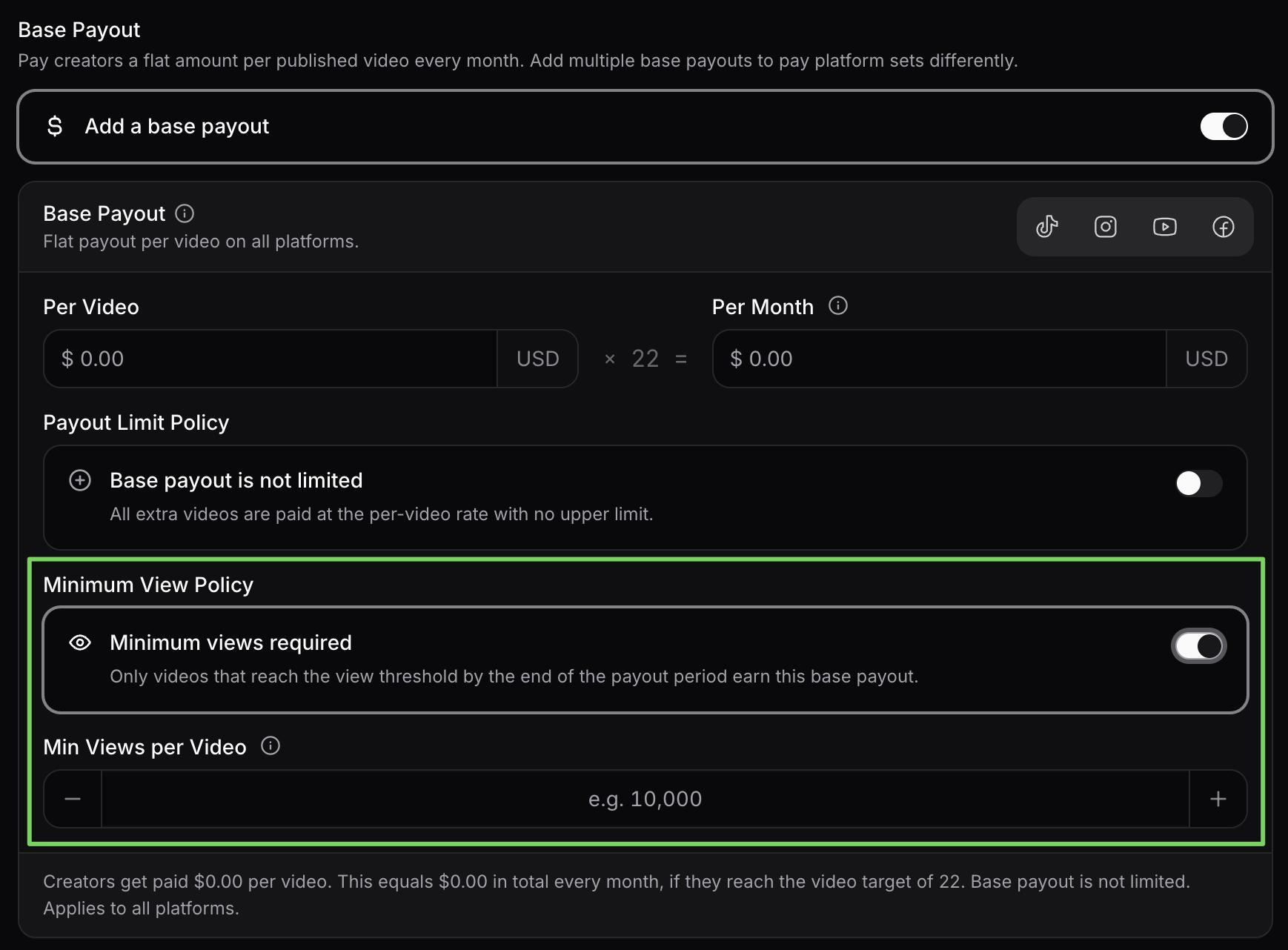
A base payout can now include a minimum view threshold. Only videos that reach that threshold by the end of the payout period qualify for the base payment.
This gives teams a cleaner way to offer creators a guaranteed-feeling base rate while still requiring a meaningful level of distribution. Videos that fall short do not receive that base payout, do not count toward its video cap, and do not carry over into later payout periods.
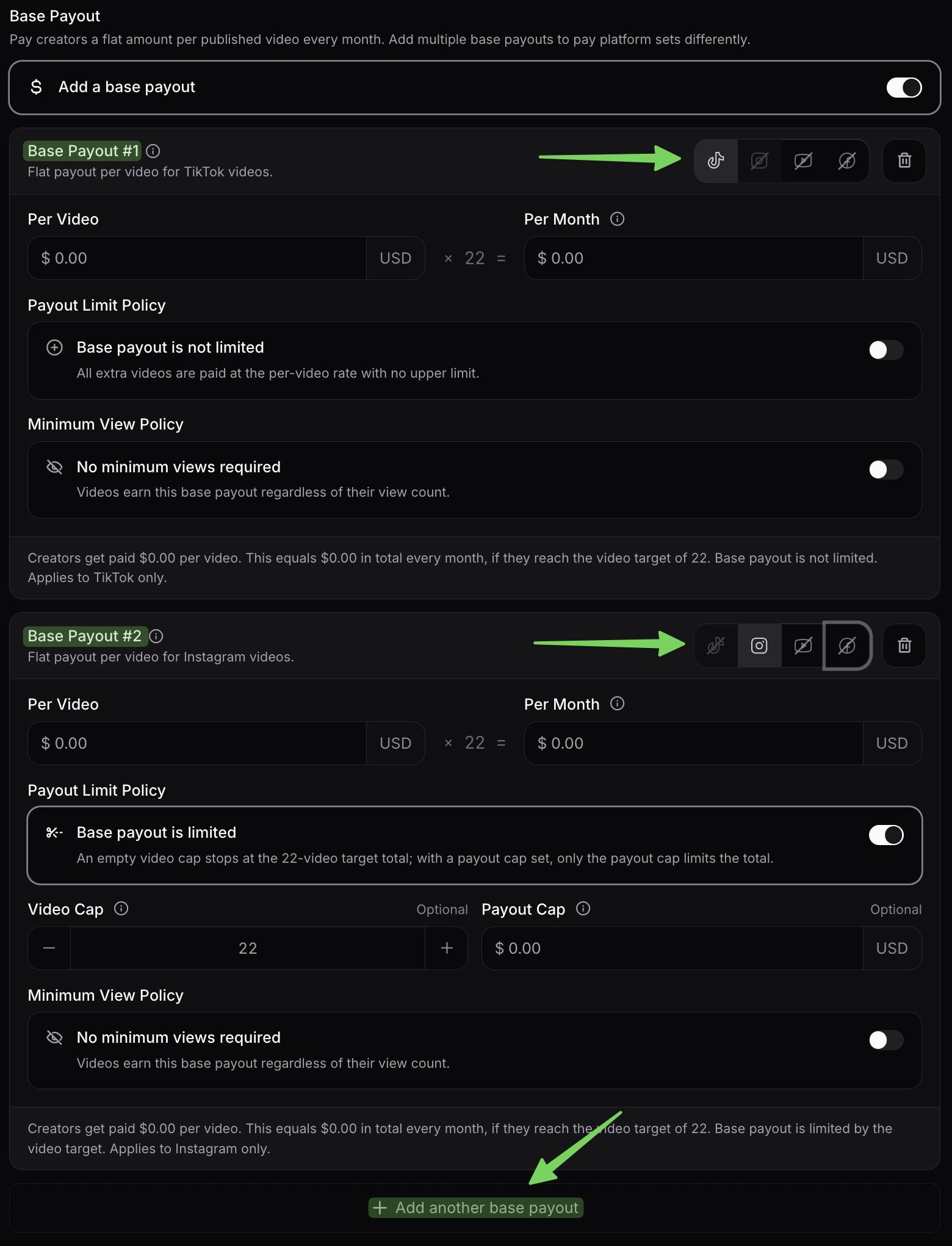
TikTok, Instagram, YouTube, and Facebook do not always deserve the same base rate. Until now, handling those differences could mean separating one creator program into multiple campaigns or reconciling the platform logic outside the campaign builder.
You can now add multiple base payouts to one campaign and assign each payout to a specific platform or platform set. For example, one campaign can pay a TikTok base rate and a different Instagram base rate while keeping the same creators, posting target, and reporting workflow.
Performance incentives can now reflect the value and behavior of each channel instead of applying one universal structure across every post.
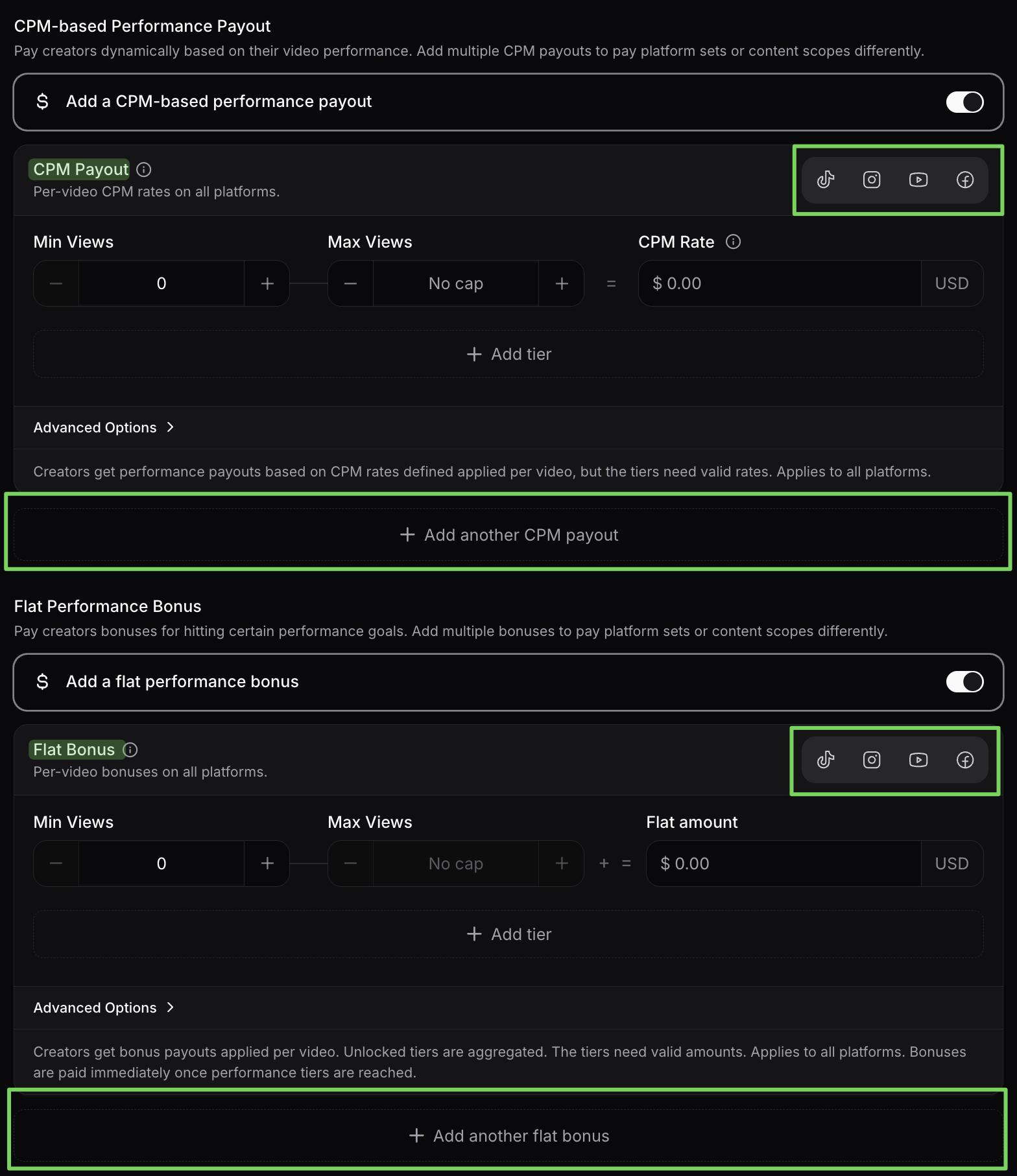
Add multiple CPM-based performance payouts to the same campaign, then assign each payout to an individual platform or a platform group. A team can use one CPM structure for TikTok and another for Instagram, YouTube, or Facebook without duplicating the campaign.
Each CPM payout can still use performance tiers, so the reward curve can change as a video reaches higher view ranges. This is useful when the expected reach, content value, or unit economics differ by platform.
You can also add multiple flat bonuses for specific platforms. That makes it possible to reward milestones differently across channels, such as one bonus for reaching a TikTok view target and another for reaching an Instagram target.
For a deeper look at the operating model behind these rules, see our guide to performance-based creator payouts, the sub-$1 CPM UGC playbook, and how to structure creator pay.
An optional performance payout cap now limits the combined CPM payouts and flat bonuses within each payout period. Once the cap is reached, additional performance rewards stop accumulating for that period.
This makes campaign spend more predictable without removing the upside that motivates creators to produce stronger content.
Campaign payout rules can now be updated without recreating the campaign or reassigning its creators.
Changes apply going forward, while the campaign keeps a revision history and paid payouts preserve the rule snapshot used for their calculation. Teams get the flexibility to improve a live program without losing the audit trail behind earlier payouts.
This is especially useful when you need to:
These controls are available now as part of viral.app's broader UGC campaign management workflow. For the tax and compliance side of paying creators, see our Platform Work Directive and DAC7 guide.
We are continuing to build the operating system for performance-led creator programs. Since this post went live, creator jobs and the Canvas UGC marketplace have shipped: post a job and creators apply with their full profiles. Upcoming work includes AI-powered analytics, a native viral.app assistant, creator dashboards and briefs, and AI-powered trend monitoring and social listening.
We hope you are as excited as we are for what comes next.
Ready to build more precise creator incentives? Configure your campaign payout rules →
Have questions? Reach out to us at support@viral.app
Create campaigns with clear schedules, creator assignments, and payout rules before content goes live.

Mike Schneider
Co-Founder
Read your campaign's pay rules, see what's guaranteed, and know which videos and views count toward each payout.
Mike Schneider
Co-Founder
Try without risk with our 7-day free trial.
Hire based on data, not by luck.
Pay everyone on your own terms.
Eliminate hours of manual work.
Pay $0 today · Cancel anytime · I'm a creator