Campaign analytics
Review creator, campaign, and payout performance in one Creator Hub dashboard.
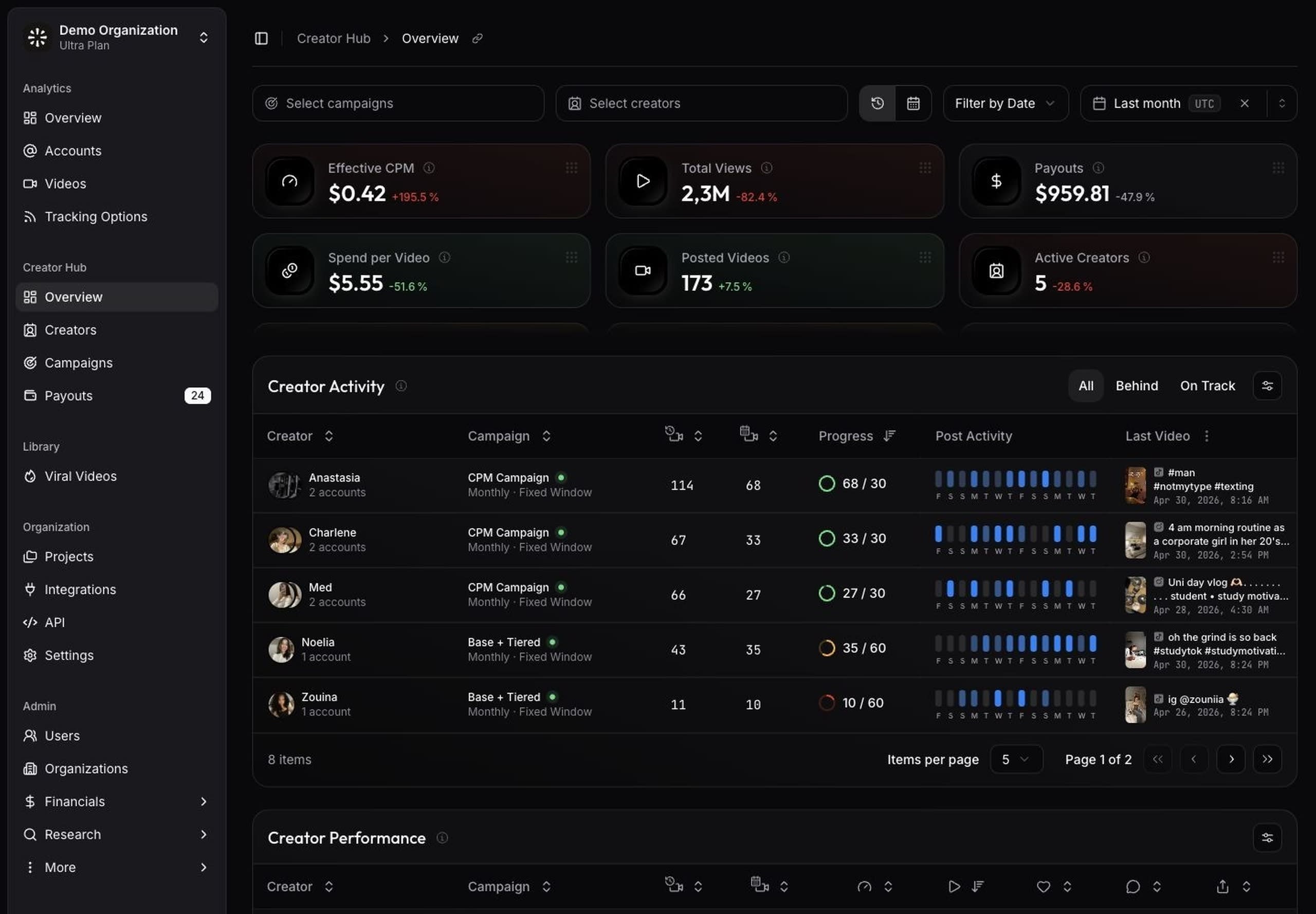
Creator Hub analytics focus on creator operations. They connect creator assignments, campaign rules, tracked content, and payout activity.
Open Creator Hub Overview when you need to understand how creator campaigns are performing.
Read the dashboard
The overview includes metrics such as effective CPM, campaign views, payouts, spend per video, posted videos, active creators, active accounts, eligible videos, paid CPM, and paid payouts.
Use these metrics to compare creator output, campaign cost, and payout progress. General analytics show all tracked content. Creator Hub analytics focus on the content and creators connected to your campaign workflow.
How views are counted
Campaign views are the views a creator's videos gain on days the creator is assigned to a campaign in scope, counting only videos posted while assigned. They keep counting for as long as the assignment lasts, whatever the video's age, and stop when it ends. Videos posted before the assignment are not included, and each account's hashtag and exclusion settings apply.
The Analytics dashboard counts every view on an account's tracked videos, so its totals are larger by design. Effective CPM and Paid CPM divide payouts by campaign views and show N/A until the selected scope has at least 1,000 campaign views.
Use the setup empty state
If Creator Hub is empty, follow the setup steps on the overview page:
- Add creators in Creators.
- Create a campaign in Campaigns.
- Assign creators to the campaign.
- Set up the payout provider in Payout integrations.
- Issue payouts from Payouts once content becomes eligible.
This order gives Creator Hub enough context to calculate creator performance and payout timing.
Compare creator progress
Use creator performance views to find who is ahead, on track, or behind. These views help your team decide when to follow up, request more content, or review campaign expectations.
Creators need connected tracked accounts or individual videos before their performance appears in Creator Hub analytics.
Compare campaign progress
Use campaign performance views to compare output, spend, and eligible content across active campaigns. This is useful when multiple teams, products, or markets run campaigns at the same time.
Filter the dashboard to focus on the campaigns, creators, or date ranges that match your review.
Review payout impact
Creator Hub analytics include payout metrics so you can connect spend to creator output. Use paid CPM, paid payouts, and spend per video to understand how compensation rules affect campaign performance.
If a payout looks early or delayed, review the campaign's eligibility window, payout cycle, and publication scope.
Briefs
Tell creators what to make and what to avoid, add sample videos, and choose who reads the brief — a campaign's creators, creators you pick, or everyone at your brand.
Payouts
Pay creators through their campaign, early while a period runs, or with a one-off payout, and follow each payout through approval to the creator.