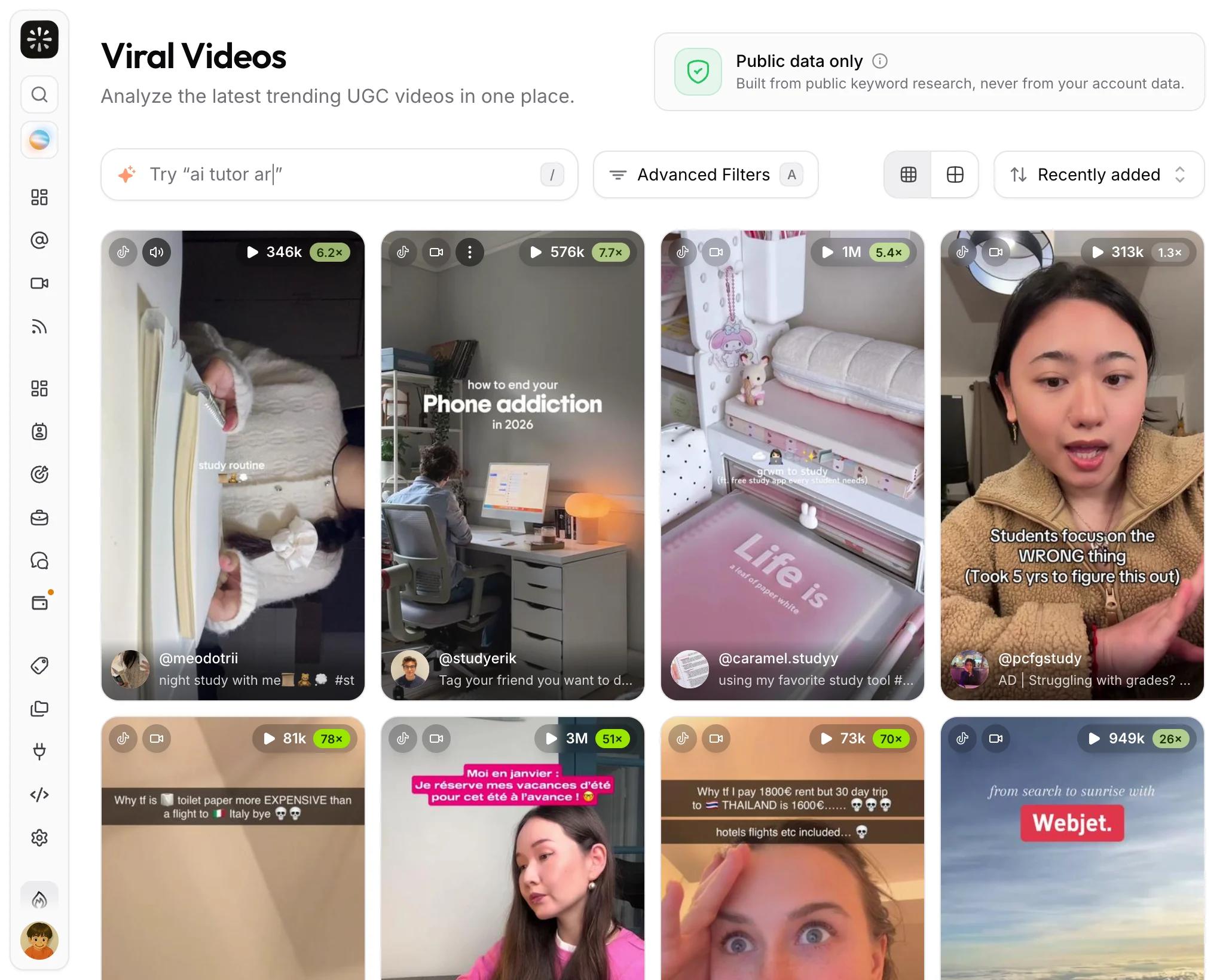
Viral video library
Browse a curated library of viral creator videos, search it in plain language, and turn what works into briefs and sample videos.
The viral video library is a curated collection of creator videos that went viral for apps and digital products on TikTok and Instagram Reels. Open UGC Videos under Viral Library to browse it.
Use it to see which hooks and formats work in your niche right now, to brief your creators with real examples, and to give the Copilot real examples to work from.
The library is also public as the free UGC examples tool: anyone can run 5 searches and open 3 full breakdowns a day, and any free viral.app account removes the daily limits. Creators get the full library in the app too, free with their creator account, so the creators you brief can study the same examples.
How videos get in
The library is filled automatically, several times a day, from public keyword research on the platforms. A video is only added when it clears two bars:
- It is an outlier. At least 50,000 views and at least 10 times more views than the creator has followers. This favors formats that worked on their own, not audiences that were already large.
- It is good creator content about a product. An AI review checks that the video is creator-led, shows a real app or product, and meets a quality bar. Everything else is left out.
Videos that look like a paying customer's own campaign are filtered out, and the library is never built from your tracked accounts, videos, or searches. Hover the info icon next to Public data only on the page for the full statement.
Search and filter
Type what you are looking for in plain language, for example language study app, meal planning app, or ai builds an app from a prompt. The search understands meaning, so you do not need the exact caption. Press / to jump to the search box.
Open More Filters (or press F) to narrow the grid by brand, platform, publish date, region, minimum views, minimum outlier factor, whether a product or brand was detected, and the AI classifications: product type, vertical, format, hook style, and matched terms. Active filters appear as chips under the toolbar. Reset in the sheet clears the sheet's filters, and Clear all filters in the page header clears everything, including the search.
Sort by recently added, publish date, view count, engagement rate, or outlier factor. Videos added in the last 24 hours carry a New badge.
Read the insights
Click a card to open the video. Next to the player you get the metrics, including the outlier factor, and the AI-powered Insights: what the product is, why the video worked, how to replicate it, the hook style, the on-screen text, what triggers sharing, and which brand and product appear.
More like this at the bottom lists the closest videos in the library, so you can find the whole format rather than one post.
Use a video
Right-click a card or open its menu to act on it:
- Add to Brief attaches the video to one of your briefs as a sample. Library samples are reference only: they never count in your analytics or payouts. Members and above see this action.
- Send as Message shares the video with a creator in chat.
- Open Details Page gives the video its own URL you can share with teammates.
- Open on TikTok or Open on Instagram jumps to the original post, and Download Video saves a copy when one is available.
Ask the Copilot
The Copilot searches the same library. Ask it what is working in your niche, to find hooks you can adapt, or to build a brief with sample videos, and it works out your niche from your tracked accounts. Results come back as playable cards with the same details and actions as the library page.
Who can use it
The library is included in every plan with an active subscription and is open to all workspace roles. On the Basic plan, only the owner can open it.