Creator Insights
See watch time, completion, how viewers found a video and who an account reaches, from your creators' own TikTok accounts.
Public numbers tell you how far a video spread. When a creator connects their TikTok to viral.app, you also see the numbers only they can see in TikTok: how long people watched, how they found the video, and who the account reaches. Creator Insights works with TikTok today.
Get started
- Invite the creator to viral.app, so they have their own login (onboarding modes). Creators you manage off-platform have no login and can't connect.
- Track their TikTok account and assign it to them (Add a creator). Creators can also add it themselves on their Accounts page. You answer that under Creators › Requests › Account Requests, unless they already verified the account and your plan has room, then it's tracked right away.
- The creator clicks Verify next to the account on their Accounts page and logs in with TikTok (how creators connect).
The account then shows Verified, and its numbers appear a few minutes after the connection.
Verified accounts
Tracked accounts and the Accounts list on a creator's page show who added each account, Brand added or Creator added, and Verified once the creator connected it on TikTok, which proves it's theirs.
Accounts the creator added themselves also show where verification stands:
- Not verified: they haven't connected it yet, so nothing proves it's theirs.
- Needs reconnect: the connection stopped. It counts as verified again once they reconnect.
On a video
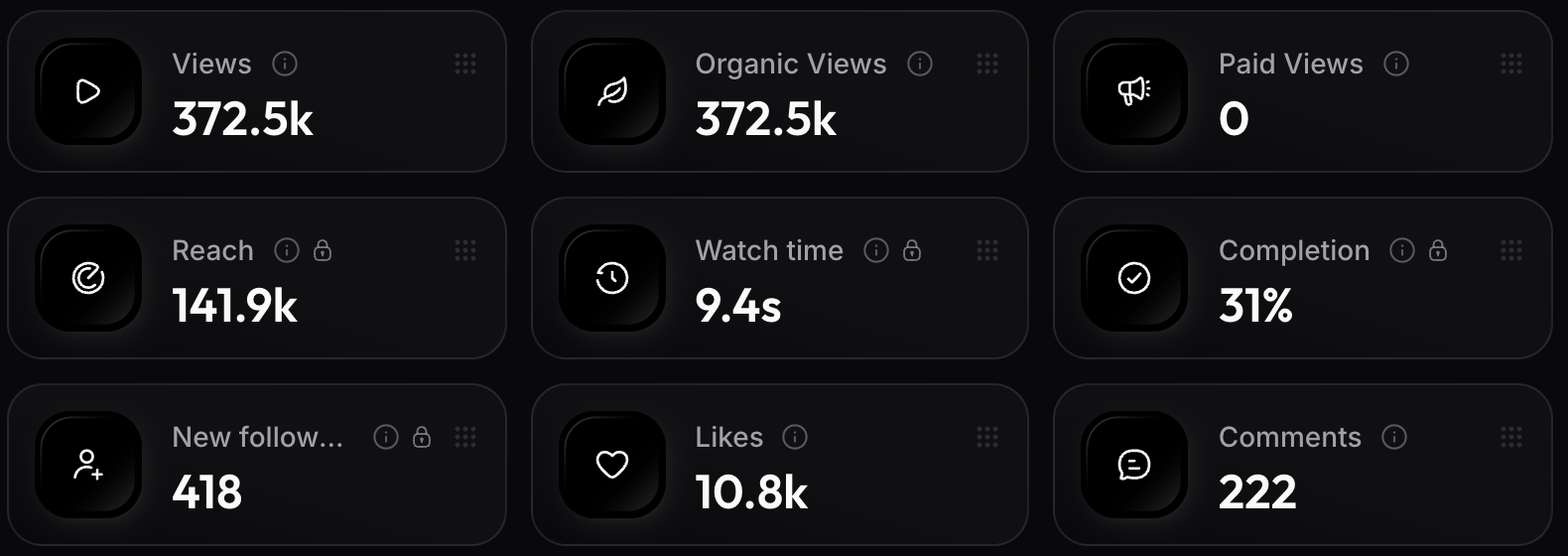
Open a video from a verified account. Next to its public numbers you get Reach, Watch time (the average per view), Completion (the share of views that watched to the end) and New followers. A lock marks them as private.
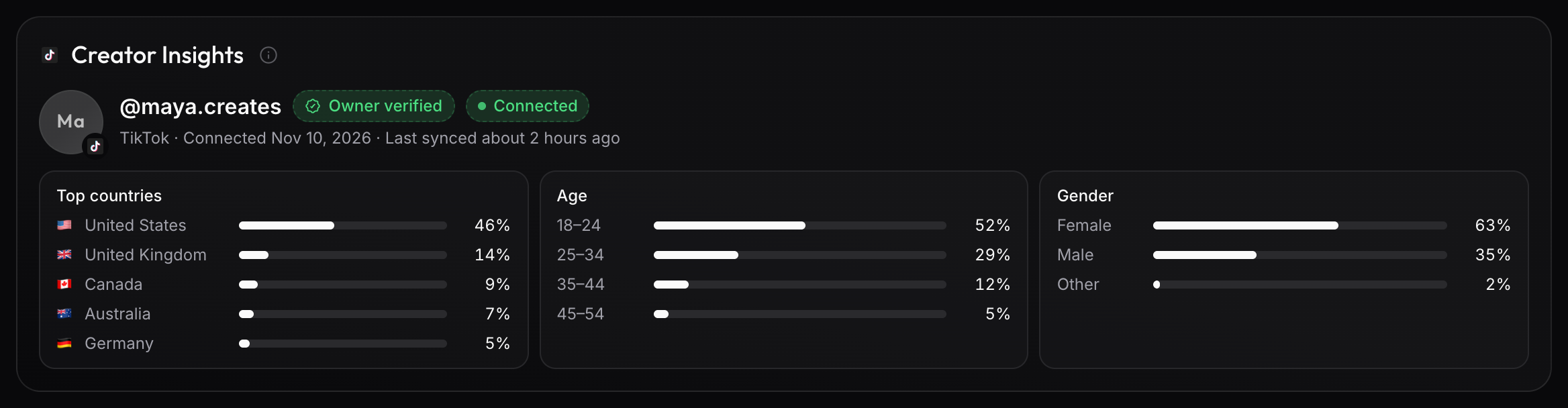
Its Creator Insights card shows where viewers came from (the For You feed, search, the creator's profile, people who follow them, a sound) and their top countries.
Analytics › Videos adds Reach and Avg. watch time as columns.
On an account
Analytics › Accounts shows the Top country, Top age and Top gender of each verified account, with its share. Hover a value for the full list. The account's own page has a Creator Insights widget with the connection and the whole audience.
When a number is missing
In the audience columns of Analytics › Accounts:
- – means the account has no connected creator account yet, or its first sync hasn't finished.
- N/A means the account is connected, but TikTok sent no audience for it. TikTok shares one only once an account has 100 followers. Hover the N/A for the reason.
A video's private numbers show – when TikTok sent nothing for that post. TikTok reports these numbers one to three days late, and viral.app syncs them every night.
Who sees the numbers
Only brands the creator currently works with see them, and only for accounts that brand tracks and assigned to them. Shared dashboard links never show them. Connecting only lets viral.app read the creator's numbers: it can't post or change anything on their TikTok, and it doesn't affect their reach.
A creator can disconnect at any time. Syncing stops and the Verified badge goes away (an account the creator added shows Not verified). The numbers synced until then stay in its Creator Insights, marked Disconnected.