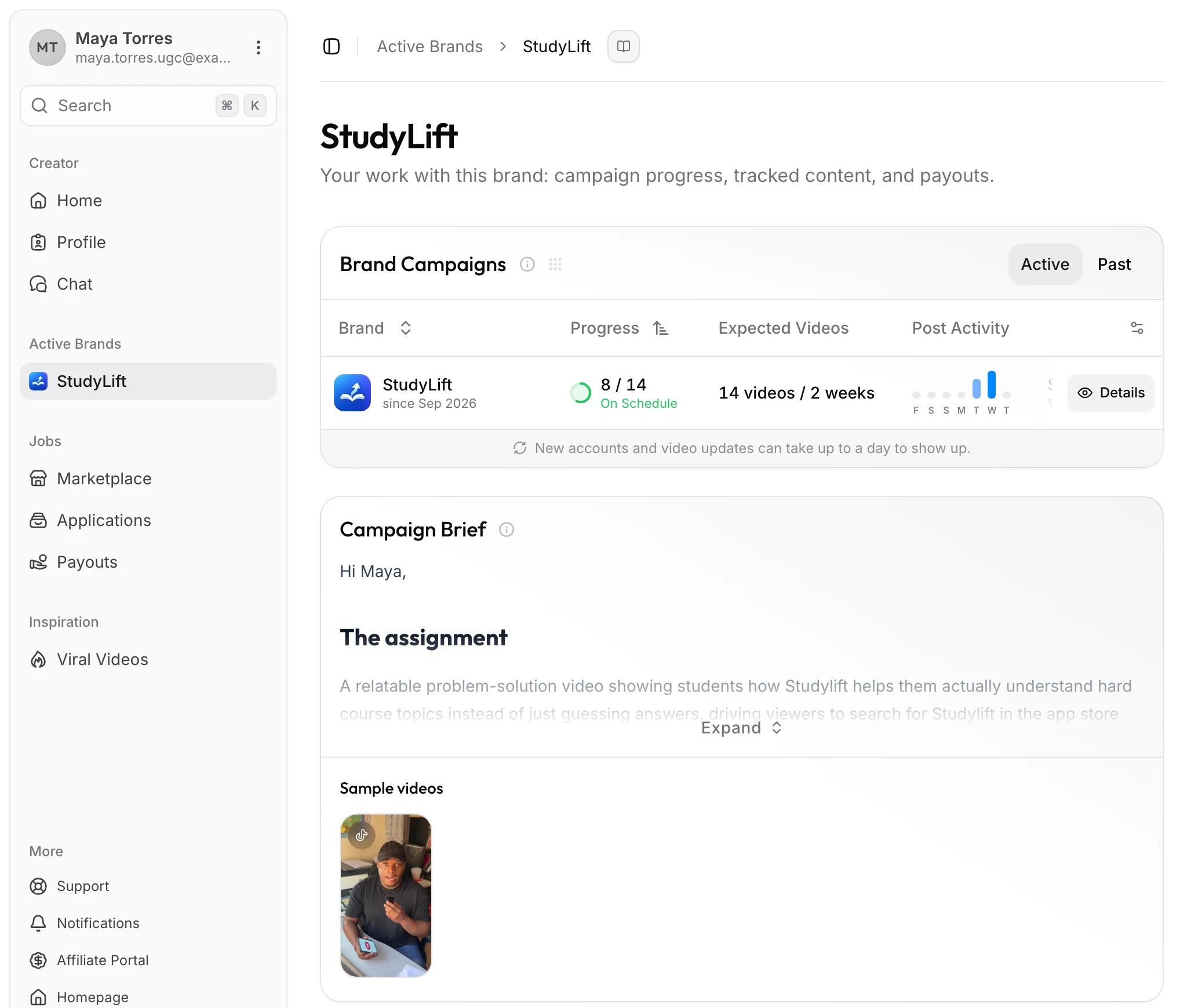
| Column | What it tells you |
|---|---|
| Progress | Videos counted this period against the target, with your pace |
| Expected Videos | The target, such as 14 videos every 2 weeks |
| Post Activity | Which of the last 7 days you posted on |
| Current Period | When this payout period ends |
| Upcoming Payout | What you've earned so far this period |
| Guaranteed | What you'll earn this period if you hit the target |
| Paid to Date | Everything this brand has paid you |
Working with brands
Your brand dashboard
Follow your campaign pace, see what you've earned so far, and know when you're waiting on the brand.
Every brand you work with gets its own dashboard under Active Brands in the sidebar. It shows how your campaign is going, the brief, the accounts and videos the brand tracks for you, and your payouts from that brand. This works the same for marketplace creators who got hired and for invited creators.
Read your campaign row
Click Details for your pay rules. Home lists the same row for every brand at once.
Stay on pace
The target is spread evenly across the period, so by the middle of a two-week period you should have about half the videos. Your pace shows as:
On Schedule: you're keeping up.Running Tight: you're behind, but less than three days' worth of videos.Overdue: you're behind by more than three days' worth of videos.
Pace allows one day for new videos to show up. When you fall behind, the brand's dashboard shows a Post Now box and the brand gets a warning icon in the sidebar. Once you're Overdue, Home shows the box too. Per-video pay counts the videos you publish within each period, so a shortfall when the period ends isn't made up later. See Post videos that count.
Waiting on the brand
Some setup happens on the brand's side. Until it's done, the dashboard shows what's missing and a Message Brand button:
- Waiting on Your Campaign: you're not assigned to a campaign yet, so nothing is paid.
- Waiting on Tracking: the brand hasn't started tracking the accounts or videos you'll post.
- Waiting on Brand Setup: both are still missing.
A campaign row can also say Starts with a date, for an assignment that begins later, or View Brief for a brand that sent you a brief before any campaign. The brief then leads that brand's dashboard. A short message to the brand usually gets things moving.
Tracked accounts and videos
Accounts and Videos under the brand list what the brand tracks for you, with views and other stats. They're read-only: the brand decides which accounts it tracks. New posts and view counts can take up to a day to appear.
Leave a brand
There's no button to leave. Ask the brand in Chat to remove you as a creator. Ending a campaign assignment alone keeps the brand in your sidebar; once the brand removes you, its dashboard disappears.
Common questions
I posted, but my progress didn't move
New videos can take up to a day to show. If it's still missing after that, go through Check that a video was counted.
Why don't I see the campaign's name?
Brands name campaigns for themselves. You see the brand, your pay rules, and your brief.