Read campaign briefs
How a brand's brief reaches you, what to do when it changes, and how to turn it into videos that get approved and paid.
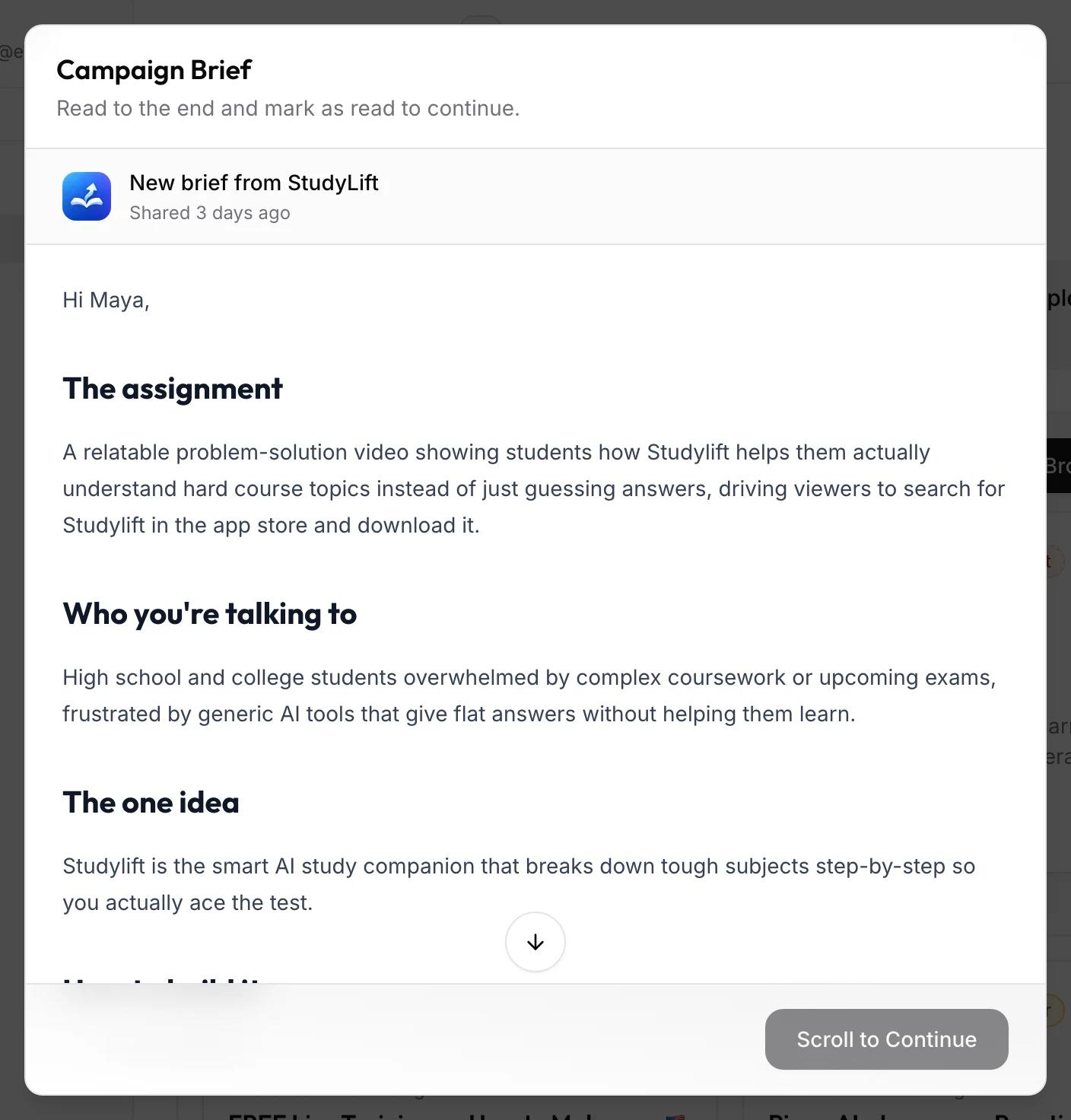
A brief tells you what the brand wants: the goal, who the videos are for, the one idea to get across, what to avoid, and sample videos to learn from. When a brand shares or updates one, it opens the next time you use viral.app, and you read it to the end before you continue.
Where briefs show up
- In the app: a full-screen dialog titled Campaign Brief or Brand Brief. The button reads Scroll to Continue until you reach the end, then Mark as Read.
- By email: "shared a new campaign brief with you" (or brand brief), with a Read the Brief button.
- In chat: a note in your conversation with the brand, if you already have one.
- On the brand dashboard: the brief section keeps the current version and its sample videos. Click Expand to read it in full. With several briefs, you switch between them, campaign briefs first.
A brief reaches you in one of three ways: through a campaign you're assigned to (Campaign Brief, including assignments that start later), sent to you directly, or as guidelines for everyone at the brand (both Brand Brief).
When a brief changes
If the brand updates the brief and notifies you, it opens again and says the brand updated it since you read an earlier version. Read it again: the new version is what your next videos are judged against. Small edits without a notification show up on the dashboard without the dialog.
Turn the brief into videos
- Find the one idea. Every video should land it. If you can't say it in one sentence, ask the brand in chat.
- Watch every sample video. Note the hook, the pacing, and where the product appears. The labels above samples, like "1. Problem-solution hook", tell you what each one shows.
- Plan a few hooks. Different openers for the same idea, then post the strongest first.
- Check the don'ts. Banned claims, competitor names, and music rules cost you more than a weak hook.
Briefs and hooks in the UGC creator course walks through this with examples, and the viral video library is a good place to find more hooks in your niche.
Common questions
Can I skip the brief?
No. The dialog stays until you've read to the end and clicked Mark as Read. Until then, the brand shows a warning icon in your sidebar.
The brief and the pay rules disagree
The pay rules decide what you're paid. Ask the brand to fix the brief so it matches.
Where did my brief go?
If the brand removed it, you'll see a note in chat. Your pay rules don't change with it.