



| Field | What to note |
|---|---|
| Hook | The exact text or spoken line in the first 1–3 seconds, and whether other creators use the same line or overlay format |
| Visual setup | Framing, background, or screen-recording style: in the car, green screen, desk POV |
| Pacing and cuts | Fast cuts, or slow aesthetic B-roll |
| Product role | How the product is introduced and where it fits in the story |
| Creator archetype | The persona: the blunt expert, the clueless beginner, the cozy aesthetic creator |
| Audience emotion | The feeling underneath: FOMO, lifestyle envy, everyday frustration, relief |
| CTA and comments | What the video asks for, and how viewers respond in the comments |
| Save or share reason | Why someone would save it or send it to a friend |
| Funnel role | Top-of-funnel reach, or bottom-of-funnel conversions |
Chapter 3 of 6
UGC Briefs, Ideas, and Hooks
How to read a Canvas UGC brief, pull out what the brand actually wants, find ideas that already work in your niche, and write hooks that stop the scroll.
A brief tells you what a brand wants to test. Your job is to turn it into videos that keep strangers watching past the first seconds. This chapter covers the thinking before you film: reading the brief, finding ideas that already work, and writing hooks. By now your campaign account should be warming up (chapter 2); chapter 4 turns the ideas into videos.
Working with a brief
What a UGC brief is in Canvas UGC
A UGC brief is the document, or message, that tells you what the brand wants posted on its dedicated Canvas account. In Canvas UGC the brief is less "send us files" and more "here's what to test on the account."
Not all briefs are the same. Some brands give you an exact script or hook to follow word for word. Others give you talking points and let you write the script. Knowing which type you have changes how you approach the content.
Scripted briefs vs. flexible briefs
Scripted briefs: follow them closely. Some brands, especially in Canvas UGC and high-volume programs, hand you an exact script or hook they have already tested and want replicated: "use this exact opening line" or "follow this script structure." This is common when:
- the brand has found a winning hook and wants more of it,
- it is testing several creators on the same script to compare performance,
- it has legal or compliance requirements,
- it is running a coordinated campaign across many creators.
Follow the script closely while still making it sound natural. Don't change the hook, don't skip required lines, and don't add claims that aren't in the script. Your value is your delivery and how native the video feels in the feed.
Flexible briefs: write your own script. Other brands give you talking points, key benefits, and guidelines, and leave the wording to you: "mention these three benefits" or "focus on this problem." This is common when the brand is testing different hooks and angles across creators, trusts your creative input, or wants many variations. You get more freedom, but you still cover the talking points and follow the rules.
What a UGC brief includes
- Brand and product information. What the product is, who it's for, and why people like it. You might learn about the brand's mission, its target customer, or what makes it different, which helps you talk about the product in the brand's voice.
- Hook direction. Ideas for the first 1 to 3 seconds of the video, the part that decides whether viewers stay or scroll. The brief might suggest opening lines, text overlays, or visual setups that have worked. In Canvas UGC this often reads like "test pain-point callouts about X," "use curiosity hooks like 'I didn't think this would work...'," or "try 3 different hooks for the same angle."
- Talking points. The key benefits to cover, such as "saves 20 minutes every morning" or "works with your existing tools." They aren't a script; you decide how to weave them in.
- Dos and don'ts. The rules. Dos might be "show the app interface clearly" or "mention the free trial." Don'ts might be "no income claims" or "don't show competitor logos." They protect the brand legally and keep content on standard, so read them before you film.
- Posting and volume expectations. How many videos per week or month, the posting cadence (for example, one to two posts a day), timing guidance such as time zones and posting windows, and whether you must test specific formats or hooks each week. In Canvas UGC, the posting plan is what turns a brief into a content system.
- Product name usage. How to say and write the product name (full name or shorthand, capitalization, spacing), required disclaimers such as "Not financial advice" or "Results may vary," and whether to tag the brand's main account.
Example: "Always write the app name as 'AppName' (one word, capital A and N). Tag @AppNameOfficial in captions. Don't make income claims or guarantee results."
Many Canvas briefs also cover account setup, warm-up, and account rules; chapter 2 explains those.
Extracting the goal
A brief tells you what to say. The goal behind it tells you why, and that shapes every choice you make. Before you create anything, ask yourself:
- What action should viewers take: awareness, clicks, installs, sign-ups, or purchases?
- What is the core message? One main benefit, not ten features.
- What are the must-have elements: specific features, use cases, or testimonials?
- What is the campaign goal: brand awareness, app installs, or feature adoption?
The goal tells you what to include and what to leave out. Not every feature needs a mention and not every benefit needs an explanation. Focus on what moves the viewer toward the action the brand wants. In Canvas UGC the goal is often one of these:
- "Get as many qualified views as possible on this niche account."
- "Drive app installs from people who fit this ideal customer profile."
- "Test which hooks make strangers care about this problem."
Finding ideas, trends, and formats
Your brief will usually include example videos, hooks, and formats, but many Canvas programs also want to see how you find ideas yourself. That takes real trend research: spotting actual trends instead of one-off viral videos, breaking down why they work, and adapting them to your product and niche.
The rule for trend research
Stop hunting for 100% original ideas. In short-form video, fast adaptation beats raw originality. Your goal is to find content frameworks that already work and remix them for your product.
A single viral video isn't a trend; it's a fluke. A trend is a repeating blueprint that works across multiple videos and different accounts.
Cluster videos before you call it a trend
Never call something a trend until you've found a family of videos doing it. When you spot a format you like, find 5 to 20 examples of it from different accounts, then compare them field by field to see what repeats:
Where to look for ideas
TikTok
- Train your feed. Search your niche, watch niche videos to the end, and like and save the good ones. Your For You feed starts showing you more of them, which turns scrolling into research.
- Use your For You feed. When a video makes you stop scrolling, don't just watch and move on. Ask why you stopped: the hook, the topic, the editing, the way the creator explained it, or the format? Save it and study it later.
- Search by keyword. Search for specific problems, questions, audience desires, and your product category, for example "anxiety journaling" or "budgeting tips." Try variations, and check what people are searching for, not only the videos.
- Track hashtags. Look up niche hashtags such as #mentalhealth, and marketing ones such as #ugccreator or #tiktokads, and keep a running list of the ones that keep surfacing high-performing videos.
- Research sounds. Tap trending audio or meme sounds to see how different creators adapt the same audio.
- Filter and sort. Sort by most liked to find classic formats, then switch to this week or this month to catch rising trends.
- Find small accounts with big views. An account with 3k followers and a 500k-view video tells you the format and hook did the work, not the creator's fame.
- Use Creator Search Insights. This TikTok tool shows what people type into the search bar. Look for content gaps: high search volume, few good videos. More on this in how search is changing high-volume UGC on TikTok.
Instagram Reels
- Analyze the Explore tab. Search your niche keywords to see what Instagram is pushing.
- Filter your feed on purpose. Like, save, and fully watch the kinds of Reels you want to study.
Then judge a Reel's views against the creator's follower count:
Focus on smaller accounts. Their outliers are far easier to replicate than a mega-influencer's video. And don't only look in your exact niche: a format from a completely different niche can often be adapted to yours.
YouTube Shorts
- Build a format library. Track Shorts that perform far better than the channel's average.
- Keep formats simple. Focus on Shorts that win with a strong hook, a relatable problem, and a satisfying payoff rather than heavy editing. Length, format, and resolution still matter.
- Pick subreddits in your product category, such as r/SkincareAddiction, r/personalfinance, or r/SaaS.
- Sort by top posts of the last month or year to see which problems people obsess over.
- Borrow the phrasing. Notice how people word their struggles. Lines like "I was today years old when I realized..." or "Is it just me, or is everyone secretly struggling with..." make strong hooks because they sound like real thoughts, not ads.
The comment section
Comments can be as useful as the video itself. When you find a winning structure, read the top 50 to 100 comments and sort them into:
- Buying signals: "What app is this?", "Where's the link?"
- Objections: price complaints, privacy concerns, "Does this actually work?"
- Reach triggers: friends tagging friends, "this is me" relatability.
- Ad fatigue: "I've seen this video 50 times today."
- CTA success: comments that do exactly what the creator asked.
Recurring questions make ready-made hooks. For an app campaign, that might look like this:
viral.app
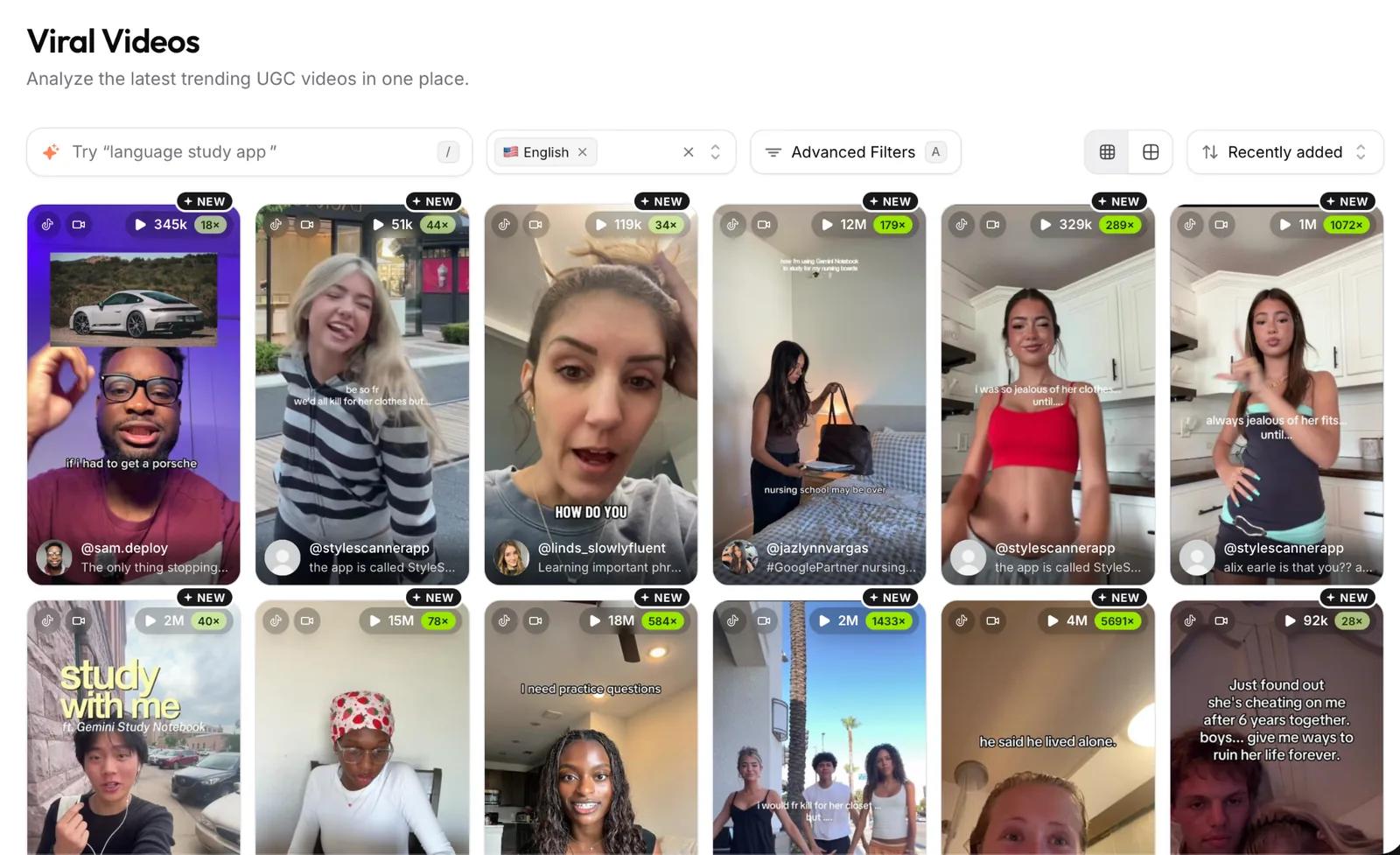
If you have a viral.app creator profile, open Inspiration → Viral Videos. It collects viral videos from different creators, countries, languages, and niches, with filters to find a specific kind of content. The free viral video library works the same way without an account.
When a video catches your eye, study it: what made it work, what the hook was, which format it used, and how it was structured. Don't copy the video. Use it to understand what grabs attention, then make the idea your own.
Turning a viral video into a reusable idea
Not every viral video can become a repeatable format. The ones that work again and again share five traits:
- A simple structure. If you can't explain it in one or two sentences, it's probably too complicated.
- A clear problem and solution. It names a relatable problem and shows how the product solves it.
- A relatable scenario. Viewers see themselves in it; the more specific, the better.
- An emotional connection. It taps into frustration, desire, curiosity, or relief.
- A demonstration. It shows the product working instead of just talking about it.
If a video has all five, you don't need a new idea. Keep its structure and swap in the details of the app you're promoting. Here is one structure used for three different apps:
- Gym app: "3 years in the gym and not one person told me about this..."
- Alarm app: "2 years of being late to classes and now I see this?"
- Meal planning app: "Been shopping at Aldi for 8 years and now I find this?"
None of these creators invented a new style. They found an idea that worked and changed the words to fit their app. The structure has three steps:
- The routine. Pick an everyday habit your viewer already has: working out, waking up, buying groceries, studying.
- The hook. Call out how long they've been doing it the hard way: "X years of doing this and only now I find out..."
- The fix. Show the screen for 2 or 3 seconds to prove how the app solves it.
You'll use many ideas like this, but the process stays the same: find a style that works, figure out its steps, and plug in your app.
How to write UGC hooks that stop the scroll
A UGC hook is the first 1 to 3 seconds of a video: what viewers see, read, and hear before they decide to keep watching or scroll. Most views in Canvas UGC come from recommendation feeds like the For You page and Reels, so viewers see your video without knowing who you are. If the first seconds don't earn their attention, they scroll, and the platform stops pushing the video.
Good hooks get to the most interesting part first, fit in about 5 to 10 words, and open a question, a promise, or an emotion that needs a payoff. Test every opening with one question: would I keep watching this if I had never seen this creator before?
The three parts of a hook
Look at what the viewer sees, reads, and hears in the first seconds:
- Visual hook (0 to 1.5 seconds). The first thing people see: a strong facial expression or reaction, something unexpected happening, the result shown first, a quick action with an object (opening, cutting, throwing), or anything that makes them think "what is going on?"
- Text hook. The words on screen: a question, a problem, a bold statement, a promised result, or a tease of what's coming.
- Audio hook. What people hear: a short surprised or emotional reaction ("Wait, what?"), a trending sound, or an unexpected noise. It doesn't have to explain anything; it adds emotion or surprise.
The text and audio usually land between 1.5 and 3 seconds. You don't have to pick one part: the strongest openings combine all three. A creator can pull a shocked face, show a curiosity line on screen, and say "Wait, what?" at the same time.
Six hook styles for Canvas UGC
These six are common in Canvas UGC because they grab attention fast and make viewers feel the video is about them. The example lines are for a made-up study, budgeting, fitness, or meal app; swap in your own product and niche.
Hooks behave differently by platform; TikTok hooks vs. Instagram hooks compares them with real data.
The first 1 to 3 seconds of a UGC video: what viewers see, read, and hear before they decide to keep watching or scroll. Strong hooks combine a visual hook, an on-screen text hook, and an audio hook.
About 5 to 10 words. The visual lands in the first 1.5 seconds and the text and audio usually by second 3, so the hook has to get to the most interesting part first.
A scripted brief gives you a tested hook or script to replicate word for word. A flexible brief gives you talking points, benefits, and rules, and leaves the script to you.
Brand and product information, hook direction, talking points, dos and don'ts, posting and volume expectations, and rules for how to write and say the product name.
Find 5 to 20 videos from different accounts that use the same hook, setup, or structure. One viral video on its own is a fluke, not a trend.
Your action steps
- Read your brief, or pick one app in your niche for practice, and write its goal in one sentence.
- Spend 20–30 minutes on your For You feed, search, and comments. Save 5–10 videos that stopped your scroll.
- For each saved video, note the hook, the format, and why you think it worked.
- Write at least 10 hook lines using the three parts and the six styles.
- Mark the 3 hooks you'll test first.
All chapters: UGC Creator Course
- Chapter 1 · 13 min readUGC foundations and how creators get paid
- Chapter 2 · 4 min readSet up and warm up your account
- Chapter 3 · 12 min readBriefs, ideas, and hooks
- Chapter 4 · 6 min readFormats, filming, and editing
- Chapter 5 · 6 min readPost, review, and improve
- Chapter 6 · 5 min readBuild your UGC portfolio