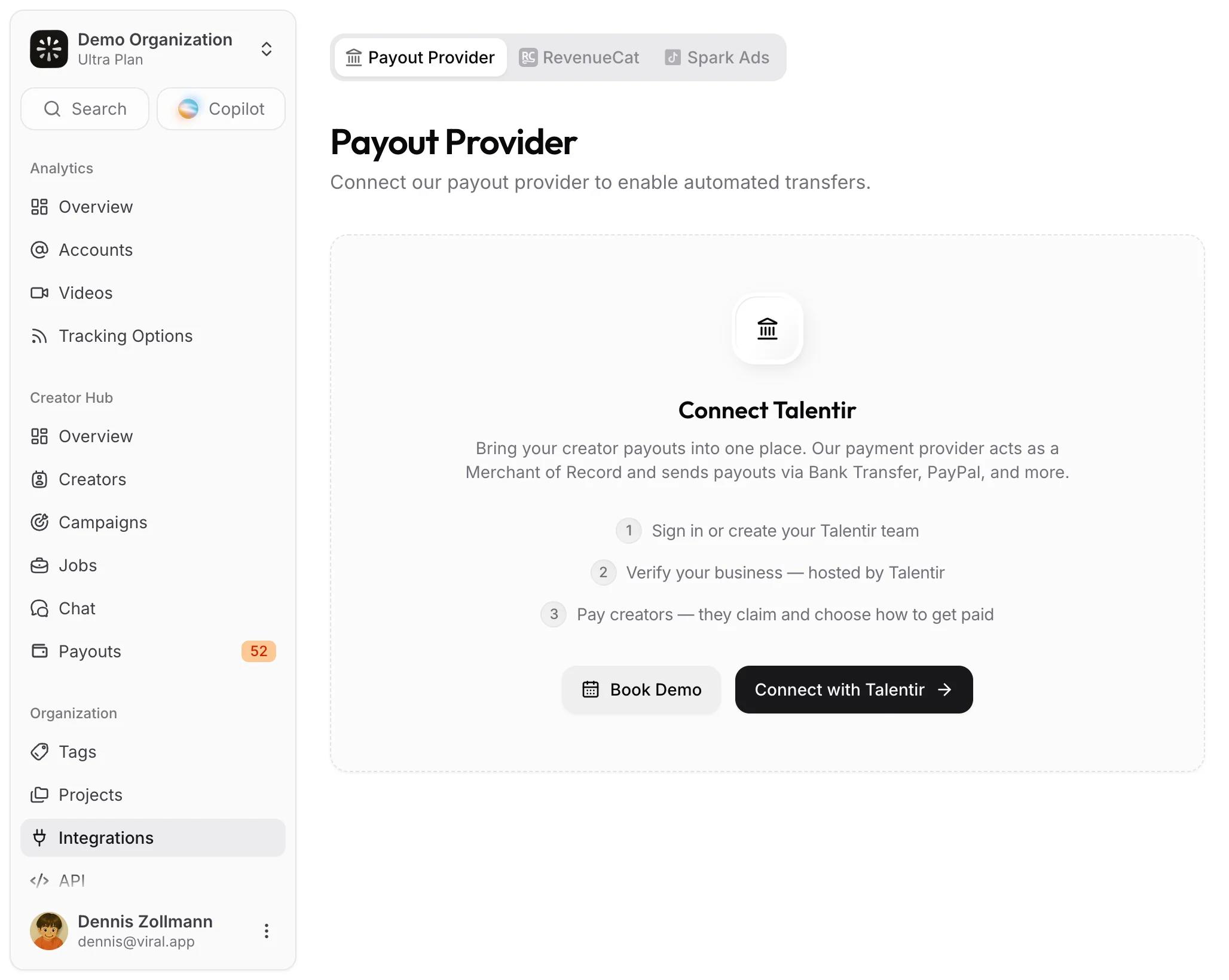
Talentir payout provider
Connect Talentir once to pay creators worldwide from Creator Hub, with approvals, invoices, and compliance handled for you.
Talentir is the payout provider behind Creator Hub payouts. It acts as Merchant of Record: it pays creators in its own name, takes care of the invoices, and handles identity checks, anti-money-laundering rules, and tax compliance for every payee, in more than 180 countries. Creators choose how they want to be paid, for example by bank transfer, PayPal, or stablecoin.
Connecting Talentir turns a due payout in Creator Hub into a two-click process: initiate in viral.app, approve on Talentir, and the creator gets a claim link. It also unlocks paying creators you hired through the marketplace.
What you get
- Every creator you work with becomes payable, including marketplace hires, without you collecting bank details.
- Approved payouts leave your Talentir wallet automatically, up to a daily allowance you control.
- Creators claim each payout themselves and pick their method.
- Every completed payout comes with a sender invoice for you and a recipient invoice. Talentir issues the recipient invoice in the creator's name, unless the creator uploads their own while claiming.
- Payouts in USD, EUR, CHF, or GBP, one currency per campaign.
- A flat 3% payout management fee on your side, never deducted from the creator. Creators only pay a method fee for some payout methods. See Fees.
Connect your team
Open Payout Provider under Integrations and click Connect with Talentir. You need to be an owner or admin on an active plan. Talentir signs you in or lets you create a team, then sends you back to viral.app.
A team is your company's account on Talentir: it holds the wallet, the verification, and the people who may approve payouts. A workspace is bound to one team, and reconnecting to a different team is refused. If your company already uses Talentir, connect with an account that is a member of that team; otherwise Talentir offers to create a new one, and the workspace stays bound to whichever team you pick.
After connecting, the Finish your payout setup checklist walks you through the rest:
- Verify business: Talentir's hosted business verification, usually done within 24 to 48 hours. Payouts stay blocked until it is complete.
- Set your daily allowance: only the Talentir team owner can set it. Approved payouts do not move before an allowance exists.
The connection card shows the team name and who connected it. Its menu offers Reconnect and Disconnect. Disconnecting stops approvals, claim links, and balance syncs, keeps your payout history, and is blocked while a payout is still in progress (unless the connection has already expired).
Business verification
Talentir verifies your company once (KYB) before the first payout. Companies from outside the EU and the US can verify too; Talentir may ask for additional documents depending on the country.
Sole traders in the EU need a VAT ID: the VAT registration certificate takes the place of a commercial register extract. Without a VAT ID, payouts through Talentir are not possible yet, because Talentir would otherwise have to add VAT to every payout.
Fund the wallet
The Balances & Allowance card has one tab per currency, with the active payout currency first. It shows the wallet balance, pending payouts, the balance after pending payouts, and how much of the allowance is used and remaining, and when it resets.
Add funds by bank transfer using the deposit details next to it. Talentir provides accounts for SEPA, UK Faster Payments, US ACH and wire, and international SWIFT transfers, each with copyable beneficiary, payment reference, and account details. Deposit details are created during business verification and appear shortly after. Talentir sets up deposit accounts for other currencies on request: if a currency's tab shows no deposit details, click Request [currency] deposit account, which opens a prefilled email to Talentir with your team's details. A team has one active payout currency; keep the balance in it, because money in another currency is not converted and never reaches a creator. The other currency tabs offer Switch payout currency, which opens Talentir's team screen for the owner.
Topping up by bank transfer is free, and a transfer usually reaches the wallet within 24 hours. Send it from a bank account in your company's own name and include the payment reference: Talentir returns deposits from third-party accounts. Card payments are not supported. Talentir has also accepted USDC on Base for top-ups; check with Talentir's support before sending stablecoins, because the rails it accepts can change.
If your finance team needs an invoice before it can send money, Talentir can issue one for the top-up amount, and your finance team pays against it. Ask Talentir's support for it, or ask us and we will connect you.
The daily allowance
The allowance is a spending limit, usually per day. Approved payouts execute automatically until it is used up. If the card shows when the allowance resets, they resume on their own after that. An allowance without a reset time does not reset, so the team owner has to raise the limit to let more payouts through. Without an allowance, approved payouts wait in the wallet. viral.app warns you when a day's allowance is 75% used. Set Allowance and Edit Allowance open Talentir's screen for the team owner.
Pay and approve
Initiate payouts from Due Payouts, one at a time, as a batch (select rows, or Pay All), or as a one-off payout. Each initiation opens Talentir's approval screen in a new window, where a member of your Talentir team approves, while viral.app waits and updates the status on its own. Payouts nobody approved yet wait in the Awaiting Approval tab, where Approve All approves up to 50 in one session.
Once approved, a payout moves to the Paid tab, which tracks it through requested and completed, or expired and deleted. The row menu, in the Awaiting Approval and Paid tabs, offers Approve on Talentir while a payout awaits approval, Copy Claim Link and Resend Claim Email while it is approved or requested, Withdraw Payout while it awaits approval or after it expired or was deleted, Reissue Payment once it has expired or was deleted on Talentir (not after you withdrew it), plus Open Talentir Dashboard and both invoices. Once a payout has been reissued, its original row offers neither Withdraw Payout nor Reissue Payment. The tiles on the Payouts page show what is awaiting approval, the wallet balance, the daily allowance, and what was paid out in the last 30 days.
What creators do
The creator receives a claim email. Creators with a viral.app account land on their Claimable tab, where every approved payout waits, and creators without one get the claim link directly. Talentir's claim screen opens in a new window (with Claim all, it walks through every payout in that same window). There they pick bank transfer, PayPal, Venmo, or another method, and depending on the method they may be asked to verify their identity once. Every later payout is claimed the same way and lands on that method. If a creator loses the email, copy a fresh claim link or resend it from the Paid tab. If the payout has expired, reissue it instead; the creator gets a new claim link once you approve it.
Fees
On your side:
- 3% payout management fee on each payout. See Payout provider fees.
- Top-ups by bank transfer are free.
- No conversion fee on your side. Payouts are taken from your wallet in the campaign's currency.
On the creator's side, none of the 3% is deducted. The only deduction is the fee of the payout method the creator picks: bank transfers to a SEPA, Swiss, or UK IBAN, US ACH, UK local transfers, and stablecoins on Base are free, while US wire, SWIFT, IBAN transfers in other currencies, PayPal, and Venmo carry a fee. The creator docs list every method, currency, and fee, and Talentir's creator payout fee schedule always has the current version.
What creators can receive
Your campaign pays in USD, EUR, CHF, or GBP. Creators then choose how to receive it: a bank transfer in one of the supported payout currencies, PayPal, Venmo, or a stablecoin. If they receive a different currency than the campaign's, Talentir converts it at the exchange rate shown on the claim page. Talentir pays creators in more than 180 countries; the claim page only offers methods that work for the creator's country and bank.
Tax reporting (DAC7)
As Merchant of Record, Talentir can take over DAC7 reporting for the payouts it makes. It is a service Talentir switches on per team, so ask Talentir's support to confirm it is active for yours. Once it is, creators based in the EU give their tax ID before they can claim, and you may be asked for a few additional details about your company.
For finance and legal teams
- Who pays the creator: Talentir pays creators in its own name as Merchant of Record and handles identity checks, sanctions screening, anti-money-laundering rules, and tax compliance for every payee.
- Creators without a business registration: as Merchant of Record, Talentir is liable if a creator works without a required business or self-employment registration. Creators also confirm when they claim that their details are correct and that they pay their own taxes.
- Your agreement with the creator: what the creator delivers and the usage rights stay between you and the creator.
- Invoices: every completed payout has a sender invoice for you and a recipient invoice. Talentir issues the recipient invoice in the creator's name (self-billing), unless the creator uploaded their own invoice while claiming. Download both from the payout's row menu in the Paid tab. For an invoice before a top-up, see Fund the wallet.
- Subprocessors and terms: see Talentir's subprocessor list and business service agreement.
Keep it healthy
If the connection expires because Talentir stops accepting the saved credentials, owners and admins get an email titled "Action needed: reconnect Talentir", with up to two reminders over the following week, and the connection card shows Reconnect. Approvals, claim links, and balance syncs pause until someone reconnects the same Talentir team. It doesn't have to be the person who connected it: any owner or admin of the workspace who is a member of that Talentir team can reconnect.