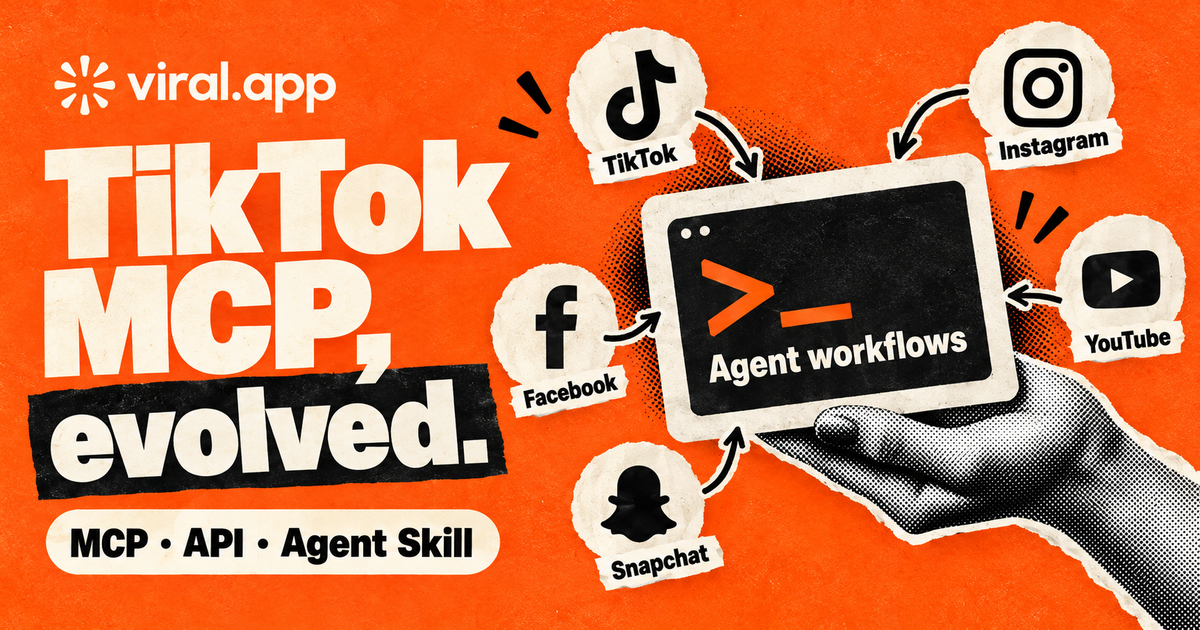
The old TikTok-only MCP server is retired. The replacement is the full viral.app MCP server plus the API and agent skill, with TikTok, Instagram Reels, YouTube Shorts, Snapchat Spotlight, and Facebook Reels workflows in one surface.
Written by
PublishedJune 30th, 2025
UpdatedMay 2nd, 2026
The old TikTok-only MCP is retired
The free TikTok-only MCP tool described on the old version of this page no longer exists. The same endpoint now hosts the full viral.app MCP server with OAuth and 50+ tools. New integrations should connect the MCP server from the Agents page, or use the viral.app API docs and the viral.app agent skill.
Use the viral.app API and Agent Skill
If you came here looking for the viral.app TikTok MCP server, here is the direct answer:
the free TikTok-only MCP is retired, and its successor is much bigger. The same endpoint now hosts
the full viral.app MCP server, with OAuth and 50+ tools across analytics, tracking, tags, Creator
Hub, and live lookups. Connect it from the Agents page.
We keep the old context around for transparency, because older links, client configs, and search
results still point to it. New work should start with the MCP server on the
Agents page, or with the viral.app API and agent skill for
API-key workflows.
It is an upgrade.
The old MCP answered a narrow question: "Can my AI client fetch TikTok data?" The API and agent
skill answer the more useful question: "Can my agent work with the same short-form analytics system
my team uses in the dashboard?"
The answer is yes. TikTok, Instagram, YouTube, Facebook, and Snapchat are all exposed through the API platform
parameter. That means TikTok analytics API, Instagram Reels analytics API, YouTube Shorts analytics
API, and Facebook Reels tracking workflows can live in one integration instead of four disconnected
experiments.
For a broader buying guide, read our social media analytics API guide.
This article is narrower: it explains what replaced the TikTok MCP and how to think about the new
API and skill workflow.
API paths
69
The API powers live lookups, tracked analytics, campaigns, creator payouts, exports, …
Platforms
4
TikTok, Instagram, YouTube, Facebook, and Snapchat are supported through the platform parameter in the API.
Plans
Ultra+
API access is included with all Ultra+ plans, instead of being sold only as a separate add-on.
What changed
The old page was a free-tool landing page for a TikTok MCP server. It taught users how to connect
MCP clients such as Cursor, Raycast, Claude Desktop, Windsurf, and Cline to a hosted MCP endpoint.
That made sense when the product surface was smaller. It makes less sense now.
viral.app now has a real API surface with interactive docs, API keys, tracked analytics, live
platform lookups, projects, Creator Hub resources, payout workflows, exports, and an agent skill
that can call that functionality from a local CLI. The MCP became the smaller path.
TikTok MCP launch
The first MCP exposed a small set of TikTok lookup tools for AI clients.
Full API surface
The API now covers live data, tracked accounts, tracked videos, analytics, projects, Creator Hub, payouts, CSV exports, and video downloads.
Agent skill replacement
The viral.app skill lets Codex, Open Claw, Claude Code, Claude Cowork, and other CLI-capable agents use the API with reusable workflows.
MCP still has a place. The official MCP documentation
describes a client-server model for connecting AI apps to external tools and data. That model is
useful when a tool only needs a small, fixed set of actions.
viral.app has moved past that shape. The API is the stable surface. The agent skill is the ergonomic
layer on top.
Why the API is the better replacement
The old TikTok MCP was intentionally limited. It could look up a TikTok profile, inspect a TikTok
video, list profile videos, and answer simple TikTok analytics questions.
The API does much more:
Live short-form lookup
Search users, videos, and hashtags. Fetch live account details, video details, account videos, and video comments across supported platforms.
Tracked analytics
Read tracked accounts, tracked videos, top videos, top accounts, KPIs, metric history, posting activity, and exports.
Competitor tracking
Add tracked accounts, mark competitor accounts, bulk update competitor flags, and keep internal versus competitor reporting clean.
Creator hub operations
List creators, assign campaigns, inspect Creator Hub overview tables, calculate payouts, initiate payouts, and review payment windows.
Projects and reporting
Manage projects, associate accounts with projects, export accounts or videos, and wire the results into client reports or internal BI.
Agent-ready workflows
Use API keys, OpenAPI docs, a local CLI, and the viral.app skill so agents can ask grounded questions and return useful reports.
In practice, the replacement is larger than "TikTok MCP with a different install command." It is a
larger product surface.
You can ask an agent to:
find TikTok videos mentioning a product and compare the accounts against your tracked accounts
build a weekly YouTube Shorts and Instagram Reels leaderboard from tracked analytics
export Facebook Reels or TikTok video gains for a client report
find competitor accounts from live search and prepare a review list before tracking them
calculate creator payouts for the next window and compare CPM against the previous period
summarize top videos, engagement rate, view growth, comments, and direct viral.app links
Most MCP servers stop at "tool call returns data." The viral.app API reaches into the same operating
system your team uses for dashboards, projects, campaigns, and payout workflows.
All plans starting with Ultra include API access
This part matters commercially.
Many social data vendors treat API access as an enterprise feature. You may need a separate contract,
a higher minimum, a paid add-on, or a custom data package before you can automate anything.
viral.app takes a simpler route: API access is included with every plan tier starting at Ultra. If
your team is already on the plan tier built for heavier creator operations, the programmable layer is
part of the product.
If you are comparing TikTok analytics API pricing, YouTube Shorts analytics API access, Instagram
Reels reporting APIs, or Facebook Reels tracking tools, do not compare only the endpoint list. Check
whether API access is included in the plan you would actually buy.
The agent skill replaces the MCP for agent workflows
The viral.app agent skill is the cleaner replacement for MCP-style usage.
It is built for agents that can read a skill, run a CLI, and keep work grounded in your organization
through VIRAL_API_KEY. That includes the obvious developer agents, but the pattern is wider than
one client.
Then create an API key in API Keys, expose it as VIRAL_API_KEY in the same
environment where the agent runs, and start with a read-only analytics prompt.
Start in the interactive API docs. The docs expose request parameters, schemas, and
example calls, so you do not need to guess the shape of the integration.
These are the most useful starting points if you are migrating from a TikTok MCP mindset:
That endpoint set is why the API works for more than "TikTok analytics API" searches. It also fits:
YouTube Shorts tracking API workflows
Instagram Reels analytics API workflows
Facebook Reels analytics API workflows
TikTok competitor tracking API workflows
creator payout automation
short-form video reporting automation
AI agent analytics workflows
Historical MCP context
The old TikTok-only MCP lived at:
https://viral.app/api/mcp
That server focused on TikTok-only tools such as profile lookup, video lookup, recent profile
videos, and simple natural-language analysis around those retrieved objects. It no longer exists.
The endpoint URL, however, is very much alive: it now hosts the full viral.app MCP server, with
OAuth consent scoped to one organization and 50+ tools covering tracked analytics, tracking
management, tags and workflows, Creator Hub, and live platform lookups.
If you still have old MCP configuration that calls mcp-remote against https://viral.app/api/mcp,
replace it: reconnect the client through OAuth using the setup prompts on the
Agents page, or move the workflow to API keys, the API docs,
and the agent skill if it needs to span multiple organizations.
How to migrate
Update old MCP client configs
Audit Cursor, Raycast, Claude Desktop, Windsurf, Cline, or other client configs for TikTok-era MCP entries and reconnect them through OAuth from the Agents page.
Create an API key
Generate an org-scoped key in the dashboard and provide it to your agent as VIRAL_API_KEY.
Install the viral.app skill
Use ClawHub for Open Claw or the skills CLI for Codex, Claude Code, and compatible skill-based agents.
Start with read-only analytics
Ask for a leaderboard, KPI comparison, live account lookup, or tracked video summary before allowing write actions.
A good first prompt:
Generate a weekly viral.app leaderboard for the latest rolling 7-day window.
Use tracked account and tracked video analytics from this org. Return the top
10 accounts by views gained, the top 10 accounts by engagement rate, and the
top 10 videos across TikTok, Instagram, YouTube, Facebook, and Snapchat if available.
Include direct viral.app links.
FAQ
Use viral.app with agents or LLMs through the viral.app API and agent skill. Create an API key in `/app/org/api/keys`, install the viral.app skill from ClawHub or with `npx skills add https://github.com/fmd-labs/viral-app-skills --skill viral-app`, set `VIRAL_API_KEY` in the agent environment, and start with a read-only prompt such as a weekly TikTok, Instagram Reels, YouTube Shorts, or Facebook Reels performance report. This works best with CLI-capable agents such as Codex, Open Claw, Claude Code, Claude Cowork, and similar tools that can run local commands against the viral.app API.
The TikTok-only MCP is retired, but the endpoint https://viral.app/api/mcp now hosts the full viral.app MCP server with OAuth and 50+ tools across analytics, tracking, tags, Creator Hub, and live lookups. Connect it from the Agents page in your workspace.
Two paths. The full viral.app MCP server at the same endpoint, connected with OAuth from the Agents page, works with Claude, Codex, Cursor, VS Code, and other MCP clients. The viral.app API plus the agent skill covers CLI-capable agents and multi-org setups with API keys.
No. The API platform parameter supports TikTok, Instagram, YouTube, Facebook, and Snapchat, so it can support TikTok analytics, Instagram Reels analytics, YouTube Shorts tracking, and Facebook Reels workflows from one integration.
API access is included with every plan tier starting at Ultra, including Ultra, Scale, and Enterprise. That is different from many social analytics platforms where API access is gated behind a separate enterprise contract or custom add-on.
The strongest fits are Codex, Open Claw, Claude Code, and Claude Cowork. Other CLI-capable agents can work too if they support reusable skills or instruction folders and can run the viral.app CLI with a VIRAL_API_KEY.