Social Media Analytics API: Official Platform APIs, Unified APIs and viral.app Compared
What the TikTok, Instagram, YouTube and Facebook APIs return for creator and video analytics, what unified APIs add, and what 3.3 million tracked videos show about public data and how often to pull it.
Written by
PublishedApril 16th, 2026
UpdatedOctober 2nd, 2026
For creators and competitors who won't log in to your app, the official APIs mostly come up empty. TikTok's Display API and Facebook's video insights only return analytics for accounts that authorize your app. TikTok's Research API does cover public videos, but it is closed to commercial users. YouTube Data API v3 is the exception: it returns public view, like and comment counts for any public video, within a default budget of 10,000 quota units a day. Instagram sits in between. It returns like, comment and view counts for other professional accounts, and nothing for personal ones.
So pick by whose accounts you measure. For accounts you or your clients own, use the official APIs or a unified API such as Ayrshare, bundle.social or PostPeer, which wraps them behind one login flow. For creators and competitors who won't connect, you need public data. That means a public-data API, a pay-per-result scraper, or a tracking tool with an API, such as viral.app, which tracks public TikTok, Instagram, YouTube Shorts, Facebook and Snapchat accounts by URL. Below: each option's access rules and limits, checked October 2, 2026, and what our 3.3 million tracked videos show about public metrics and how often to refresh.
TikTok Research API quota
1,000 requests a day
Up to 100,000 records a day, for approved academic and non-profit researchers only.
YouTube Data API budget
10,000 units a day
Reading a video's counts costs 1 unit. Search has its own cap of 100 calls a day.
TikTok views by day one
65%
Median share of 30-day views. Instagram Reels: 86%. From about 150,000 videos we tracked.
What does each official platform API return?
Each platform's own API is free and has the deepest metrics, such as reach and watch time, but mostly for accounts that log in to your app. Here is what each returns and who can use it.
TikTok: Display API and Research API
The Display API returns the profile and recently uploaded public videos of a TikTok user who authorizes your app. Each video object has view_count, like_count, comment_count and share_count, but no save count. Follower, following, like and video totals need the separate user.info.stats scope. The user info, video list and video query endpoints each allow 600 requests a minute.
The Research API can query any public video and adds favorites_count. Only researchers qualify: academic institutions in the US, EEA, UK, Canada and Switzerland, non-profit researchers in the EU, and some youth-safety researchers in Brazil. Its FAQ says creators, advertisers and commercial users are not eligible. Approved projects get 1,000 requests and up to 100,000 records a day. A video query returns at most 100 videos from a window of at most 30 days.
Instagram: Instagram API (Graph API)
Instagram's API works only with professional accounts, Business or Creator. Meta switched off the Basic Display API for personal accounts on December 4, 2024. For accounts that log in, media insights include views, reach, likes, comments, shares, saves, total interactions and Reels watch time. The data can be delayed up to 48 hours and is kept for up to two years. Impressions are deprecated for media created after July 2, 2024. Calls for a logged-in account are capped at 4,800 times its impressions per 24 hours, counting how often its content entered someone's screen.
For accounts that don't log in, Business Discovery returns follower and media counts plus like_count, comments_count and view_count per post. It works only for professional accounts that aren't age-gated, and its view count mixes paid and organic views. Business Discovery falls under Meta's Platform Rate Limits instead: 200 calls an hour per user of your app.
YouTube: Data API v3 and Analytics API
The YouTube Data API v3 is the only official API here that returns counts for any public video without the owner's consent: viewCount, likeCount and commentCount. It has no share count. dislikeCount has been private since December 13, 2021, and favoriteCount has been 0 since 2015. A project gets 10,000 quota units a day for most endpoints, and a videos.list call costs 1 unit. Search and uploads have separate caps of 100 calls a day each.
Video insights such as total_video_views, total_video_avg_time_watched and blue_reels_play_count cover videos on Pages you manage. You need the pages_manage_engagement and read_insights permissions and a Page token from someone who can analyze the Page. Videos on personal profiles and in groups have no insights. Reading public posts on other Pages needs Page Public Content Access, which requires App Review and business verification. Page calls are capped at 4,800 times the Page's engaged users per 24 hours.
What does public video data actually contain?
Public data has fewer metrics than owner insights, and the gaps differ by platform. Views and comments are public everywhere; likes, shares and saves are not. The table shows how often each count was available for the 3.3 million videos we track that were posted from October 2025 to August 2026.
TikTok is the most complete. Every video came with likes, comments, shares and saves.
Instagram hides the most. About 4% of Reels had no like count, usually because the creator hid it. Share and save counts varied over the year with the data source: saves were available for 12% of Reels posted in October 2025 and 66% of those posted in August 2026. Feed videos and carousels have no public play count at all, which is why viral.app tracks Reels only.
YouTube and Facebook publish no saves, and YouTube no shares. Facebook's like count is all reactions combined.
If you compare engagement rates across platforms, build them from likes and comments, the two counts nearly every video shows. Adding shares and saves inflates TikTok against YouTube, which publishes neither. Our guide to social media engagement metrics covers share rate, save rate and the other ratios.
How often should you pull the numbers?
Pull daily for the first week, then slow down, but don't stop. We matched snapshots of about 150,000 videos that had at least 1,000 views after 30 days and measured how much of those views each had after one day, two days and a week.
TikToks gain views longest: 65% of 30-day views after one day, vs 82 to 86% elsewhere
Median share of a video's 30-day views reached after 24 hours, 48 hours and 7 days
TikToks gain views longest: 65% of 30-day views after one day, vs 82 to 86% elsewhere
After 24 hours
After 48 hours
After 7 days
TikTok
65.2%
74.8%
89.5%
Instagram Reels
86.3%
94.4%
98.0%
YouTube Shorts
82.4%
92.9%
99.7%
Facebook
85.7%
93.9%
99.1%
The first week does most of the work. After seven days, the median video had 90% (TikTok) to 99.7% (YouTube Shorts) of its 30-day views.
TikTok is the slow one. The median TikTok had 65% of its 30-day views after a day and 75% after two, so a single check on day one undercounts it by a third.
After day 30, most videos barely move, but the big ones do. For videos posted in April and May 2026, the median TikTok gained 3.1% between day 30 and day 90. The median Reel gained 0.9% and the median Short 0.07%. Yet one TikTok in ten grew by 36% or more, and 21% of all day-90 views on these TikToks arrived after day 30.
viral.app follows the same pattern. It refreshes videos under 60 days old at every scheduled sync (up to five a day, depending on plan), videos 60 to 119 days old every two days, and older videos weekly. Plans with hourly sync slots refresh the newest videos more often. To judge whether a number is high once you have it, see our benchmarks for how many views is viral on each platform.
Which unified APIs pull creator analytics from several platforms at once?
Unified APIs put one login flow and one schema over the platform APIs. Most of them read accounts that connect to them, so they inherit the platforms' rule: full analytics for accounts that log in, little or nothing for the rest. Two options below work without any connection: Data365 and Apify's scrapers read public data.
Ayrshare is a posting API with analytics on connected profiles. Its analytics API page lists post, account and comment metrics plus audience demographics, "715 documented fields across 12 networks". Prices are per profile, one brand's set of accounts, on its pricing page.
bundle.social covers 15 platforms, including Threads, Bluesky and Mastodon, and says plainly that its analytics depends on connected accounts. Its free plan includes analytics for three accounts.
PostPeer has the lowest paid entry price of the three. The PostPeer Unified Social Media API posts, schedules and reads analytics across 11 networks, and it ships an MCP server and agent skills. An analytics call costs 1 credit. Its analytics FAQ says it can pull existing content from a connected account, not only posts published through PostPeer. Paid plans on its pricing page start at $33 a month, billed yearly, for 2,000 credits.
Phyllo is built for influencer platforms: creators connect their accounts, and its social data API returns profile, content and audience demographics, plus income data across platforms.
Data365 sells public data without account connections. Its site lists profiles, posts and comments on TikTok, Instagram, Facebook, X, Reddit, Threads and Pinterest, but not YouTube. Pricing starts at €300 a month for one network and 500,000 credits, where one post costs one credit.
Apify is a marketplace of pay-per-result scrapers. Its TikTok Scraper returns plays, likes, comments, shares and saves per video from $1.70 per 1,000 results. The Instagram Reel Scraper returns views, likes, comments and shares from $1.00 per 1,000 reels. You schedule the runs and store the history yourself.
If your product lets customers connect their own accounts, a unified API saves you a separate app review and OAuth flow per platform. Check which metrics each returns per platform before you commit, because they can only pass on what the platform APIs give them.
What does the viral.app API offer?
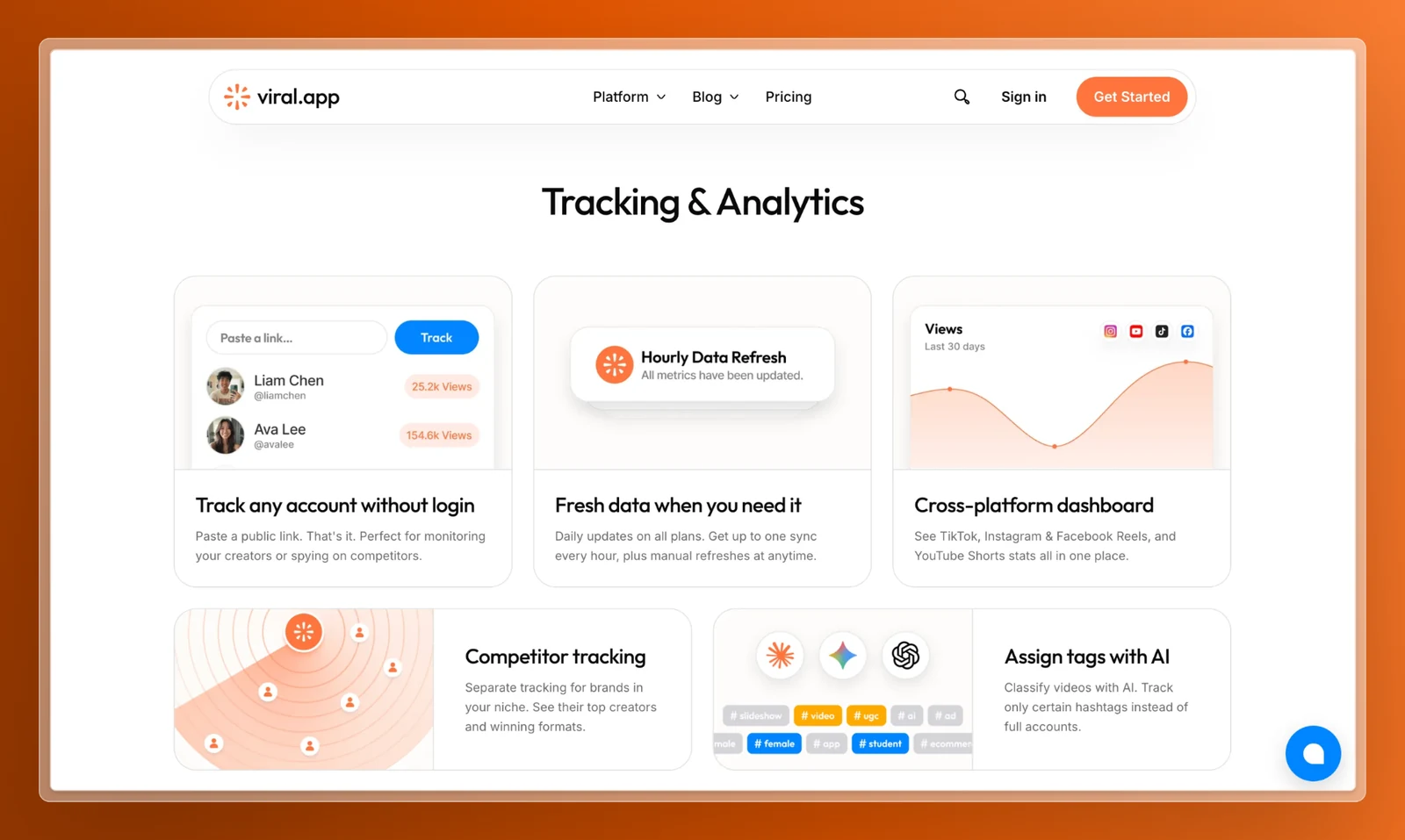
viral.app is a tracking tool with an API, not a wrapper around the platform APIs. You add public TikTok, Instagram, YouTube Shorts, Facebook and Snapchat accounts or single videos by URL, and creators don't connect anything. viral.app reads the counts each platform shows publicly, retrieved through specialized public-data providers, as its privacy policy states. It refreshes them on a schedule, so each video builds up a metric history. The viral.app API exposes the same data your team sees in the UGC analytics dashboard.
Its public OpenAPI spec listed 198 operations on October 2, 2026. The ones for analytics:
Tracking (19 operations): add accounts and videos, set each account's video limit and competitor flag, refresh, and check sync status.
Analytics (22 operations): KPIs with period comparison, metric history by day, week or month, top videos, accounts and creators, views by country, and CSV exports.
Live lookups (8 operations): fresh data on any public account, video or search, at 3 credits per request. Account search, video search and comments cover TikTok, Instagram, YouTube, Facebook and Snapchat; hashtag search covers all of them but Facebook.
The rest cover Creator Hub: creators, campaigns, briefs, payouts and chat. Requests authenticate with an org-scoped key in the x-api-key header. This is the video-detail example from our API reference, trimmed:
viralityFactor is the video's views divided by its account's median views, and loadAt is the time of the last refresh. When you connect TikTok Spark Ads, the response also splits viewCount into organicViewCount and paidViewCount.
Webhooks: 53 signed event types for chat, creators, campaigns, briefs, assignments, payouts, jobs and applications, with up to ten delivery attempts over about three days, as the webhooks guide describes. There is no webhook for new videos or view milestones yet, so analytics integrations poll after the scheduled refresh.
MCP server: one URL, https://viral.app/api/mcp, with a browser sign-in, for ChatGPT, Claude, Cursor, Codex, Gemini, Grok and other MCP clients. Agents can read analytics, manage tracking, run live lookups and work in Creator Hub, but cannot start payouts. A tool that spends credits returns a quote first and spends only after you confirm.
Plans: API access, webhooks and the MCP server come with Ultra ($299 a month, or $239 billed yearly, with 5,000 tracked videos) and Scale ($499, or $399 yearly, with 20,000), not with Pro.
Limits: no X, LinkedIn, Threads or Pinterest, no YouTube long-form, and no Instagram Stories, feed videos or carousels. Because the data is public, there is no reach, impressions or watch time, which only the account owner can see.
Social media analytics APIs compared
Which API should you pick for creator data across platforms?
Your own brand accounts on one or two platforms: use the official APIs. They're free and the only source of reach, watch time and audience data.
A product where customers connect their own accounts: use a unified API such as Ayrshare, bundle.social or PostPeer, and check its per-platform metrics first.
Creators who will connect, and you need their audience: use Phyllo, or the official APIs with each creator's authorization.
Creators and competitors who won't connect, with history kept for you: use a tracking tool with an API, such as viral.app. It refreshes TikTok, Reels, Shorts, Facebook and Snapchat on a schedule and runs campaign payouts on the same data.
Creators and competitors who won't connect, stored by you: use a public-data API such as Data365, which also covers X and Reddit but not YouTube. For occasional pulls, a pay-per-result scraper such as Apify's is cheaper.
Academic research: combine the TikTok Research API with YouTube Data API v3.
An interface that returns performance data, such as views, likes, comments, shares, followers and reach, for social accounts and posts, so you can use it in your own dashboards, reports or tools. It can be a platform's own API, a unified API that wraps several platforms, or the API of a tracking tool like viral.app.
Yes. YouTube Data API v3 is free within 10,000 quota units a day and returns public counts for any video. TikTok's Display API and Meta's Instagram and Facebook APIs are free for accounts that authorize your app. Among unified APIs, bundle.social has a free plan for three accounts and PostPeer gives 20 free credits.
Not from TikTok for commercial use. The Display API only returns data for users who authorize your app, and the Research API, which covers public videos, is limited to approved academic and non-profit researchers. Businesses use a public-data API, a scraper or a tracking tool such as viral.app instead.
It depends on whether the creators connect their accounts. If they do, a unified API such as Ayrshare, bundle.social, PostPeer or Phyllo gives you one integration for many platforms. If they don't, use a tracking tool with an API, such as viral.app for TikTok, Instagram, YouTube Shorts, Facebook and Snapchat, a public-data API such as Data365, or pay-per-result scrapers such as Apify's.
Engagement counts come from the same analytics endpoints. Publicly, TikTok shows likes, comments, shares and saves; YouTube shows likes and comments but no shares or saves; Facebook shows reactions, comments and shares. Owner-only metrics such as reach, impressions and watch time need the account owner's authorization.
An analytics API measures accounts and posts you already know. A monitoring or listening API searches for mentions, keywords and hashtags across posts you don't know yet. viral.app's live endpoints can search videos on TikTok, Instagram and YouTube and hashtags on TikTok and Instagram, but it is a tracking tool, not a listening tool.
Try the viral.app API
Track a few creator or competitor accounts, then read the same numbers from your scripts, n8n workflows or an AI agent through the MCP server. Setup steps and keys are in the API and automation docs.