| Campaign Type | Implementation Complexity | Resource Requirements | Expected Outcomes | Ideal Use Cases | Key Advantages |
|---|---|---|---|---|---|
| Fashion Brand Product Seeding | Low to moderate | Moderate (product costs, influencer vetting) | Authentic content, long-term ambassador relationships | Fashion, lifestyle, fitness micro-influencers | Cost-effective, authentic UGC, product feedback |
| Beauty Brand Tutorial Campaign | High | High (skilled creators, production effort) | High engagement, educational trust, repurposable content | Beauty enthusiasts, makeup/skincare influencers | Demonstrates product use, builds trust |
| Food & Beverage Recipe Creation | High | High (culinary skills, ingredient sourcing, photography) | Unique content, brand versatility, community engagement | Home cooks, culinary content creators | Ownable, versatile content, high shareability |
| Tech Product Review Campaign | High | Very high (product investment, thorough testing) | Credibility, detailed evaluations, evergreen content | Tech enthusiasts, gadget reviewers | Builds trust, reaches purchase-ready audience |
| Travel Destination Partnership | High | Very high (travel, accommodation, planning) | Aspirational content, booking interest, visual assets | Travel enthusiasts, luxury and adventure travelers | Inspires wanderlust, extensive content library |
| Fitness Challenge Campaign | Moderate to high | Moderate to high (program design, community management) | High engagement, community building, user-generated results | Fitness enthusiasts, beginners, health-conscious | Participatory, community-driven, demonstrates results |
| Sustainability Awareness Campaign | Moderate to high | Moderate (research, fact-checking, authentic partnerships) | Purpose-driven content, brand reputation, behavior change | Eco-conscious consumers, millennials, Gen Z | Builds social responsibility, educates audience |
In influencer marketing, a clear, comprehensive brief is the foundation of a successful campaign. It's the difference between content that hits the mark and a collaboration that falls flat. A well-crafted influencer brief example serves as the critical alignment tool, empowering creator creativity while ensuring your brand's key messages are communicated effectively and authentically.
This isn't about restricting influencers; it's about providing a clear roadmap for a mutually beneficial partnership. Much like a detailed content brief template guides a writer, an influencer brief directs creative energy toward a shared goal. It eliminates guesswork, prevents miscommunication, and sets the stage for content that performs.
This guide will break down seven distinct influencer brief templates, each designed for different campaign goals and industries, from fashion and beauty to tech and travel. We'll move beyond generic outlines to provide deep strategic analysis, tactical insights, and replicable methods you can immediately apply. By understanding these blueprints, you'll be equipped to build campaigns that not only reach your audience but truly resonate and drive measurable results. Let's dive into the examples.
1. Fashion Brand Product Seeding Brief
Product seeding is a powerful, low-cost strategy where brands send free products to influencers, not in exchange for a guaranteed post, but with the hope of generating authentic, organic-style content. This approach builds genuine relationships and can result in highly credible user-generated content (UGC), which can be efficiently managed and tracked with platforms like viral.app. A well-structured brief is crucial to guide the influencer without stifling their creativity.
The goal isn't a hard sell; it's to have your product seamlessly integrate into the influencer's world. This influencer brief example for a fashion brand focuses on providing inspiration and essential information, empowering the creator to style the product in a way that resonates with their audience. It’s less about strict rules and more about a collaborative partnership.
Strategic Breakdown
This type of brief works because it respects the influencer's expertise and aesthetic. By removing the pressure of a paid contract, brands encourage genuine enthusiasm. The influencer is more likely to feature the product in a way that feels natural to their followers, leading to higher engagement and trust.
Key Strategy: The brief provides a "mood board" and styling suggestions rather than a rigid script. This gives the creator a clear understanding of the brand's vibe (e.g., "urban-chic," "bohemian-dreamer") while allowing them the freedom to interpret it through their own unique lens.
Actionable Takeaways
To implement this strategy effectively, your product seeding brief should be clear, concise, and inspiring.
- Provide a Visual Mood Board: Include 3-5 images that capture the desired aesthetic, tone, and style. This is more effective than long descriptive paragraphs.
- Suggest Scenarios, Don't Mandate Them: Offer ideas like "Perfect for a coffee run" or "Style it for a night out." This sparks creativity without being restrictive.
- Clearly State Key Details: Don't forget the essentials. Include the product name, key features to highlight (e.g., "made from sustainable cotton," "features a unique hand-stitched detail"), your brand's social media handles (@YourBrand), and any relevant campaign hashtags (#YourBrandStyle).
- Set Soft Expectations: Use gentle language like, "We'd love it if you could share by [date]" or "If you enjoy the product, we’d be thrilled to see how you style it." This maintains a no-pressure relationship.
2. Beauty Brand Tutorial Campaign Brief
Tutorial campaigns are a cornerstone of beauty marketing, allowing brands to educate consumers on product use, showcase results, and build credibility. Influencers demonstrate how to use a product, often sharing personal tips and tricks, which provides immense value to their audience. This format is perfect for launching new products, highlighting complex application techniques, or demonstrating dramatic before-and-after transformations.
The core of this influencer brief example is to balance educational requirements with the creator’s authentic voice. Unlike a simple product seeding, a tutorial brief is more detailed, providing specific talking points and technical guidelines to ensure the product’s benefits are clearly communicated. Success hinges on a brief that empowers the creator to be both a teacher and a trusted reviewer. For more inspiration on what to create, exploring various how-to video ideas can help spark unique content that meets the brief's objectives.
Strategic Breakdown
This brief is effective because it leverages the influencer's role as an expert or trusted peer. When a creator like a makeup artist or a dedicated skincare enthusiast walks their audience through a step-by-step process, it demystifies the product and builds purchase confidence. This is particularly crucial for products with a learning curve, such as a new liquid eyeliner or a multi-step skincare system.
Key Strategy: The brief requires specific outcomes (e.g., show a close-up of the foundation's texture, mention its long-wear capabilities) but allows the influencer creative freedom in how they structure the narrative and present the information. This ensures brand messaging is delivered authentically.
Actionable Takeaways
To execute a successful tutorial campaign, your brief must be a comprehensive yet flexible guide. Get the initial communication right by using a proven influencer outreach template to start the conversation professionally.
- Provide Detailed Product Information: Include a "cheat sheet" with key ingredients, benefits, shade names, and specific claims to mention (e.g., "vegan," "lasts 12 hours"). This equips the influencer to speak about the product with authority.
- Outline Clear Content "Must-Haves": Be explicit about non-negotiables. This could include showing the packaging, a before-and-after shot, a close-up texture shot, and mentioning the full product name clearly.
- Set Technical Guidelines: To ensure high-quality content, specify requirements for lighting (e.g., "use natural daylight or a ring light"), audio clarity ("no background noise"), and video resolution ("film in 1080p or 4K").
- Encourage Honest and Authentic Delivery: While you have key messages, include a line like, "We want your genuine thoughts and reactions! Feel free to share your honest opinion on the texture and finish." This builds trust with the audience.
3. Food & Beverage Recipe Creation Brief
For food and beverage brands, collaborating with culinary influencers to create original recipes is a cornerstone of content marketing. This strategy involves tasking a creator with developing a new, appealing recipe that prominently features a specific product. It goes beyond a simple product placement, transforming the brand's item into an essential ingredient for a delicious, shareable experience.
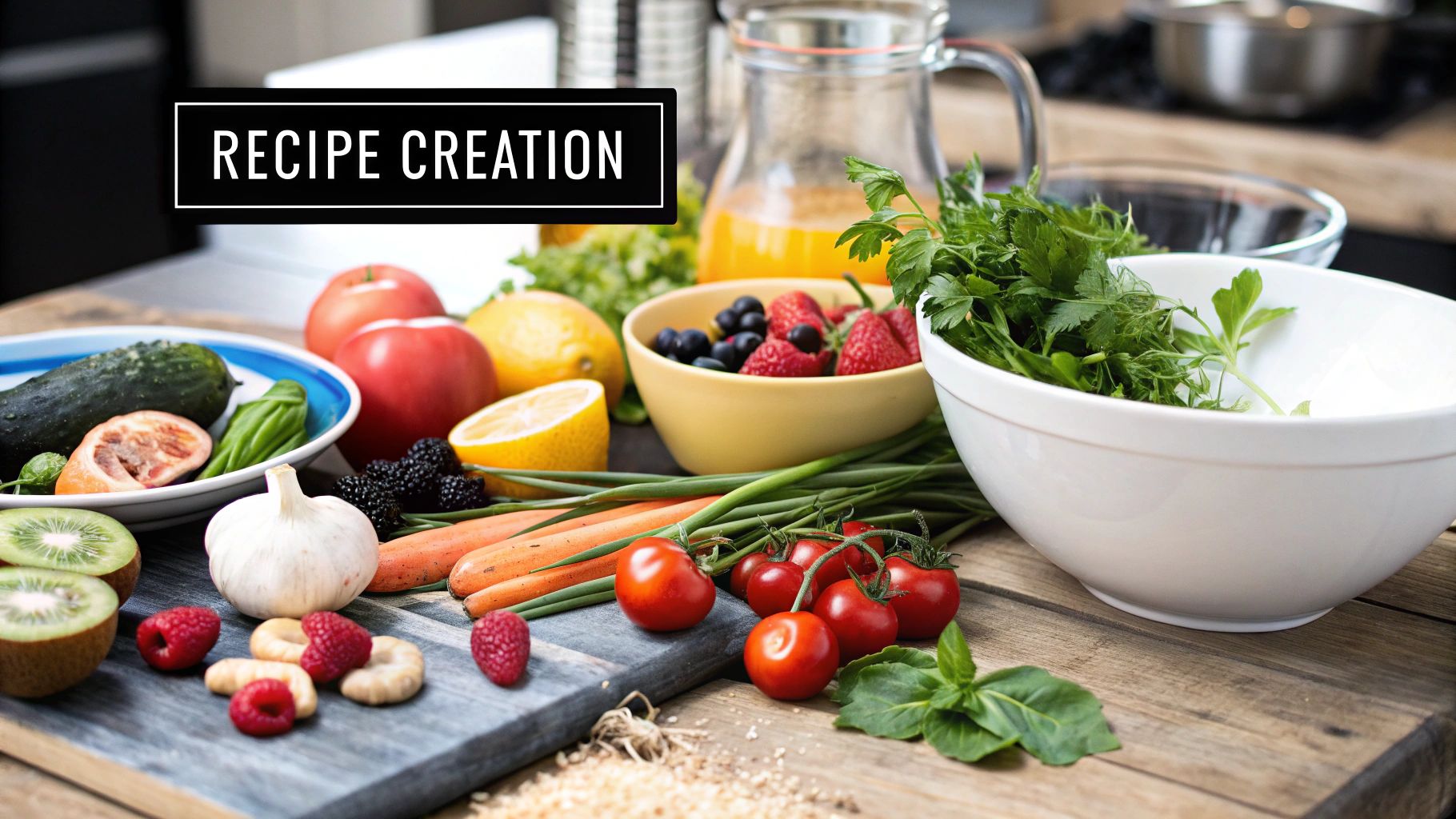
The primary goal is to demonstrate the product's versatility and inspire the audience to use it in their own kitchens. A successful influencer brief example for this type of collaboration, like those seen in Tasty's brand partnerships or with food bloggers for HelloFresh, provides clear guidelines on the product's role while giving the creator the freedom to innovate. This balance ensures the final recipe is both on-brand and authentic to the influencer’s cooking style.
Strategic Breakdown
This brief is effective because it leverages the influencer's culinary expertise and credibility. Followers trust their favorite food creators for accessible and tasty recipes. By integrating a product into an original recipe, the brand becomes part of a solution to the daily question, "What's for dinner?" This positions the product as a practical, must-have kitchen staple rather than just another item on the shelf.
Key Strategy: The brief must clearly define the "hero" product and its key attributes (e.g., "our creamy coconut milk is perfect for soups and curries") but allow the influencer to build the rest of the recipe. This focuses their creativity while ensuring the brand's core message is delivered effectively.
Actionable Takeaways
To execute a successful recipe creation campaign, your brief needs to be a perfect mix of guidance and creative runway.
- Define the Non-Negotiables: Clearly state the product that must be used, any key messaging points (e.g., "low-sodium," "organic," "plant-based"), and mandatory call-to-actions. This sets a solid foundation.
- Encourage Multiple Content Formats: Ask for a variety of deliverables. A short, dynamic Reel for discovery, a carousel post with step-by-step instructions, and Stories with behind-the-scenes content can maximize reach and engagement.
- Provide a "Creative Sandbox": Suggest a theme or meal type (e.g., "a quick weeknight dinner," "a holiday appetizer") to guide the creator without dictating the entire recipe. This helps align their creation with your campaign goals.
- Include a Recipe Card Requirement: Mandate that the final post includes a clean, savable recipe card graphic. This provides immense value to the audience, encouraging saves and shares, which significantly boosts content longevity and performance.
4. Tech Product Review Campaign Brief
For technology brands, a detailed and transparent review from a trusted creator can be more impactful than a traditional ad campaign. This brief is for partnering with tech reviewers (like MKBHD) or lifestyle influencers to create comprehensive, honest product evaluations. The focus is on facilitating a thorough testing experience that leads to credible, in-depth content.
Unlike a simple product seeding, this influencer brief example for a tech launch provides extensive support, technical specifications, and clear guidelines on deliverables. The goal is to empower the creator to explore every facet of the product, from unboxing to long-term real-world use, ensuring their audience receives a valuable and authentic assessment.
Strategic Breakdown
This brief's effectiveness lies in balancing brand messaging with the reviewer's integrity. Tech audiences are savvy and can spot inauthentic praise instantly. By encouraging honest feedback, even if it includes constructive criticism, the brand builds credibility and trust. It signals confidence in the product's quality and respects the reviewer's role as an impartial expert.
Key Strategy: The brief provides an embargo date and a comprehensive fact sheet, but explicitly allows for independent testing and honest opinions. This ensures reviews are well-informed and timed for maximum launch impact, while preserving the creator's authenticity, which is their most valuable asset.
The following infographic illustrates the standard workflow for a structured tech review campaign, from initial product access to final performance analysis.
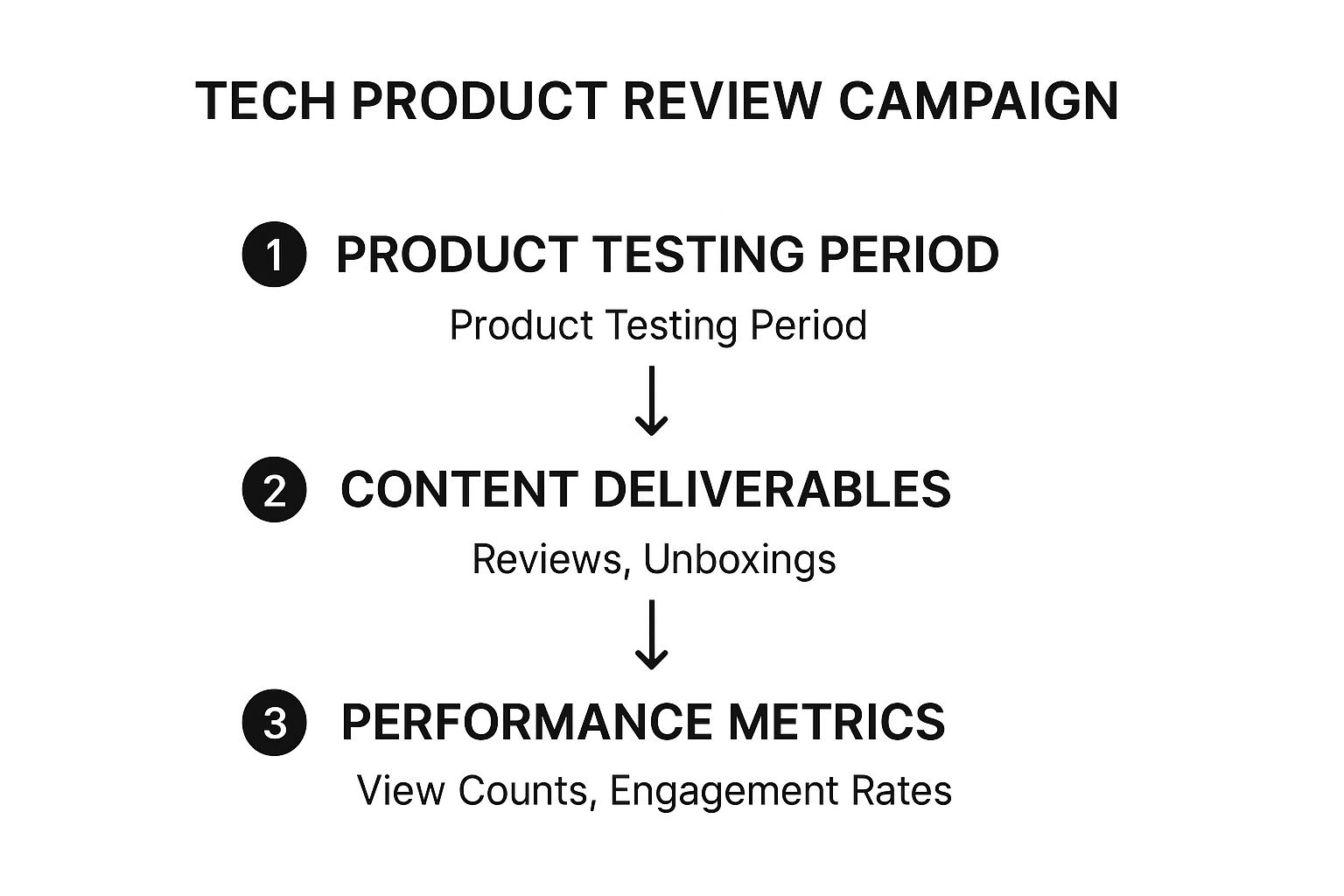
This process ensures influencers have adequate time for thorough testing before creating content, which is then measured to evaluate campaign success.
Actionable Takeaways
To execute a successful tech review campaign, your brief must be built on a foundation of clarity, support, and trust.
- Provide a Detailed Product Fact Sheet: Include all technical specifications, key features, pricing, and availability. This is the creator's primary resource for accurate information.
- Allow for a Sufficient Testing Period: Grant influencers at least one to two weeks with the product. This allows for genuine, real-world testing beyond a simple first impression.
- Encourage Comparative Analysis: Suggest that influencers compare your product to their current device or a leading competitor. This provides valuable context for their audience and demonstrates brand confidence.
- Establish Clear Deliverables and Embargoes: Clearly define the required content (e.g., one YouTube video, two Instagram Stories) and the exact date and time reviews can go live. This coordinates the launch buzz for maximum impact.
5. Travel Destination Partnership Brief
Travel collaborations are designed to sell an experience, not just a product. A brief for a tourism board, hotel, or airline must inspire wanderlust while providing the practical details needed for a smooth trip. It involves sending an influencer to a location to capture its essence through compelling storytelling and stunning visuals, like those seen in campaigns by Tourism Australia or Marriott Hotels.
This type of influencer brief example is a logistical and creative guide. It balances a planned itinerary with the flexibility for spontaneous discovery. The goal is to produce content that feels like an authentic travel journal, encouraging followers to book their own adventure. It's about showcasing a destination's unique character through the influencer's eyes.
Strategic Breakdown
This brief succeeds by creating a partnership that feels like a co-produced travel show. The brand provides the access and framework, while the influencer brings their unique narrative style and audience connection. By focusing on authentic experiences rather than just staged photo-ops, the content generates a powerful sense of FOMO (fear of missing out) and trust.
Key Strategy: The brief includes a "storytelling arc" or theme for the trip. For instance, instead of just a list of places, the theme might be "Uncovering the City's Hidden Culinary Gems" or "A 3-Day Adventure for Thrill-Seekers." This narrative focus guides content creation and makes the resulting posts more engaging and cohesive.
Actionable Takeaways
To execute a successful travel partnership, your brief must be meticulously planned yet creatively liberating.
- Balance Itinerary with Freedom: Provide a schedule with key activities, reservations, and transport details. Also, build in "free time" for the influencer to explore independently and find hidden gems that will make their content unique.
- Provide a Storytelling Toolkit: Equip the influencer with key historical facts, cultural context, and a list of local phrases. Include a shot list with suggestions for both iconic landmarks and off-the-beaten-path locations to ensure a rich variety of content.
- Clarify All Deliverables and Usage Rights: Be explicit about the number and type of posts required (e.g., 3 Instagram feed posts, 10 Stories, 1 blog post). Clearly define how and where the brand can use the content (e.g., on social media, in digital ads) to avoid future misunderstandings. Strong influencer relationship management starts with clear communication.
- Include Practical and Emergency Information: Don't forget local contacts, emergency numbers, transportation details, and advice on local customs. A well-prepared influencer is a happy and effective partner.
6. Fitness Challenge Campaign Brief
A fitness challenge campaign leverages the motivational power of community and structured goals to drive engagement. Brands partner with fitness influencers to lead their audience through a specific program, such as a 30-day workout plan or a nutrition challenge. This approach is highly effective for promoting fitness apps, supplements, apparel, or online coaching services by showing them in an authentic, results-oriented context.
The core of this strategy is transformation and shared experience. This influencer brief example for a fitness challenge must be meticulously planned, outlining workout schedules, safety guidelines, and community engagement tactics. It’s about creating a supportive ecosystem where the influencer acts as both a coach and a motivator, guiding participants toward a collective goal while naturally integrating the brand’s products or services.
Strategic Breakdown
This type of brief excels because it builds a powerful sense of community and urgency around a brand. By creating a time-bound event, brands can generate a massive spike in user-generated content, social proof, and product trials. The influencer's role is to provide expertise, encouragement, and accountability, making the brand an indispensable part of the user's fitness journey.
Key Strategy: The brief must clearly define the challenge structure, rules, and the influencer’s role in fostering community. This includes providing assets for proper form demonstration, inclusive modifications for all fitness levels, and a plan for interacting with participants in comments or dedicated groups.
Actionable Takeaways
To execute a successful fitness challenge, your brief must be comprehensive, clear, and empowering for the influencer-coach.
- Outline the Full Challenge Program: Provide a detailed schedule of workouts or daily tasks. Specify the duration (e.g., 21 days), the focus (e.g., HIIT, yoga), and any required equipment. This clarity helps the influencer prepare their content in advance.
- Emphasize Safety and Inclusivity: Mandate the inclusion of proper form demonstrations, warm-ups, cool-downs, and safety disclaimers. Crucially, provide a list of modifications for different fitness levels to ensure the challenge is accessible to a wider audience.
- Define Community Engagement Rules: Clearly state how and where the influencer should interact with participants. This could be through Instagram Stories Q&As, a private Facebook group, or by responding to comments using the campaign hashtag (#YourBrandChallenge).
- Provide Key Brand Assets: Include talking points for your product (e.g., "our pre-workout provides sustained energy," "this app tracks your progress"), official brand handles (@YourBrand), a unique hashtag, and links to any challenge-specific landing pages or product discounts.
7. Sustainability Awareness Campaign Brief
This brief is designed for brands championing sustainability, focusing on education and behavioral change rather than just product promotion. It aims to foster authentic conversations around eco-friendly practices, partnering with influencers who genuinely care about the cause. The goal is to avoid "greenwashing" by providing transparent, fact-based information and encouraging honest dialogue.
Unlike a typical product launch, a sustainability campaign's success is measured by awareness and impact. This influencer brief example for an eco-conscious brand like Patagonia or Seventh Generation prioritizes a mission-driven narrative. It empowers influencers to become educators and advocates, using their platform to inspire their audience to adopt more sustainable habits.
Strategic Breakdown
This brief is effective because it’s rooted in shared values and authenticity. It positions the influencer as a partner in a larger mission, not just a marketing channel. By providing scientifically-backed data and focusing on progress over perfection, brands can build immense trust and credibility with conscious consumers who are wary of empty environmental claims.
Key Strategy: The brief provides verifiable facts, figures, and resources about a specific environmental issue (e.g., plastic waste, carbon emissions). It then links the brand's product or initiative as a tangible, actionable solution, empowering the influencer to create content that is both educational and inspiring.
Actionable Takeaways
To execute a powerful sustainability campaign, your brief must be transparent, educational, and empowering.
- Lead with the "Why": Start by clearly explaining the environmental mission. Provide startling, verifiable statistics or a compelling story about the problem your brand is trying to solve.
- Arm Influencers with Facts: Include a "Quick Facts Sheet" with easy-to-digest data, sources, and key talking points. This ensures the information they share is accurate and helps them answer audience questions confidently.
- Focus on Small, Actionable Steps: Frame the call-to-action around realistic behavior changes, not just buying a product. For instance, "Join our #PlasticFreePledge for one week" or "Learn how to properly recycle our packaging."
- Encourage Authenticity and Imperfection: Explicitly state that it’s okay to discuss the challenges of living sustainably. Use phrases like, "We want to hear about your journey, including the struggles." This makes the content more relatable and human.
Influencer Briefs Comparison: 7 Examples
From Brief to Breakthrough: Your Next Steps in Influencer Marketing
We've journeyed through seven distinct campaign scenarios, from fashion product seeding to sustainability awareness, each underpinned by a strategic influencer brief example. The core lesson is clear: a well-crafted brief is not a list of demands but a blueprint for a successful partnership. It's the essential bridge between your brand's strategic goals and a creator's authentic voice, ensuring that both sides are aligned, inspired, and equipped for success.
The most effective briefs, as demonstrated, achieve a delicate balance. They provide non-negotiable guardrails (like FTC disclosure requirements and key messaging) while leaving ample room for the creative freedom that makes influencer content so compelling. Remember, you are hiring creators for their unique perspective and connection with their audience, not to be a human teleprompter.
Key Takeaways for Crafting Your Next Brief
Reflecting on the examples, several core principles emerge as universally critical for turning a good brief into a great one. Mastering these will fundamentally elevate your campaign outcomes.
- Clarity is King: Ambiguity is the enemy of effective collaboration. Use concise language, clear formatting with bullet points, and defined sections. A creator should be able to scan your brief and understand the campaign's essence in under a minute.
- Define Success Explicitly: Don't make creators guess your goals. Whether your primary KPI is engagement rate, click-throughs to a product page, or brand sentiment uplift, state it clearly. This helps them tailor their content to achieve the results you need.
- Empower, Don't Dictate: Provide a "Creative Sandbox" rather than rigid scripts. The best briefs offer inspiration, mood boards, and key talking points but trust the influencer to bring the concept to life in their own style. This is the secret to content that feels genuine and resonates deeply with their followers.
Your Actionable Next Steps
Armed with these templates and insights, your next step is to put theory into practice. Don't just copy and paste an influencer brief example; adapt it. Start with the template that most closely matches your campaign type and customize it to fit your brand's unique voice, specific objectives, and the nuances of the platform you're targeting.
As you build these partnerships, also consider the evolving landscape of influence. The very definition of a "creator" is expanding. For brands on the cutting edge, this includes exploring innovative frontiers, such as learning how to build an AI influencer from scratch, which presents a new paradigm for controlled, scalable brand messaging.
Ultimately, the brief is your launchpad. The true measure of success comes after the content goes live. Meticulous tracking and analysis—features central to the viral.app dashboard—are what transform a single campaign into a long-term, scalable, and data-driven marketing engine. By refining your briefs based on performance data, you create a powerful feedback loop that makes every future collaboration more impactful than the last.
Ready to move from crafting the perfect brief to measuring its real-world impact? viral.app provides the analytics engine to track your influencer marketing ROI, monitor video performance, and gain the insights needed to refine your strategy. Stop guessing and start knowing what works. Sign up for viral.app and see how our data-driven tools can transform your influencer campaigns.
Questions & Answers
The most important element is clarity. A brief must clearly outline campaign goals, key messages, and deliverables while providing enough creative freedom for the influencer to produce authentic content that resonates with their audience.