Grade or viral.app? Only pay your creators, or also find, track and boost them.
Both track creators' posts, work out what they're owed and pay them as merchant of record. Grade is a payouts tool with free tracking and a 5% fee on each payout. viral.app runs the whole program, from finding creators to ads, with a 3% fee that never comes out of creator pay.
Companies from startups to enterprise choose viral.app
Mike SchneiderCo-Founder · · 9 min read
The short version: Grade is a payouts tool: free tracking, then 5% on each payout, with Grade as merchant of record. viral.app runs the whole program around payouts, from finding creators to ads, for a plan plus a 3% fee that never comes out of creator pay. Pick Grade to pay creators you already have with no monthly fee. Pick viral.app when payouts are one part of the program you run.
Fee on each payout
3% vs 5%
viral.app's is always on your side. Grade's can come out of creator pay.
Where viral.app gets cheaper
$5,000 / mo
Of creator pay on Pro, about $15,000 on Ultra. Below that, Grade costs less.
Wallet currencies
4 vs 1
EUR, GBP, CHF or USD, funded free by bank transfer. Grade's wallet is in USD.
We make viral.app, so read this with that in mind. Every Grade fact below comes from Grade's own site, help centers, terms, blog and API docs, checked on September 25, 2026, with links at the end. Where Grade doesn't say something, we write "Not public". Where its own pages disagree, we show both. Grade is run by Creator Check Technology and its payout emails come from creatorcheck.io, so some creators know it as CreatorCheck.
Are you a creator? This page is for brands. For paid UGC work, join the Canvas UGC marketplace; if you have a Grade payout to claim, the questions at the end explain how.
Who wins each job
5 to viral.app · 3 to Grade
Payouts inside the whole creator programFind, test, track, pay and boost in one tool. Grade tracks and pays creators you already have.
viral.app
None of the fee comes out of creator payOur 3% is always paid by you. Grade's blog says its 5% is taken on the creator side.
viral.app
Total cost past about $5,000 a month in creator payPro plus 3% costs less than 5% from about $5,000 a month in creator pay; Ultra from about $15,000.
viral.app
Funding payouts from a European bankFree bank top-ups in EUR, GBP, CHF or USD. Grade's wallet is USD, funded by US bank or card.
viral.app
Counting the views creators earnedBoth count Instagram-only and group cross-posts. viral.app also drops paid views and tests deals first.
viral.app
Compliance as merchant of recordBoth pay creators as merchant of record, with KYC and invoices, and describe their coverage differently.
Different
Cost for small payout budgetsNo monthly fee, so below about $5,000 a month in creator pay Grade costs less.
Grade
Payout methods for creatorsPayPal, bank transfer, Payoneer, AirTM, crypto, prepaid cards and gift cards, in 190+ countries.
Grade
US tax formsCreators fill in a W-9 or W-8BEN at their first withdrawal, and Grade files 1099s.
Grade
Who Grade is great for
Grade is a well-built payouts tool, and for some teams it's the right one. It fits best when:
You only need to pay creators
No monthly fee, free tracking, and payouts to anyone with an email address.
Your creators want more ways to get paid
Payoneer, AirTM, crypto, prepaid cards, gift cards and cash-out options, depending on their country.
You pay US creators and need 1099s
Grade collects a W-9 or W-8BEN at the first withdrawal and files 1099s at year end.
It also sends alerts to Slack and Discord, pays a whole spreadsheet of creators at once, and gives marketplaces an API and an MCP server to build payouts into their own product. If you only need to pay the creators you already have, Grade is a sound choice. The rest of this page is about what changes when payouts are one part of a bigger program.
A payouts tool, or payouts inside your creator program
Grade's work starts once you have a creator's email and a deal: it tracks their posts, works out what they're owed and pays them. viral.app does the same, plus the steps before and after.
Find creators
Post a job on the Canvas UGC marketplace and get matches ranked on the views creators actually get, after a location check. Grade starts with creators you already have.
Agree the deal and test it
Both write fixed pay, CPM, bonuses and caps. viral.app runs the whole deal on a creator's recent videos before launch, so you see what they would have earned.
Track what they post
Any public account from a URL on TikTok, Instagram, YouTube, Facebook and Snapchat, next to competitors and a viral video library updated several times a day. Grade tracks TikTok, Instagram, YouTube, Facebook and X accounts for free.
Pay and stay compliant
Both pay creators as merchant of record, with KYC and invoices. viral.app's 3% is always on your side; Grade's 5% can come out of creator pay.
Boost what works
Create Ad turns any tracked post into a Spark Ad or partnership ad on your own ad account, and paid views stay out of creator pay. Grade's pages describe no ad tools.
In Grade
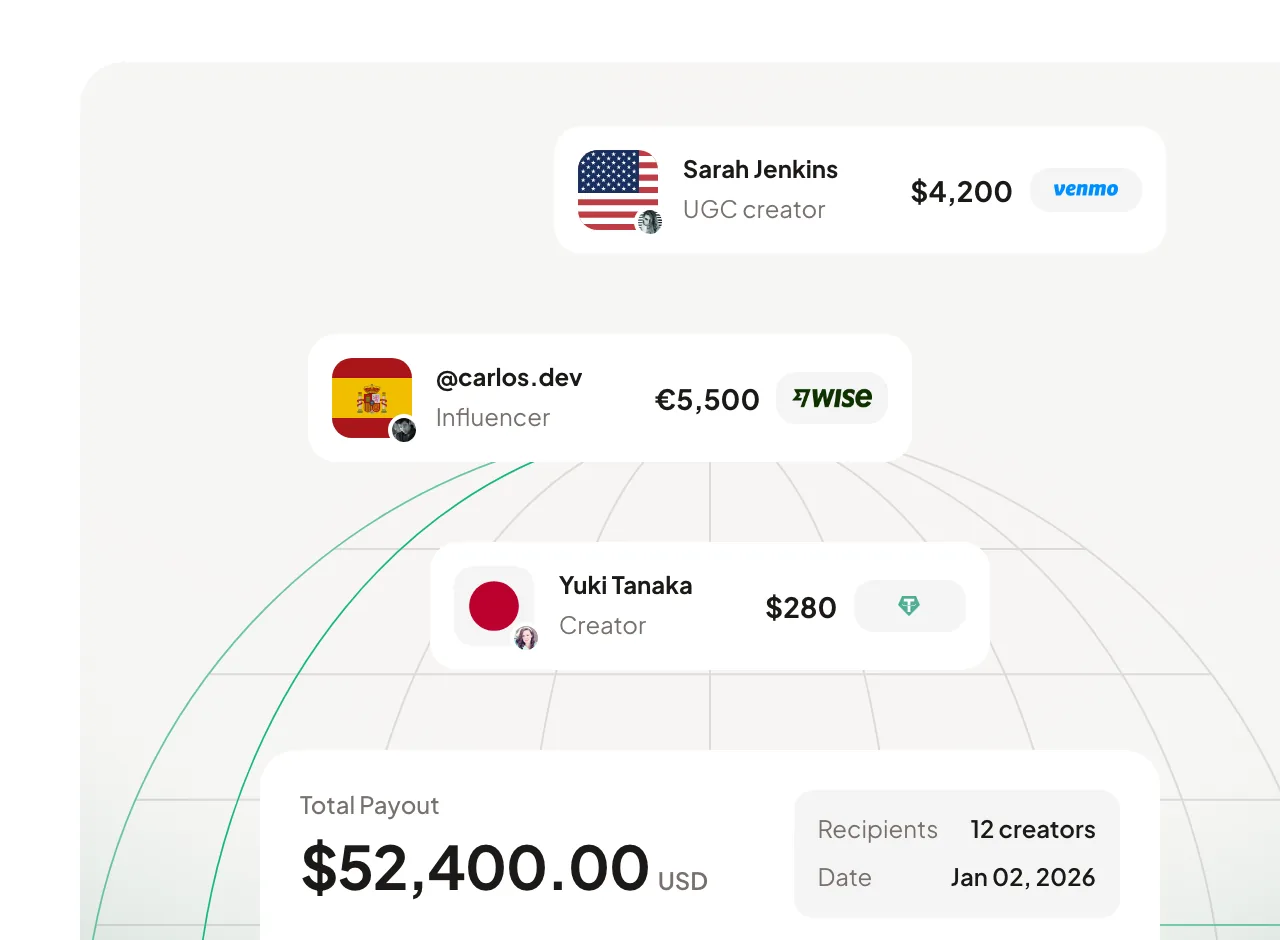
Grade pays a batch of creators worldwide from one USD wallet, each picking a payout method. Source: usegrade.com homepage, Sep 2026
In viral.app
viral.app works out each payout from the campaign rules; you check it and approve up to 50 at once.
What you pay, and who pays it
Grade has no plan. It charges 5% on each payout, which it says covers instant global payouts, compliance and tax handling. Its blog says the fee is taken on the creator side; its help center lets you choose whether creators, you or both pay it. viral.app charges a plan from $99 a month plus 3% on each payout, always on your side. On a $1,000 payout:
Payout method fees, such as PayPal's, come on top on the creator's side with either tool. Topping up Grade's wallet costs 0.8% (up to $5) from a US bank account or 2.9% plus $0.30 by card; bank top-ups into viral.app are free. Grade has no plans to match, so here is what you get for $0 on Grade next to viral.app's entry plan.
What you start with
Grade No plan$0
viral.app Pro$99
Fee on each payoutviral.app
5%
3%
viral.app
Who pays the feeDifferent
You, the creator or a split
Always you
Different
Topping up the walletviral.app
US bank 0.8% up to $5, card 2.9% + $0.30, wire on request; $500 minimum
Free by SEPA, UK Faster Payments, ACH, wire or SWIFT
viral.app
CurrenciesDifferent
USD wallet; pays out in USD, CAD, GBP or EUR
Wallet and payouts in USD, EUR, GBP or CHF
Different
TrackingDifferent
Free, up to a limit it doesn't publish
1,000 videos, unlimited accounts
Different
Team seatsDifferent
Not published; roles include Finance
1, more at $15 each
Different
Hire creatorsviral.app
Not offered
1 live job, 10 invites a day
viral.app
Start paying creatorsviral.app
After a call to activate payments
After a 24 to 48 hour business check, no call
viral.app
API and MCPGrade
On request
From Ultra at $299
Grade
Try itGrade
Free tracking, no card
7-day free trial
Grade
Above Pro, viral.app Ultra is $299 a month ($239 yearly) with 10 seats, 5,000 tracked videos, 50 active creators, 2 live jobs, and the API and MCP server. Scale is $499 ($399 yearly) with 20 seats, 20,000 videos and 500 creators, and Enterprise is custom. Grade publishes one rate, 5%; a lower rate at volume isn't on its pages.
Which one should you pick?
Choose Grade if…
You only need to pay creators you already have, and want no monthly fee.
Your creators want Payoneer, AirTM, gift cards or cash-out, or you need 1099s filed for US creators.
You want payout alerts in Slack or Discord, or bulk payouts from a spreadsheet.
Our product
Choose viral.app if…
Payouts are one part of a creator program you run: finding creators, testing deals, tracking and ads.
You want none of the platform fee to come out of creator pay, with a flat 3% on your side.
You fund payouts from a European bank, in EUR, GBP, CHF or USD, with no top-up fees.
Neither fits?
Look at these instead
A creator marketplace with payouts built in? SideShift.
A tracker that pays creators through Contra? Shortimize.
Both are merchant of record. Here is what each one covers.
Compliance is Grade's strongest pitch, and a fair one to weigh. With either tool you never send money to creators directly: a merchant of record pays them, checks who they are and issues the invoices. The difference is in what each one says it covers, so here are both, in each company's own terms.
Which rules apply to you
Whether DAC7 or the Platform Work Directive applies to your program depends on how you work with creators, and each merchant of record describes its coverage in its own words. Our guide to the Platform Work Directive, DAC7 and creator misclassification walks through each rule with primary sources, so you can check what applies to you before you choose. Either way, paying through a merchant of record takes the payment side off your plate.
Every difference, row by row
Twenty-two rows in four groups, starting with fees. "Yes" means the product does it, "Partly" means it covers part of the job, and "Not public" means we couldn't find it on Grade's pages.
NoPartlyNot publicYes
Showing 13 of 22 rows. Each section starts with the rows that decide most choices.
What you need
Fees and fundingWhere the cost difference comes from
Fee on each payout
Grade
5%, which Grade says covers instant global payouts, compliance and tax handling. No monthly fee.
viral.app
3%, plus a plan from $99 a month.
None of the fee comes out of creator pay
Grade
PartlyOnly if you pay the fee. Its blog says the 5% is taken on the creator side; its help center lets you pick the creator, you or a split.
viral.app
YesAlways. The 3% is on your side; creators only pay a method fee for some methods, such as PayPal.
Topping up the wallet
Grade
Through Stripe: 0.8% (up to $5) from a US bank account or 2.9% + $0.30 by card, at least $500. Wire transfer on request.
viral.app
Free bank transfer by SEPA, UK Faster Payments, US ACH, wire or SWIFT, from an account in your company's name. Cards aren't accepted.
Currencies
Grade
Payouts in USD, CAD, GBP or EUR, converted from a USD wallet at current rates.
viral.app
Payouts in USD, EUR, GBP or CHF, one per campaign, from a wallet in that currency, with no conversion fee on your side.
Compliance and paperworkBoth are merchant of record; the claims differ
Merchant of record
Grade
YesGrade buys each creator's services and resells them to you, and your finance team gets one invoice per payout cycle.
viral.app
YesOur payout partner pays each creator in its own name, with a sender invoice for you and a self-billed one in the creator's name on every payout.
Worker status and unregistered creators
Grade
Its compliance page says the employment relationship is between Grade and the creator, shielding you from misclassification risk across the EU.
viral.app
The payout partner carries the liability if a creator works without a required business or self-employment registration.
DAC7 reporting
Grade
YesAutomatic for every creator payout and filed on your behalf, per its compliance page.
viral.app
YesThe payout partner can take over DAC7 reporting for your payouts once it's switched on for your team.
Identity and sanctions checks
Grade
YesIdentity verification, sanctions screening and transaction monitoring; creators verify a phone number to withdraw.
viral.app
YesKYC, AML and sanctions checks for every payee, and a one-time check of your company.
US tax forms
Grade
YesA W-9, W-8BEN or W-8BEN-E at each creator's first withdrawal, and 1099s filed at year end.
viral.app
PartlyThe payout partner collects the tax data it needs from each payee. 1099 filing isn't described in our docs.
Paying creatorsGrade has more payout methods; viral.app tests deals first
Payout methods
Grade
YesPayPal, local or international bank transfer, Payoneer, AirTM, crypto, prepaid cards and gift cards, by country, in 190+ countries.
viral.app
YesBank transfer, PayPal, Venmo, USDC or EURC, in 180+ countries. Bank payouts in EUR, GBP, CHF and by US ACH are free for creators.
Pay rules
Grade
YesFixed fees (with an upfront part, or prorated), CPM with minimum and maximum views, spend caps, and bonuses on total views, each post or the best post.
viral.app
YesBase pay per video by platform, fixed salary, CPM tiers, milestone bonuses, caps, minimum views and an eligibility window.
Test a deal before launch
Grade
PartlyThe bonus editor shows example payouts at set view counts.
viral.app
YesSimulate the payout for one of your creators on their recent videos.
Approvals
Grade
YesOptional and off by default. Admins or Finance approve, with an audit trail of every request.
viral.app
YesAlways on: a person on your payout team approves each payout, up to 50 at once, within a daily allowance.
Paying many creators at once
Grade
YesUpload a CSV of emails and amounts, in mixed currencies, or send up to 100 per API call.
viral.app
PartlyPay up to 50 due payouts at once, or more through the API. No CSV upload.
Paying some creators outside the tool
Grade
Not publicNot described on its public pages.
viral.app
YesMark as Paid records payments you made another way, with no fee, for creators you bring. Marketplace hires are paid through the payout partner.
Tracking and the rest of the programWhere viral.app goes further
Find new creators
Grade
NoNot offered. You add creators you already work with by email.
viral.app
YesCanvas UGC marketplace: post a job and get matches ranked on real views, measured posting and niches, after a location check.
Platforms
Grade
YesTikTok, Instagram, YouTube, Facebook and X (accounts only), per its help center. Its homepage says any platform.
viral.app
YesTikTok, Instagram, YouTube, Facebook and Snapchat. No X.
How often numbers refresh
Grade
Once a day, per its help center; a January blog post says every hour. Campaign videos can be refreshed 3 times each, at most every 4 hours.
viral.app
Every 24 or 12 hours by plan, custom times on Scale, up to every hour on Enterprise, and any account or video on demand for 3 credits per video.
Views counted the way creators earned them
Grade
PartlyInstagram-only views, and cross-posts grouped by upload time and length or a caption rule.
viral.app
YesInstagram-only views, cross-posts matched visually and paid once, and paid ad views kept out of creator pay.
Creator videos as ads
Grade
Not publicNot described on its pages.
viral.app
YesCreate Ad from any tracked post: Spark Ads on TikTok, partnership ads on Instagram and Facebook, on your own ad accounts.
Alerts in Slack or Discord
Grade
YesSlack, Discord and webhook alerts, including performance milestones.
viral.app
NoNot built in. Daily emails list due payouts; build alerts on the API.
API and MCP
Grade
YesAn API with keys scoped to analytics, campaigns, payouts and KYC, on request, plus a local MCP server.
viral.app
YesAPI and MCP server included on Ultra and Scale.
9 more rows across 3 sections. Nothing is left out, only folded to keep the page short.
What each one costs for your program
Set your creators, team, video volume and what you pay creators each month. The calculator picks the cheapest viral.app plan and counts Grade's 5% in full, as if you pay it. If your creators pay it instead, your bill is lower and their pay is 5% lower. Grade doesn't publish its tracking or team limits, so those show as open items.
25
3
5,000
$20,000
Grade Pay per payout$1,000 / month + open items
$0 Pay per payout plan + 5% platform fee ($1,000)
Limit on seats: not published
Limit on tracked videos: not published
Limit on active creators: not published
viral.app Ultra$899 / month, all in
$299 Ultra plan + 3% payout fee ($600)
Ultra is needed for more than 1,000 tracked videos and more than 10 active creators.
Software alone: Grade $0 vs viral.app $299. Grade is $299 a month less before fees.
viral.app's 3% is charged on your side, none of it comes out of creator pay, and every payout comes with its invoices. Creator pay itself ($20,000) is the same with either tool and not included above.
From prices checked Sep 25, 2026. Illustrative, not a quote.
Grade has no plan, so the comparison is its fee against our plan plus fee. With Grade's 5% counted in full, viral.app costs less once creator pay passes about $5,000 a month on Pro, $15,000 on Ultra or $25,000 on Scale. On yearly billing those points drop to about $4,000, $12,000 and $20,000. Below them, Grade costs less. Topping up Grade by card adds about 2.9% more; bank top-ups into viral.app are free.
The same deal in both tools
Grade's pay rules are as flexible as ours: fixed fees with an upfront part, CPM with minimum and maximum views, spend caps, and bonuses on total views, each post or the best post. The difference is the last step. viral.app runs the whole deal on one of your creators' recent videos before launch; Grade's bonus editor shows example payouts at set view counts. Here is one common deal, term by term.
Deal termGradeviral.app
$200 monthly retainerPartlyYes
$1 per 1,000 viewsYesYes
$250 for each video past 500K viewsYesYes
Performance pay capped at $2,000 a monthYesYes
Views count for 30 days after postingYesYes
Test the deal on last month's videos firstPartlyYes
Partly: Grade's fixed pay is a fee per campaign or per post, paid once, weekly or monthly; a recurring monthly retainer isn't described in those words. Its bonus editor shows example payouts at set view counts, not on a creator's real videos.
What the creator is owed
Example month
Video 1 · 420,000 views$420
Video 2 · 1,300,000 views$1,300
Video 2 · past 500K bonus$250
Video 3 · 90,000 views$90
Performance pay$2,060
Cap at $2,000−$60
Monthly retainer$200
Creator receives$2,200
Your 3% payout fee$66
Grade's 5% on the same pay$110
Invoice and tax paperworkhandled
viral.app counts each video's views for 30 days after posting, applies the cap, and shows this breakdown before you approve the payout.
Due payouts land in one queue: check each calculated amount, adjust it if needed, then pay up to 50 creators at once.
Due payouts per creator, campaign and billing period, ready to approve.
Creators get one link when a payout is approved and choose how to be paid. They don't need an account, and none of your 3% fee comes out of their pay.
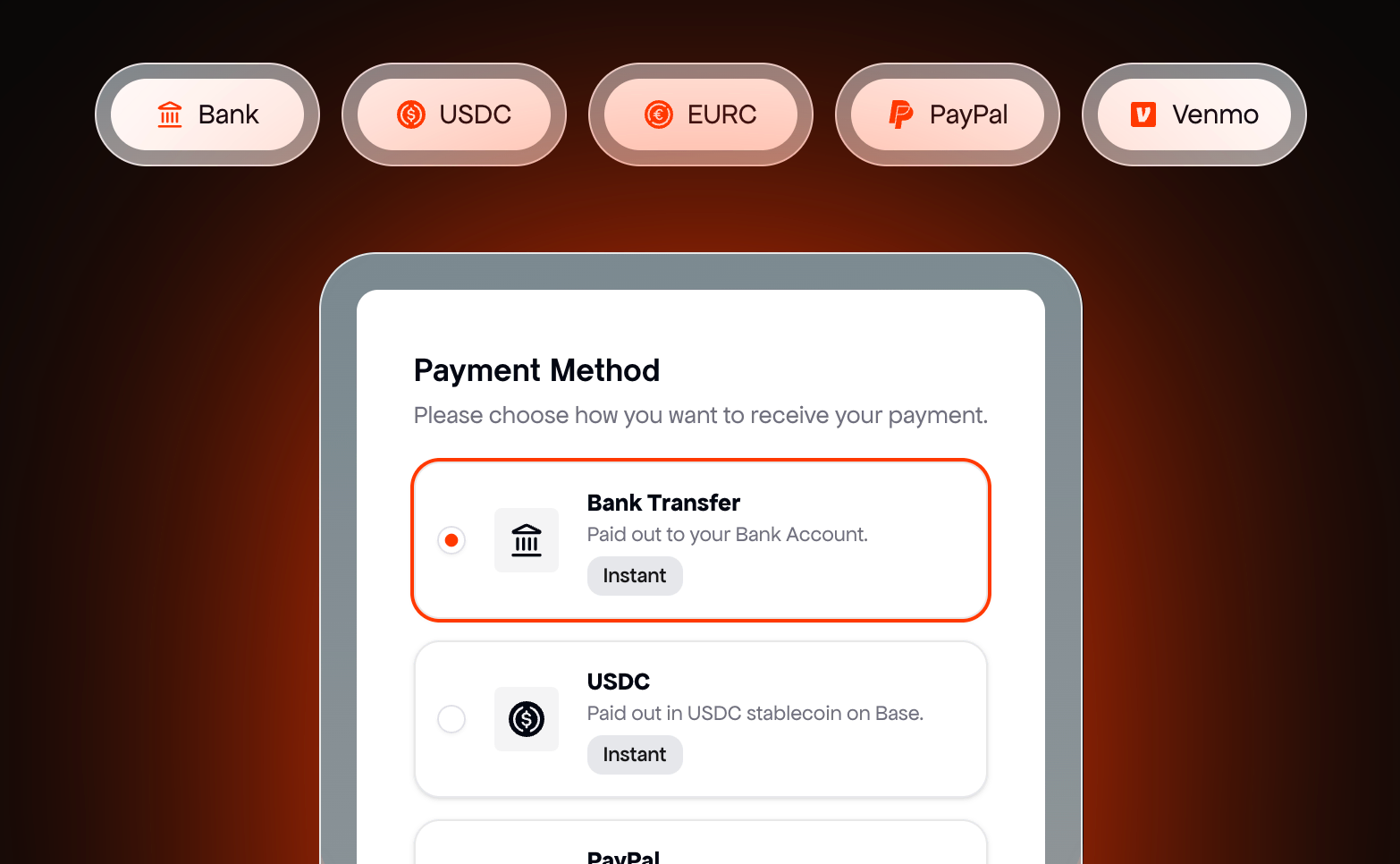
Creators claim by bank transfer, USDC, EURC, PayPal or Venmo.
Where each one is better
Where Grade is better
1
No monthly feeFree tracking, and you pay only when you pay creators.
2
More ways to get paidPayPal, bank transfer, Payoneer, AirTM, crypto, prepaid cards and gift cards, in 190+ countries.
3
US tax forms handledA W-9 or W-8BEN at the first withdrawal, and 1099s filed at year end.
4
Built for payout operationsBulk payouts from a CSV, optional approvals by a Finance role, Slack and Discord alerts, and a payouts API.
Where viral.app is better
1
The whole creator programFind creators on the Canvas UGC marketplace, track them, pay them and run their videos as ads.
2
None of the fee comes out of creator payA flat 3% on your side, never deducted from what the creator receives.
3
Funded from Europe for freeBank top-ups by SEPA, UK Faster Payments, ACH or SWIFT, into a wallet in EUR, GBP, CHF or USD.
4
Deals tested before launchEvery deal runs on a creator's recent videos first, and a cross-posted video is paid once.
5
Views counted the way creators earned themInstagram-only counts, and paid ad views kept out of creator pay.
6
Track anyoneAny public account from a URL on five platforms, competitors included, plus a viral video library updated several times a day.
What teams running creator programs say
"viral.app has become core infrastructure for running organic marketing. It has helped us scale to
over a billion organic views."
David ParkJenni AI Founder
"viral.app feels like the first serious solution for managing high-volume UGC campaigns."
Zack HargettQuizlet/Coconote Co-Founder
"viral.app has solved our biggest pain points. It's handling everything from global payouts to
invoicing and tax accounting."
Julian IvaldyWhoLiked Founder
Moving payouts from Grade
The one thing to plan is the money already in your Grade wallet. Grade's public pages describe refunds to the wallet when you cancel a payout, but not how to withdraw a balance, so pay out what's left first or ask Grade before you switch. Tracking on Grade is free, so both tools can run side by side for a cycle.
Day 1Add your creators' accountsPaste the account URLs, or send us the list and we add them. No creator has to sign up.
Day 1Write your deals as rulesEnter each creator's terms and test them on recent videos before the next payout.
First weekSet up payoutsConnect the payout system, verify your company once, usually in 24 to 48 hours, and fund the wallet by free bank transfer.
Next cyclePay from viral.appCreators claim with one link and pick their method. Pay out the rest of your Grade balance there first.
Questions about Grade
Grade is a creator payouts platform from San Francisco, backed by Y Combinator (Winter 2026). Brands, agencies and marketplaces add creators by email, track their posts on TikTok, Instagram, YouTube, Facebook and X for free, set fixed, CPM and bonus terms, and pay them from a USD wallet. Grade acts as merchant of record, collects tax forms and charges 5% per payout, with no monthly fee.
Yes, as far as its own pages show. Grade's terms name Creator Check Technology as the company that operates it, its payout emails come from no-reply@mg.creatorcheck.io, and Y Combinator's page for Creator Check now redirects to Grade. So a creator who gets a CreatorCheck payout email is being paid through Grade.
Grade has no monthly fee and tracking is free. It charges 5% on each payout, which it says covers instant global payouts, compliance and tax handling. Topping up its USD wallet costs 0.8% (up to $5) from a US bank account or 2.9% plus $0.30 by card, with a $500 minimum. Grade doesn't publish a lower rate at volume (checked September 25, 2026).
Either. Grade's blog says the platform is free for brands and the 5% is taken on the creator side, and its creator guide shows creators the fee in their payout email. Its help center lets you set who pays for the whole organization or per payout: the creator, you, or a split. On viral.app the 3% fee is always paid by the brand.
Yes. Grade's terms describe it as a merchant of record that buys creators' services and resells them to you, and it collects W-9 and W-8BEN forms and files 1099s. Its compliance page says it reports DAC7 on every payout and shields you from misclassification risk across the EU. viral.app's payout partner is also merchant of record and can take over DAC7 reporting.
Grade says it pays creators in 190+ countries. You pay in USD, CAD, GBP or EUR from a USD wallet, and creators choose PayPal, local or international bank transfer, Payoneer, AirTM, crypto, prepaid cards or gift cards, depending on their country. viral.app pays creators in 180+ countries, in USD, EUR, GBP or CHF, by bank transfer, PayPal, Venmo, USDC or EURC.
Yes. Grade tracks TikTok, Instagram, YouTube, Facebook and X accounts for free and counts Instagram views without Facebook impressions. Its help center says numbers refresh once a day; a January blog post says every hour. Each workspace has a tracking limit Grade doesn't publish. viral.app tracks the same platforms except X, plus Snapchat, with 1,000, 5,000 or 20,000 videos by plan.
Yes. Grade's API covers payouts, the wallet, creators, KYC, campaigns and analytics, with keys scoped per area, and you ask Grade's support for access. Its MCP server runs on your own machine and stays read-only unless you switch on write tools. viral.app includes its API and an MCP server on Ultra and Scale, connected with one URL and a browser sign-in.
Yes. Grade is a Y Combinator company (Winter 2026), founded in 2025 in San Francisco. Its site says it has paid out $10M+ and paid 3,200+ creators in 190+ countries; those are its own figures. It names brands such as Bible Chat, Astra AI and Valid as customers.
No. Grade tracks and pays creators you already work with, added by email, and its blog points brands to places like Upwork to find them. viral.app runs the Canvas UGC marketplace: post a job and get matches ranked on the views creators actually get, after a location check, then track and pay them in the same tool.
Open the payout email from no-reply@mg.creatorcheck.io and click Withdraw funds. Grade asks you to verify your phone by SMS, fill in a tax form once (W-9 in the US, W-8BEN elsewhere) and pick a payout method; its guide is at usegrade.com/get-paid. Looking for paid UGC work? Join viral.app's Canvas UGC marketplace.
Yes. Add your creators' accounts by URL, write their deals as rules, test them on recent videos, and pay the next cycle from viral.app after a one-time business check. Grade's public pages don't describe withdrawing a wallet balance, so pay out what's left first or ask Grade. Tracking on Grade is free, so both can run side by side.