Socialinsider or viral.app? Benchmark your brand's accounts, or run the creators who post for you.
Socialinsider is social media analytics for brand teams and agencies: your accounts and your competitors' on six networks, with benchmarks, AI insights and client-ready reports. viral.app tracks the creators you work with on five short-form platforms, pays them on the views each post earns, and helps you hire more.
Companies from startups to enterprise choose viral.app
Mike SchneiderCo-Founder · · 12 min read
The short version: pick Socialinsider if your job is reporting on your brand's own social accounts against competitors and industry averages, LinkedIn and X included, with reports for clients or leadership. Pick viral.app if your job is a creator program: tracking dozens of creators' short-form posts, counting their views, paying them on those views and hiring more.
Entry plan, monthly billing
$99 vs $99
Socialinsider Adapt covers 20 social accounts and 1 seat. viral.app Pro covers 1,000 tracked videos, 10 creators and 1 seat.
Networks covered
6 vs 5
Socialinsider adds LinkedIn and X. viral.app adds Snapchat and tracks short-form video only.
Paying creators
No vs built in
Socialinsider's plans cover analytics and reports. viral.app pays creators on views in 180+ countries, with its 3% fee on your side.
We make viral.app, so read this with that in mind. Every Socialinsider fact below comes from Socialinsider's own site, pricing page, help center, release notes and terms, checked on October 2, 2026, with links at the end. Where Socialinsider doesn't say something, we write "Not public". Where its own pages disagree, we show both.
At a glance
Who wins each job
SocialinsiderJobs won by Socialinsider
5
TieTies
1
viral.appJobs won by viral.app
5
Each of these 12 jobs goes to the tool that does it better, or is a tie when both do it about as well. Where they work differently, the better pick depends on your program.
Benchmarking your brand against competitors: Socialinsider does this better.
Socialinsider
Its core: your accounts next to competitors' on six networks, with industry averages, AI content pillars and cross-network brand views.
Socialinsider
LinkedIn, X and long-form formats: Socialinsider does this better.
Socialinsider
LinkedIn company pages, X profiles, Facebook posts and long YouTube videos. viral.app tracks short-form video on five platforms.
Socialinsider
Private metrics on accounts you own: Socialinsider does this better.
Socialinsider
Connect your accounts for reach, saves, Instagram Stories, audience demographics and Meta ad insights. viral.app shows views by country, not demographics.
Socialinsider
Reports for clients and leadership: Socialinsider does this better.
Socialinsider
PDF, PPT and XLS exports, automated reports, branded reports on Predict, live dashboard links and reports in several languages. viral.app exports CSV.
Socialinsider
Tracking a creator roster: viral.app does this better.
viral.app
viral.app meters videos and creators: 50 creators on TikTok and Instagram fit Ultra at $299. On Socialinsider, those 100 accounts cost $569 a month.
viral.app
Instagram views on accounts you don't own: viral.app does this better.
viral.app
Socialinsider's help center says it estimates views for Instagram profiles you don't connect. viral.app counts each tracked Reel's Instagram-only views.
viral.app
Paying creators on views: viral.app does this better.
viral.app
Base pay, CPM tiers, bonuses and caps, paid through a merchant of record. Payments aren't in Socialinsider's plans.
viral.app
Finding new creators: viral.app does this better.
viral.app
Post a job on the Canvas UGC marketplace and invite the best-fit matches. Socialinsider tracks the profiles you add by URL or name.
viral.app
Plan price at the entry tier: a tie.
Tie
Both start at $99 a month. Billed yearly, Adapt is $990 a year and Pro $948.
Tie
AI and MCP: they work differently.
Different
Socialinsider has an MCP connector on every plan and Socialinsider AI from Optimize. viral.app has Copilot, plus an API and MCP server on Ultra and Scale.
Different
API access: viral.app does this better.
viral.app
Included on Ultra and Scale. On Socialinsider it's a $100 a month add-on below Enterprise.
viral.app
Trying it first: Socialinsider does this better.
Socialinsider
14 days free without a card. viral.app has a 7‑day trial on Pro and Ultra.
Socialinsider
Brand reporting, or a creator program
Socialinsider is built for the team that owns a brand's social accounts and has to explain how they perform: against last quarter, against competitors, against the industry. Its homepage calls it a tool "built for unbeatable competitor analysis across every major platform". viral.app is built for the team running creators who post for the brand, often dozens of them, where the numbers decide who gets renewed and what each creator is paid.
SSocialinsider
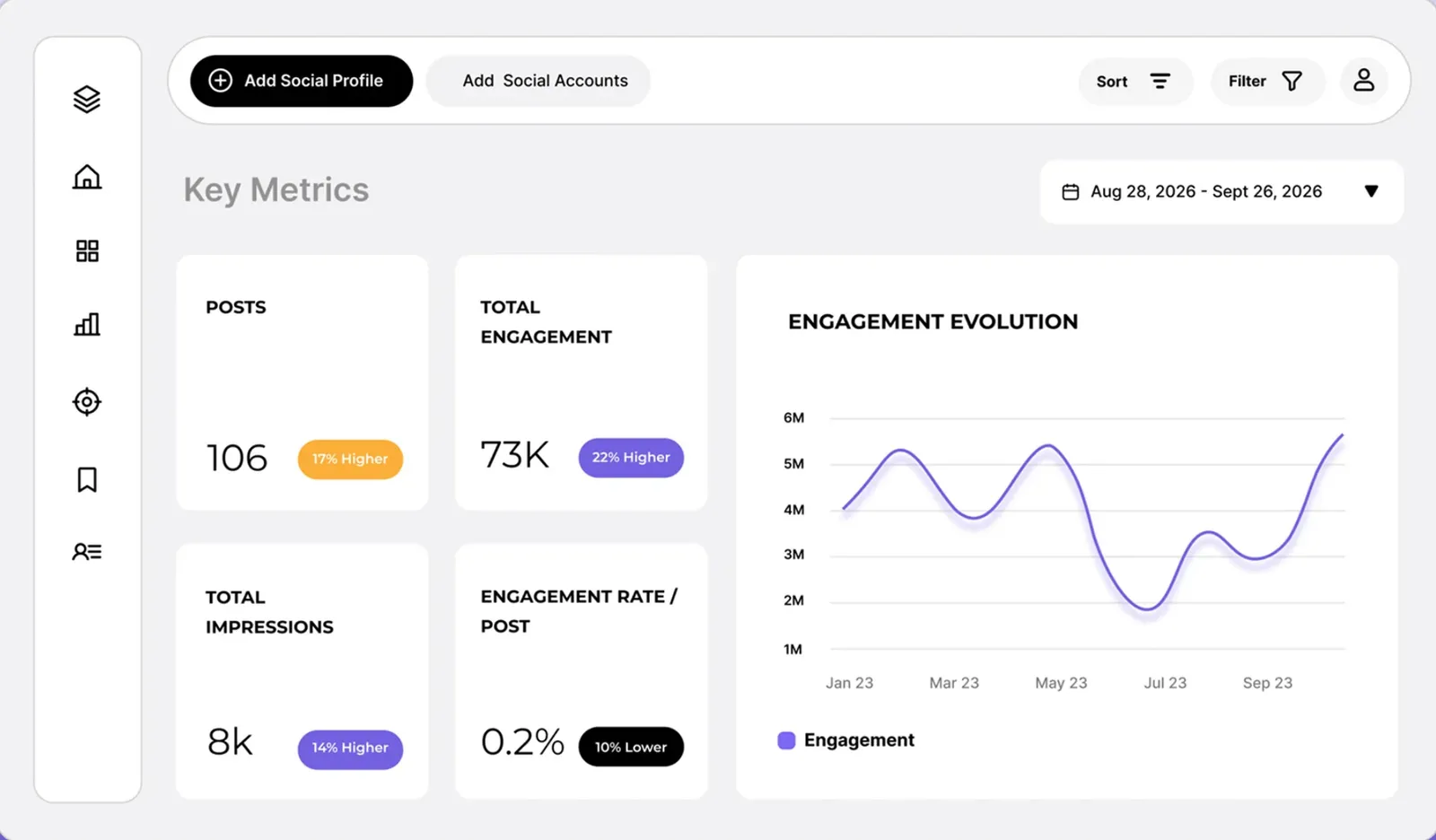
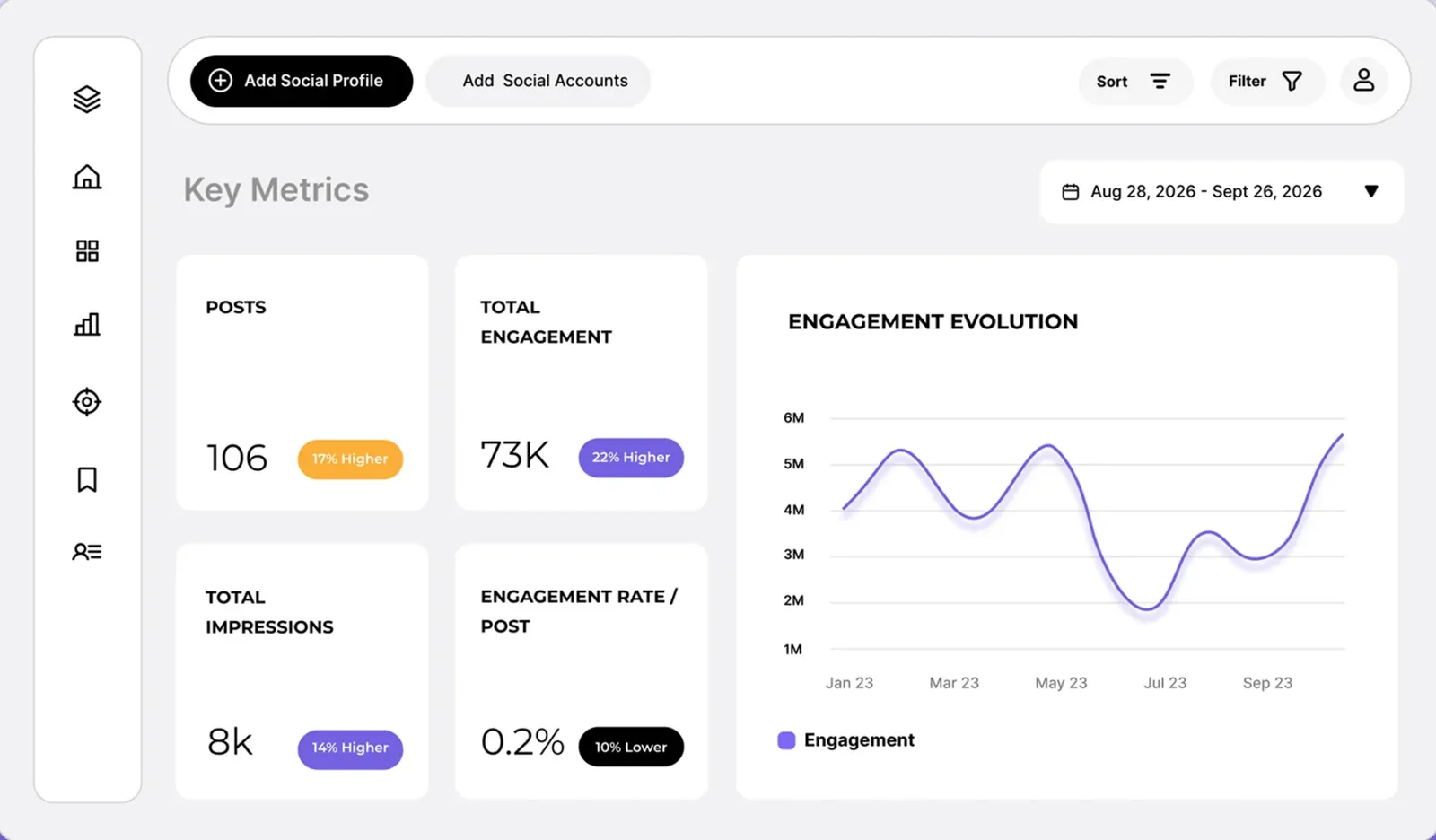
In Socialinsider: Socialinsider leads with engagement: posts, total engagement, impressions and engagement rate per post, each with its change.
In viral.app: viral.app leads with views across every tracked creator account, filterable by creator, campaign, platform and tag, competitors included.
Who Socialinsider is great for
Socialinsider is a focused analytics tool with strong reviews. Its pricing page shows 4.7 out of 5 from 130+ G2 reviews, and its customer stories include Mitsubishi Electric, GroupM (now WPP Media) and Tribal Worldwide. It fits best when:
You benchmark brand accounts
Your accounts next to competitors' on six networks, with industry averages and AI content pillars drawn from competitors' posts.
LinkedIn and X are part of the job
Company pages, X profiles and YouTube channels in the same project as Instagram, Facebook and TikTok.
You hand reports to people
PDF, PPT and XLS exports, automated reports, branded reports on Predict, and live dashboard links.
It also shows private metrics once you connect your own accounts (reach, saves, Instagram Stories, audience demographics and Meta ad insights), puts a dollar value on organic posts with an earned media value model, runs its dashboard and reports in several languages, and starts with a 14-day trial without a card. If that's your brief, Socialinsider is a sound choice, and viral.app doesn't replace it. Close alternatives: Rival IQ for benchmarking with social listening, Social Status for agency reporting with influencer analytics, and Exolyt for TikTok research. The rest of this page is about creator programs.
If you track creators in Socialinsider
You can add creators' profiles to Socialinsider and compare them like any competitor. Three things from its own help center decide whether that works for a creator program, especially one that pays on views:
Instagram views are estimated
For profiles you don't connect, which is every creator you don't manage, it estimates post views, reach and impressions. viral.app counts each tracked Reel's views.
Every account is a profile
A creator on TikTok and Instagram takes two of your 20, 30 or 40 profiles. Extra profiles cost $6 a month each, in blocks of 5.
Business profiles only
Instagram business or creator profiles, public TikTok profiles, Facebook and LinkedIn pages. Personal profiles can't be added.
Its own pages differ on two of these. Its Instagram page lists reach, impressions and Reels views for any public profile you add; its help center says those are estimated for profiles you don't connect. Its limitations guide accepts Instagram business or creator profiles and any public TikTok profile; its add-profile guide and TikTok page say business accounts. Instagram and TikTok data is organic only, and an Instagram post's numbers stop at the moment it's boosted. On viral.app, any public account is tracked from its URL and each account's videos count toward your tracked-video limit; see account tracking and how competitor tracking works.
What each costs
Socialinsider prices by social accounts: every profile in your workspace counts, yours and competitors', and each plan allows a set number of swaps a month. viral.app prices by tracked videos and by creators you run in Creator Hub. Prices below are in US dollars on Socialinsider's pricing page; yearly billing takes two months off.
Add-ons on every plan: $6 a month per extra account, $15 per extra team member, $2 per account to reset your monthly swaps, and $100 a month each for API access and Looker Studio. The Enterprise figure is its price calculator's starting point: 50 accounts, 5 seats and a year of history for about $417 a month, billed yearly. Visitors in Germany see the page in euros, where Adapt and Optimize keep the same numbers but Predict costs €325 a month (€271 billed yearly). Its pricing FAQ also mentions discounts for NGOs.
Tracking a creator roster
Here is what each costs to track creators who post on both TikTok and Instagram, on monthly billing. For Socialinsider we took the cheapest published setup: a plan plus extra accounts at $6 each.
At 10 creators the two cost the same, and at 25 Socialinsider is $30 cheaper, with 2 seats instead of 10. From 28 creators on, viral.app costs less, and the gap grows with the roster. If you only track and don't pay creators in viral.app, a smaller plan may do: 50 accounts at 20 videos each fit Pro's 1,000 tracked videos. Neither total includes creator pay. Socialinsider doesn't pay creators; viral.app charges 3% on each payout, on your side. There's no cost calculator here, because Socialinsider meters social accounts, which the calculator doesn't model.
Shaded side has the edge
Tie
Different: depends on your program
$99 a monthSSocialinsiderAdapt$99Ahead on 3 linesviral.appPro$99Ahead on 3 linesvs1 tie, 3 lines depend on your program1 tie3 differ
Socialinsider Adaptviral.app Pro
Billed yearly
Socialinsider Adapt: $990 a year, $82.50 / month
viral.app Pro: $79 / month, $948 a year
Edge: viral.app
What the plan counts
Socialinsider Adapt: 20 social accounts, yours and competitors'
viral.app Pro: 1,000 tracked videos; 10 creators in Creator Hub
Different, depends on your program
Networks
Socialinsider Adapt: Six, LinkedIn and X included
viral.app Pro: Five short-form platforms, Snapchat included
Different, depends on your program
Your own accounts
Socialinsider Adapt: Reach, saves, Stories and demographics once connected
viral.app Pro: Views by country; no demographics
Edge: Socialinsider
Instagram views on creators' accounts
Socialinsider Adapt: Estimated for accounts you don't connect
viral.app Pro: Each tracked Reel's Instagram-only views
Edge: viral.app
Reports
Socialinsider Adapt: PDF, PPT and XLS exports, automated reports
viral.app Pro: CSV exports of every table
Edge: Socialinsider
AI
Socialinsider Adapt: MCP connector; Socialinsider AI starts on Optimize
viral.app Pro: Copilot, metered in credits
Different, depends on your program
Team seats
Socialinsider Adapt: 1, then $15 each
viral.app Pro: 1, then $15 each
Tie
Paying creators
Socialinsider Adapt: Not in its plans
viral.app Pro: Up to 10 creators, 3% on payouts
Edge: viral.app
Free trial
Socialinsider Adapt: 14 days, no card
viral.app Pro: 7 days
Edge: Socialinsider
$239 to $299 a monthSSocialinsiderPredict$239Ahead on 3 linesviral.appUltra$299Ahead on 4 linesvs2 lines depend on your program2 differ
Socialinsider Predictviral.app Ultra
Billed yearly
Socialinsider Predict: $2,390 a year, $199 / month
viral.app Ultra: $239 / month
Edge: Socialinsider
What the plan counts
Socialinsider Predict: 40 social accounts, 20 swaps a month
viral.app Ultra: 5,000 tracked videos; 50 creators in Creator Hub
Different, depends on your program
Past posts when you add an account
Socialinsider Predict: 12 months
viral.app Ultra: Latest posts, up to the limit you set per account
Edge: Socialinsider
Team seats
Socialinsider Predict: 5, then $15 each
viral.app Ultra: 10, then $15 each
Edge: viral.app
Branded reports
Socialinsider Predict: Included, plus a video onboarding call
viral.app Ultra: Not offered; migration done for you and an onboarding call
Edge: Socialinsider
API
Socialinsider Predict: $100 a month add-on
viral.app Ultra: Included, plus MCP
Edge: viral.app
AI
Socialinsider Predict: Socialinsider AI, AI content pillars, MCP connector
viral.app Ultra: Copilot, API and MCP server
Different, depends on your program
Hiring creators
Socialinsider Predict: Not in its plans
viral.app Ultra: 2 live jobs, 25 invites a day
Edge: viral.app
Paying creators
Socialinsider Predict: Not in its plans
viral.app Ultra: Up to 50 creators, 3% on payouts
Edge: viral.app
Between these, Optimize is $149 a month ($1,490 a year) for 30 accounts, 2 seats and 6 months of past posts, and it's where Socialinsider AI starts. viral.app Scale is $499 a month ($399 yearly) for 500 creators, 20,000 tracked videos and 20 seats, with custom sync times, and Enterprise is custom, with syncs up to every hour. The billing guide explains viral.app's limits.
Which one should you pick?
Choose Socialinsider if…
You report on your brand's own accounts and benchmark them against competitors and industry averages.
LinkedIn, X, Instagram Stories and private metrics such as reach and demographics belong in your reports.
You hand PDF or PPT reports and live dashboards to clients or leadership every month.
Our product
Choose viral.app if…
You track dozens of creators' short-form posts and want their Instagram views counted, not estimated.
You pay creators on views, with payouts handled through a merchant of record in 180+ countries.
You hire new creators from jobs, or run their best videos as Spark Ads and partnership ads.
Neither fits?
Look at these instead
Competitor benchmarks with social listening? Rival IQ.
Agency reports with influencer analytics? Social Status.
Twenty-nine rows in five groups, starting with tracking creators. "Yes" means the product does it, "Partly" means it covers part of the job, and "Not public" means we couldn't find it on Socialinsider's public pages.
Plain fact
Not public
No
Partly
Yes
5 groups · 29 rows
Socialinsider
viral.app
At a glance · one mark per row, in table order
Every difference between Socialinsider and viral.app, by group
What you need
Socialinsider
viral.app
01Tracking creators and their postsWhere the two differ most
What the plan counts
Socialinsider
Social accounts, yours and competitors': 20, 30 or 40, with 10, 15 or 20 swaps a month. Extra accounts are $6 a month each, in blocks of 5.
viral.app
Tracked videos (1,000, 5,000 or 20,000) from the accounts you add, and 10, 50 or 500 creators in Creator Hub.
Instagram views on accounts you don't own
SocialinsiderPartly
Estimated. Its help center says post views, reach and impressions aren't available for profiles you don't connect; its Instagram page lists them for any public profile.
viral.appYes
Each tracked Reel's views, Instagram-only, so Facebook views don't inflate the number or the pay.
Which accounts can be added
SocialinsiderPartly
Instagram business or creator profiles (business only, per its add-profile guide), public TikTok profiles (business, per its TikTok page), Facebook and LinkedIn pages, YouTube channels and X profiles. No personal profiles.
viral.appYes
Any public account from a URL, competitors included, no creator login needed.
Platforms
Socialinsider
Facebook, Instagram, LinkedIn, TikTok, YouTube and X. No Snapchat.
viral.app
TikTok, Instagram, YouTube, Facebook and Snapchat. No LinkedIn or X.
Formats
SocialinsiderYes
Feed posts, carousels, Reels and videos, YouTube videos and Shorts, LinkedIn and X posts. Instagram Stories for connected accounts only. No live videos.
viral.appPartly
Instagram Reels, TikTok videos and photo carousels, YouTube Shorts, Facebook Reels and Snapchat Spotlight. No Stories, Instagram feed posts or long YouTube videos.
How often numbers refresh
SocialinsiderYes
Its API page says data updates every 6 hours; its homepage says real time. Each profile shows its last and next scheduled update.
viral.appYes
Every 24 or 12 hours by plan, custom times on Scale, up to every hour on Enterprise, and any account or video on demand for 3 credits per video.
Past posts when you add an account
Socialinsider
3, 6 or 12 months of posts by plan, more on Enterprise. Follower counts before the day you add a profile are estimated.
viral.app
Each account's latest posts, up to the limit you set, in supported formats.
Paid and boosted views
SocialinsiderPartly
Instagram and TikTok data is organic only; an Instagram post's numbers stop updating once it's boosted. Facebook figures include boosted posts.
viral.appYes
With TikTok or Meta connected, view-based pay counts organic views only.
Folded rows: Platforms; Formats; How often numbers refresh; Past posts when you add an account; Paid and boosted views.
02Brand analytics and benchmarksSocialinsider's strongest area
Benchmarks and industry averages
SocialinsiderYes
Compare any profiles in a project, add an industry average, and read published benchmark studies. In-app industry benchmarks cover Instagram, Facebook and X.
viral.appNo
Not offered. Mark competitor accounts and see their top videos instead.
Competitor tracking
SocialinsiderYes
Any business profile next to yours, grouped into brands across networks, with AI content pillars from competitors' posts on Optimize and up.
viral.appYes
Mark any tracked account as a competitor and see its top videos next to your own.
Private metrics on accounts you own
SocialinsiderYes
Connect your accounts for reach, saves, Instagram Stories, audience demographics, and insights from linked Meta ad accounts.
viral.appPartly
Views by country per account and video. No audience demographics.
Sorting posts by theme or campaign
SocialinsiderYes
AI content pillars, plus a query builder that tags past and future posts by keyword or hashtag, on Optimize and up.
viral.appYes
Tag rules sort videos by hashtag or caption; AI tagging rules and video analysis use credits.
Earned media value
SocialinsiderYes
An organic value model per profile that turns engagement, reach and new followers into dollars, with values you can edit.
viral.appNo
Not offered. viral.app reports views and engagement, with app revenue from RevenueCat.
Alerts and summaries
SocialinsiderYes
Email alerts on your and competitors' performance, a weekly summary email, and AI key insights on profiles and benchmarks.
viral.appNo
Not built in yet. Copilot, the API and MCP can report on demand.
Folded rows: Sorting posts by theme or campaign; Earned media value; Alerts and summaries.
03Running a creator programviral.app only
Find new creators
SocialinsiderNo
Not in its plans' feature list. You add profiles by URL or name.
viral.appYes
Canvas UGC marketplace: post a job, creators apply with portfolio, accounts, languages and location, and AI Matches ranks the best fit.
Pay calculated from views
SocialinsiderNo
Not in its plans' feature list.
viral.appYes
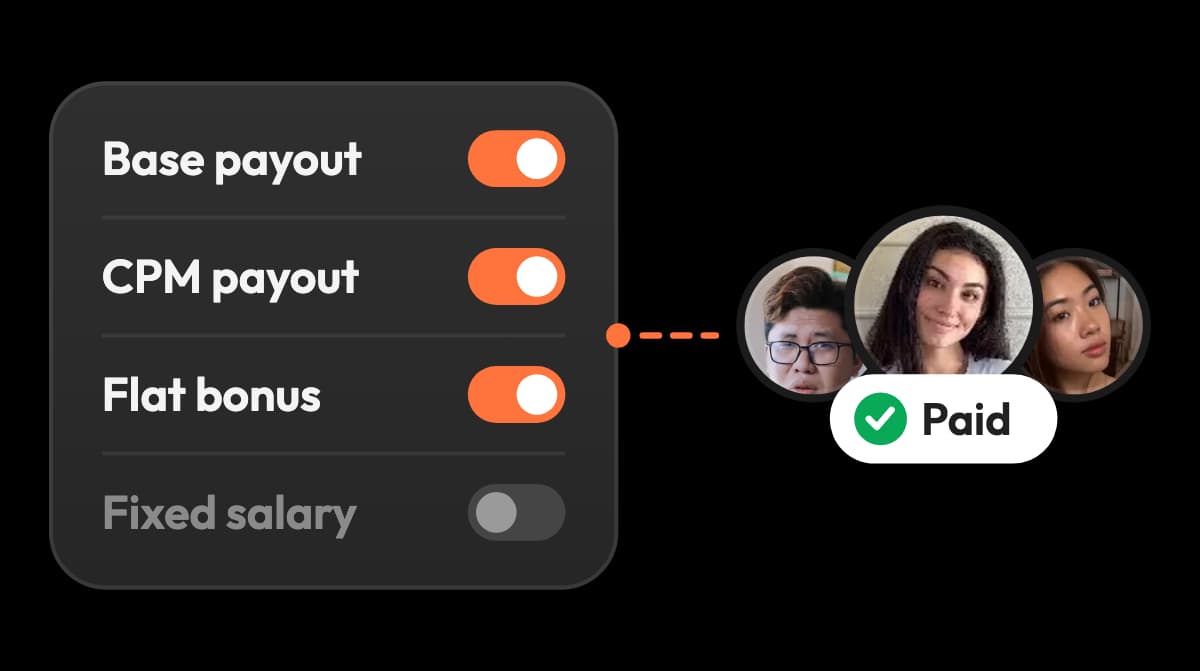
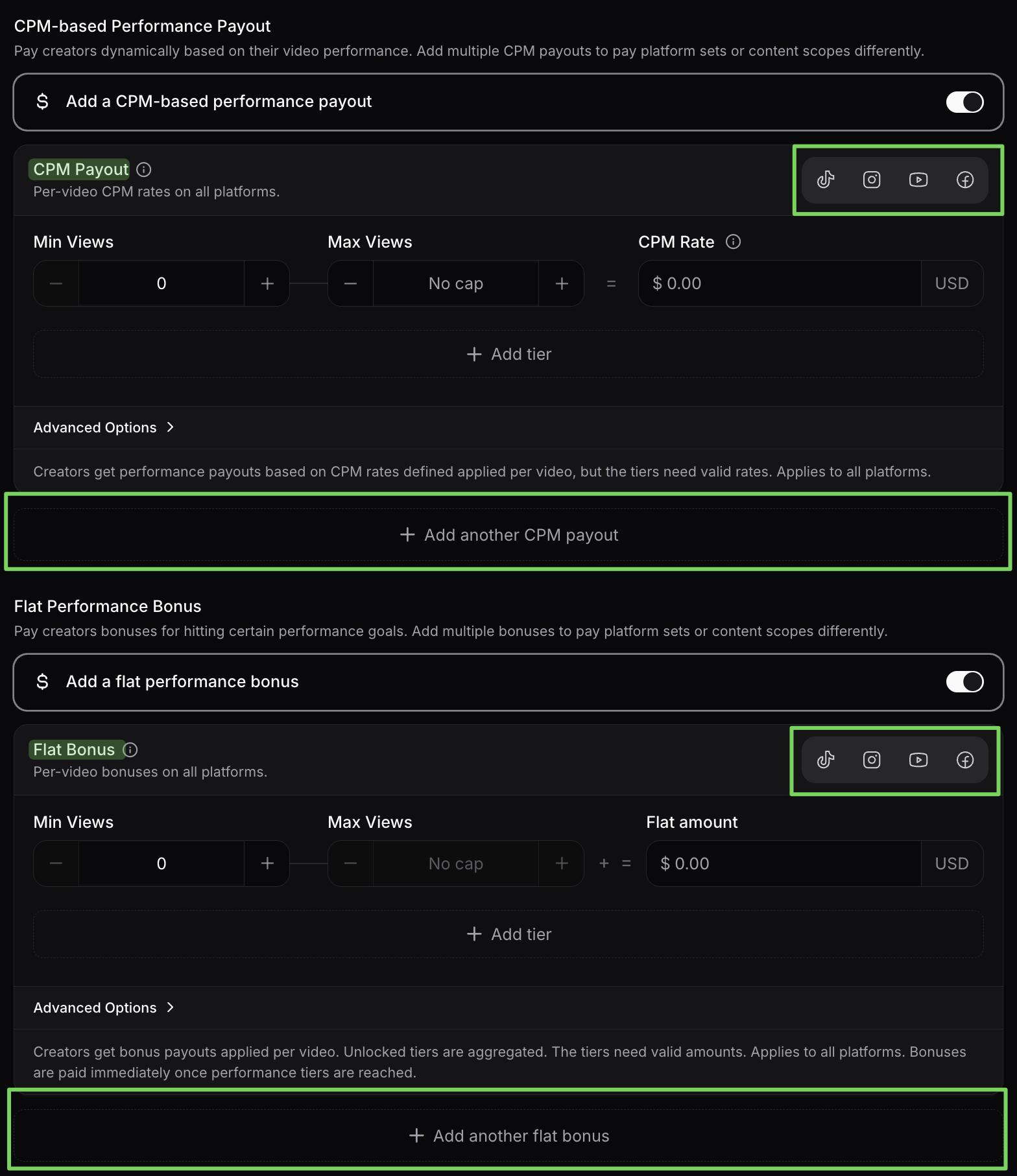
Base pay per video by platform, fixed salary, CPM tiers and milestone bonuses, with caps and view windows, tested on a creator's recent videos first.
Invoices, tax and payouts
SocialinsiderNo
Not in its plans' feature list.
viral.appYes
Merchant of record: invoices for you and in each creator's name, KYC, AML and sanctions checks, DAC7. Creators claim by bank, PayPal, Venmo, USDC or EURC in 180+ countries.
Launch Spark Ads and partnership ads
SocialinsiderNo
Not in its plans' feature list. It reports insights from Meta ad accounts you connect.
viral.appYes
Create Ad from any tracked post: Spark Ads on TikTok, partnership ads on Instagram and Facebook, on your own ad accounts.
04Reports, AI and API
Exports and reports
SocialinsiderYes
PDF, PPT, XLS and CSV, automated reports by email, branded reports on Predict, reports in several languages. Post CSVs from Optimize.
viral.appPartly
Every table to CSV, plus day-by-day gains per video, and API access on Ultra and Scale.
Sharing a live dashboard
SocialinsiderYes
A read-only link to any dashboard, no login needed; the link expires after 5 days. Team members can get read-only access.
viral.appPartly
Invite people to the workspace with a view-only role.
AI assistant in the app
SocialinsiderYes
Socialinsider AI answers questions about your data, competitors and benchmarks, from Optimize. It can't change settings or add profiles.
viral.appYes
Copilot answers analytics questions and builds campaigns and briefs, with your approval.
MCP for Claude, ChatGPT and other agents
SocialinsiderYes
An MCP connector on every plan: read profiles, posts, daily analytics and campaign tags, and add or delete tracked profiles.
viral.appYes
An MCP server on Ultra and Scale; it can also build campaigns, briefs and jobs.
API
SocialinsiderYes
A $100 a month add-on, included on Enterprise. A standalone API is priced by handles, with a 3‑month proof of concept, then yearly billing.
viral.appYes
API and MCP server, included on Ultra and Scale.
Looker Studio
SocialinsiderYes
An official connector: a $100 a month add-on, included on Enterprise. Its help article says it needs the API key add-on.
viral.appPartly
No connector. Pull the data through the API instead.
Folded rows: MCP for Claude, ChatGPT and other agents; API; Looker Studio.
05Plans, team and terms
Team seats and roles
Socialinsider
1, 2 or 5 by plan, then $15 each. Read-only access available; single sign-on and two-factor login on Enterprise.
viral.app
1 on Pro, 10 on Ultra, 20 on Scale, then $15 each. Scoped roles, including view-only.
Free trial
SocialinsiderYes
14 days, no card. No free plan listed.
viral.appYes
7 days on Pro and Ultra.
Cancelling and refunds
Socialinsider
Its pricing FAQ says cancel any time and ask support about refunds. Its terms renew plans unless you give notice 5 days before a monthly term ends or 10 before a yearly one (6.2), and fees aren't refundable (7.12).
viral.app
Cancel any time, effective at the end of the billing period. Fees already paid aren't refunded.
Your data when you leave
Socialinsider
Ending the agreement deletes the account and its content, so download what you need first (terms 14.5).
viral.app
Export every table to CSV before you cancel.
Company and data
SocialinsiderNot public
Code Path S.R.L. in Bucharest, under Romanian law. Where customer data is hosted isn't stated.
viral.appYes
Built in Germany, under GDPR; databases on Hetzner in Germany and Finland, the web app on Vercel.
Folded rows: Your data when you leave; Company and data.
13 more rows in 4 groups, folded to keep the page short. Nothing is left out.
A creator campaign, start to finish, in real screens
These are viral.app's real screens. Under each step is what the same step looks like in Socialinsider.
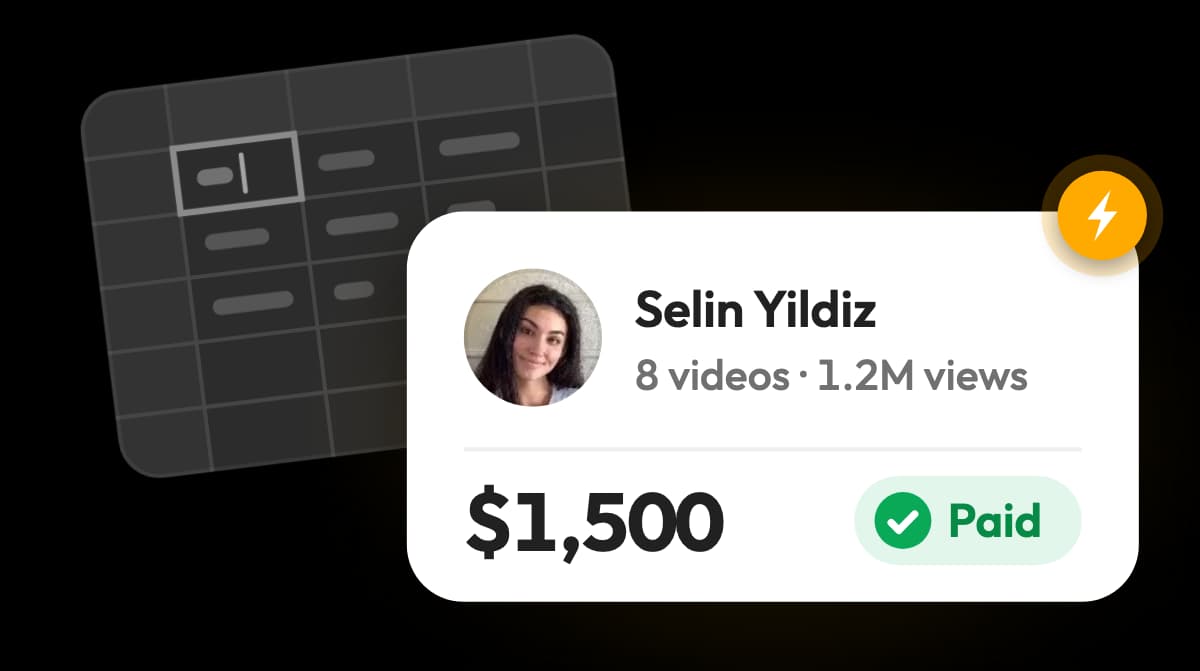
Check each calculated payout, adjust it if needed, then pay up to 50 creators at once.
In Socialinsider
Outside Socialinsider: export the posts and work out each creator's pay in a spreadsheet.
When a payout is approved, the creator gets one link and picks how to be paid. They don't need an account, and none of your 3% fee comes out of their pay. Creator payments explains the merchant of record behind it, and Creator Hub analytics puts effective CPM and spend per video next to the views.
Where each one is better
S
Where Socialinsider is better
01
1. Benchmarks across six networks
Your accounts against competitors and industry averages, LinkedIn and X included.
02
2. Private metrics on your accounts
Reach, saves, Instagram Stories, audience demographics and Meta ad insights once connected.
03
3. Reports people read
PDF, PPT and XLS exports, automated and branded reports, live dashboard links, in several languages.
04
4. AI that explains the numbers
Socialinsider AI, AI content pillars from competitors' posts, and an MCP connector on every plan.
05
5. A longer look back
Up to 12 months of past posts on standard plans, more on Enterprise.
06
6. Easy to try
14 days without a card, then $99 a month for 20 accounts.
Where viral.app is better
01
1. Priced for creator rosters
Tracked videos, not accounts, set the plan: 50 creators on TikTok and Instagram for $299 instead of $569.
02
2. Instagram views counted
Each tracked Reel's Instagram-only views, on a fixed refresh schedule, on accounts you don't own.
03
3. Pay on views,tested first
Base pay, CPM tiers, bonuses and caps, run on a creator's recent videos before launch.
04
4. Creators who apply
Canvas UGC jobs, with AI Matches ranking the creators who best fit each one.
05
5. Compliant payouts worldwide
Merchant of record, invoices in the creator's name, 180+ countries, 3% on your side.
06
6. Snapchat and creator ads
Snapchat Spotlight tracked, and Spark Ads or partnership ads from any tracked post.
What teams running creator programs say
David ParkJenni AI Founder
“viral.app has become core infrastructure for running organic marketing. It has helped us scale
to over a billion organic views.”
Zack HargettQuizlet/CoconoteCo-Founder
“viral.app feels like the first serious solution for managing high-volume UGC campaigns.”
Julian IvaldyWhoLiked Founder
“viral.app has solved our biggest pain points. It’s handling everything from global payouts to
invoicing and tax accounting.”
Running both, or moving over
You don't have to pick one for everything. A sensible split is to keep Socialinsider for the brand's own accounts, LinkedIn and X and the monthly report, and run your creators in viral.app, where each creator's account is tracked from its URL and their pay follows their views. There's no need to move a reporting process that works.
If you do move a workload over, history doesn't come with it. viral.app starts tracking each account from the day you add it, with its latest posts, and Socialinsider deletes an account's content when the agreement ends (terms 14.5). Export the reports you need first, and give notice at least 5 days before a monthly term ends or 10 before a yearly one (6.2).
1
Day 1
Add your creators' accounts
Paste the account URLs, or send us the list and we add them. Nobody has to sign up.
2
Day 1
Write your deals as rules
Base pay per video, CPM tiers and bonuses, tested on recent videos before anyone posts.
3
First cycle
Compare one reporting cycle
Check the creators' views and posts in both tools before you change a report anyone depends on.
4
After that
Keep Socialinsider for brand reports, or cancel in time
Free up its account slots for competitors, or export your reports and give notice before the term ends.
Questions about Socialinsider
Socialinsider is a social media analytics and benchmarking tool from Code Path S.R.L. in Bucharest, Romania. Brand teams and agencies use it to report on their own accounts and their competitors' on Facebook, Instagram, LinkedIn, TikTok, YouTube and X: engagement, reach, follower growth, content pillars and industry benchmarks, with AI summaries and exportable reports.
Adapt is $99 a month for 20 social accounts and 1 seat, Optimize $149 for 30 accounts and 2 seats, and Predict $239 for 40 accounts and 5 seats. Billed yearly they cost $990, $1,490 and $2,390 a year. Enterprise is custom; its calculator starts at about $5,000 a year. Add-ons: $6 a month per extra account, $15 per extra team member, and $100 a month each for API access and Looker Studio (checked October 2, 2026). Visitors in Germany see euro prices, with Predict at €325 a month.
Every plan starts with a 14-day free trial, no credit card needed. There's no free plan on its pricing page, though it offers free analysis tools on its site. Its terms say the account can be deleted if you don't buy a plan within 30 days after the trial ends. viral.app has a 7-day free trial on Pro and Ultra.
Yes. Socialinsider is run by Code Path S.R.L., registered in Bucharest, and its co-founder describes it as bootstrapped. Its pricing page shows 4.7 out of 5 from 130+ G2 reviews, and its customer stories include Mitsubishi Electric, GroupM (now WPP Media), Tribal Worldwide and Havas Media Network. We couldn't load G2 directly, so the rating is Socialinsider's own figure.
Facebook, Instagram, LinkedIn, TikTok, YouTube and X. It supports Facebook and LinkedIn pages, Instagram business or creator profiles, public TikTok profiles, YouTube channels and X profiles, but not personal profiles, and it doesn't cover Snapchat. viral.app tracks TikTok, Instagram Reels, YouTube Shorts, Facebook Reels and Snapchat Spotlight.
Yes, as competitor profiles, if their accounts qualify: Instagram business or creator profiles and public TikTok profiles. Each account counts toward your 20, 30 or 40 profiles. Its help center says Instagram views, reach and impressions are estimated for profiles you don't connect, and Instagram and TikTok data is organic only. For a creator program paid on views, viral.app counts each tracked Reel's views and meters tracked videos instead of accounts.
No. Creator payments aren't in its plans; Socialinsider covers analytics, benchmarks and reports. viral.app pays creators on views, with base pay, CPM tiers, bonuses and caps, through a merchant of record in 180+ countries. The 3% fee is charged on your side, and none of it comes out of creator pay.
Yes. Every plan includes its MCP connector for Claude, ChatGPT and other assistants, which can read your profiles, posts and daily analytics and add or delete tracked profiles. API access is a $100 a month add-on, included on Enterprise; a standalone API is priced by the handles you track. viral.app includes its API and MCP server on Ultra and Scale, with campaign and payout data.
Yes, for teams whose reporting centers on creators: tracking their short-form posts, paying them on views and hiring more. Socialinsider covers a broader brand reporting brief, with LinkedIn, X, private metrics on your own accounts and polished reports. Check which networks and metrics your reports need before replacing it.
Yes. Add any public account on TikTok, Instagram, YouTube, Facebook or Snapchat by URL, mark it as a competitor, and see its top videos next to your own. viral.app tracks public data, so it doesn't show the private metrics an account owner sees, and on Snapchat only an account's recent Spotlights are public.
It depends on what you track. Both start at $99 a month. For a few brand accounts and competitors, Socialinsider is the better value. For a creator roster, viral.app usually costs less because it meters tracked videos, not accounts: 50 creators on TikTok and Instagram fit Ultra at $299, against $569 on Socialinsider with extra accounts. At 25 creators, Socialinsider is $30 cheaper.
No. Export the reports you need before you cancel: Socialinsider's terms delete an account's content when the agreement ends. Adding account URLs to viral.app starts tracking from that day, with each account's latest posts; it doesn't carry over Socialinsider's history, report templates or connected-account permissions.
Its pricing FAQ says you can cancel any time in your account and keep access until the paid period ends, and to contact support about refunds. Its terms say plans renew unless you give notice at least 5 days before a monthly term ends or 10 days before a yearly one, and that fees aren't refundable except as the terms allow.
For brand reporting and benchmarks: Rival IQ, with social listening; Social Status, with agency reports and influencer analytics; Iconosquare, with scheduling. For TikTok research: Exolyt. If your reporting is about creators you pay on views, viral.app tracks their posts on five platforms and pays them.














 viral.app