Changelog

Die neuesten Updates, Verbesserungen und Fixes.

Mid-October Update: Share, Pay, Translate 🍁

Here's everything that landed in the first half of October, in one go:

  1. Share Your Dashboard
  2. Custom Rates for Individual Creators
  3. Pay for the Right Videos
  4. Translate Creator Chats
  5. viral.app in ChatGPT
  6. Briefs Without a Campaign
  7. Download Videos in Bulk
  8. Track From Any Website
  9. Fresher & Faster Data

1. Share Your Dashboard 🔗

Send clients, partners or investors a read-only link to your Analytics Overview. They don't need a viral.app account, and the numbers stay live.

  • Choose who can open it: anyone with the link, a password, or only the email addresses you invite.
  • Choose what viewers can do: which filters they see or change, which KPIs and widgets show, whether they open video and account details, and when the link expires. Viewers can narrow what you shared, never widen it.
  • Manage every link under Organization Settings › Shared links: see its views, pause it, give it a new address, or delete it.

Shared links count your internal accounts only, so competitors never show up. They come with Ultra and up. Read Shared links.


2. Custom Rates for Individual Creators 💸

When one creator negotiates a different deal, you don't need a copy of the campaign anymore. Give them their own per-video rate, CPM rate, bonus amounts, caps or video target on the same campaign.

Say the campaign pays $10 per video and one creator agreed on $15: set $15 for them, and everything else stays the campaign's.

  • Set custom rates when you assign or switch a creator, or later from the campaign cell in the Creators table.
  • Before you save, you see what each unpaid period pays before and after. Payouts you already issued keep their amounts.
  • Need different payouts, not just different numbers? Split into Own Campaign copies the campaign with that creator's values.

Creators only ever see their own terms. Custom rates work through the API, MCP and the Copilot too. Read Custom rates for one creator.


3. Pay for the Right Videos 🎯

Base payouts, CPM payouts and flat bonuses can now pay only for the videos that match dynamic conditions:

  • Tags and hashtags: videos that carry them, or don't. Turn off Visible to creators on a tag to keep its name out of creators' terms.
  • Views: a count per video, like $20 per video with 10,000 views or more by the end of its period and $5 below, or the creator's total views in the period.
  • Content type: videos or TikTok slideshows.
  • Videos (soon): certain rulesets only get activated above or below a certain amount of posted videos in a period.

Read Conditions.


4. Translate Creator Chats 🌍

Creators write in the language they're comfortable in. When a message is in a language you don't read, a translate button sits next to it.

  • Click Always translate Spanish (or any other language) once, and messages in that language arrive translated.
  • Links, @-mentions, numbers and amounts stay exactly as written. Creators can translate your messages the same way.
  • Each teammate reads in their own language, set under User Settings.

Also new in Chat: group chats show who read your message and who reacted, you can select several conversations to mark them read or archive them, the Applicants filter narrows by application stage, and a creator's name opens their details. Read Translate messages.


5. viral.app in ChatGPT 🤖

Your workspace now lives in ChatGPT. Open the viral.app plugin for ChatGPT, click Connect, sign in to viral.app and pick your organization. Then ask about your accounts, videos, creators, campaigns and payouts in plain words.

  • Answers come back as viral.app cards, not walls of text: videos that play, creators, campaigns, charts and KPIs.
  • The viral.app home sidebar shows what waits for your team (applications to review, unread chats, payouts due), how your KPIs moved over the last 7, 30 or 90 days, and your top videos, accounts and creators.
  • Ask ChatGPT to watch for something, like a new application or a video passing 100,000 views, and it acts when it happens. The sidebar's Automations tab lists what it watches.

The plugin uses API access, included with Ultra and up. Behind it is the viral.app MCP, which now does nearly everything the Copilot does, plus briefs, jobs and Discovery, in more than 100 tools. The same cards show up in Claude, and Cursor, Codex and other agents connect too.

For your own tools:

  • The live API now reads comments on all five platforms, and searches Facebook and Snapchat too.
  • New webhooks: sync.completed when the accounts or videos you added or refreshed are live, and organization.synced when a scheduled sync is done. video.published, video.views_milestone and account.followers_milestone are new and opt-in.

Read Connect your agent and Webhooks.


6. Briefs Without a Campaign 📝

A brief no longer needs a campaign. Send it to the creators you pick, or to everyone at your brand, including creators who join later. That covers onboarding notes, brand guidelines and trial instructions.

  • A creator can have several briefs, with campaign briefs first.
  • Send Brief… works from a creator's menu, or for many creators at once from the Creators table.
  • Read Status shows who has read the current version, and Message N unread nudges everyone else in one broadcast.

Pro workspaces can now invite creators by email too; until now that took Ultra. Read Share a brief.


7. Download Videos in Bulk 📦

Select videos in the videos table and click Download. viral.app puts them in one ZIP and emails you a link that works for 7 days.

  • Videos we already store download for free. The rest cost 3 credits each, and the dialog shows the total before you start.
  • TikTok photo posts download as a ZIP of their images and sound.

Video downloads come with Ultra and up. See Extra credits.


8. Track From Any Website 🧩

The free viral.app Importer for Chrome finds the TikTok, Instagram, YouTube, Facebook and Snapchat accounts and videos on the page you're viewing: a creator's profile, an agency roster, a link-in-bio page.

  • It marks the ones you already track.
  • Tick the ones you want and import them with tags, video limits, or as competitors.

9. Fresher & Faster Data ⚡

  • Accounts and videos you add or refresh go to the front of the sync queue, and their numbers reach your dashboards as soon as the sync lands.
  • The Analytics Overview loads about twice as fast.
  • TikTok hides some posts from viewers in certain regions, so they never synced. A daily check now finds them and tracks them from then on – automatically.
  • Fewer Facebook reels with missing views.
  • On plans with historical data, Pause Tracking stops syncing an account and keeps its history, and a paused account doesn't count toward your limits. Resume Tracking picks it back up. "Stop Tracking" is now called Delete. Read Pause tracking.
Superwall Integration 🧱

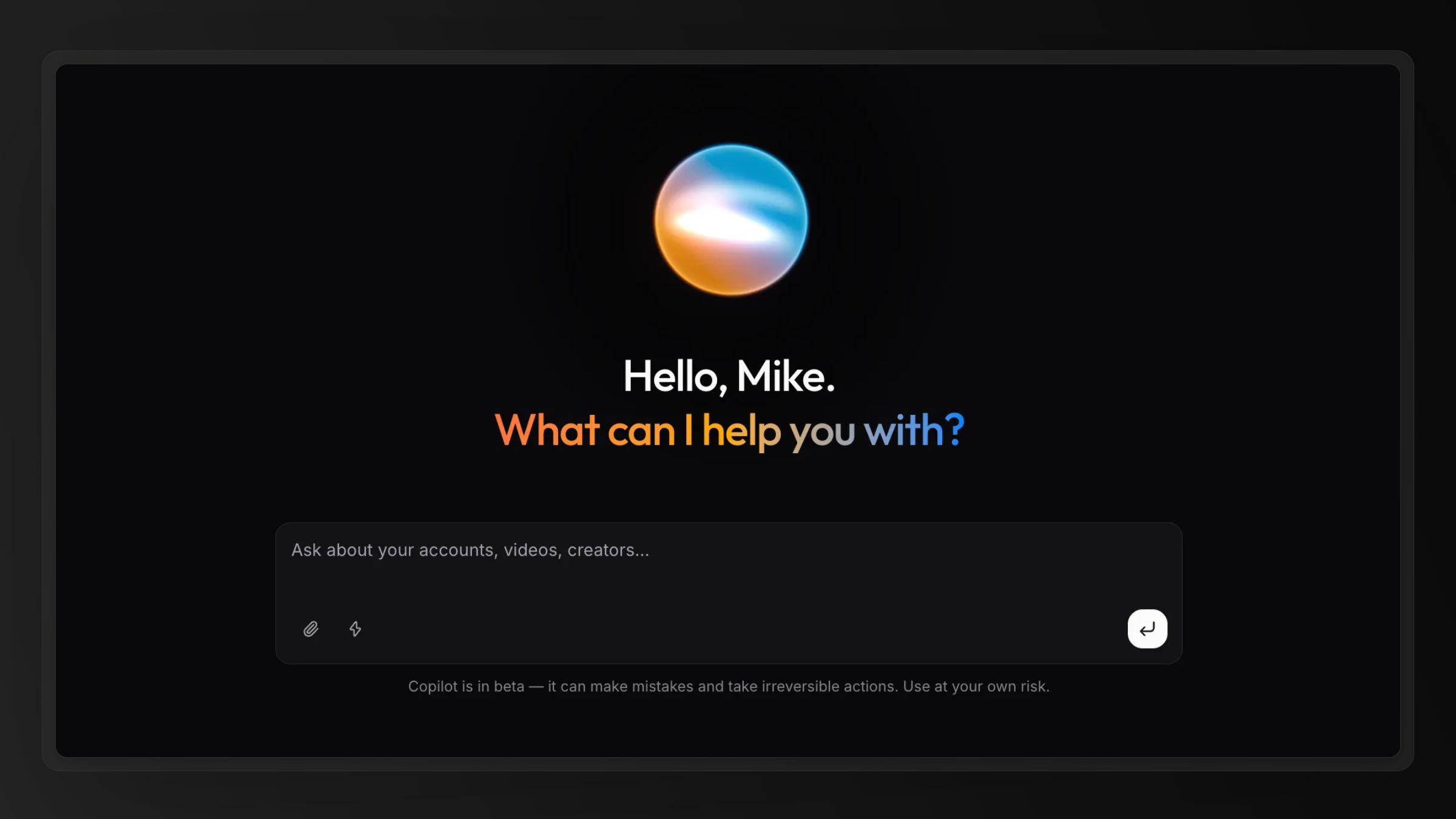
Run your paywalls on Superwall? Connect Superwall and your app's revenue, new customers, trials, and paid subscriptions show up next to creator performance in your analytics dashboard.

  • Connected in a minute: paste a read-only API key from Superwall. Here's the setup guide.
  • Full history, updated hourly: map each app to a project and its history loads automatically. iOS, Android, and web apps all work.

Also new: the Superwall and RevenueCat pages now show each app's revenue, new customers, trials, and paid subscriptions for the last 30 days.

September Update 🍂

Here's everything that landed, in one go:

  1. Instant AI Matches for Jobs
  2. Campaign Briefs
  3. Pay Partially, Settle Early, Pay Single Videos
  4. Easier Campaign Switching
  5. A Page for Every Creator
  6. Group Chats
  7. Improved Viral UGC Videos Library
  8. Webhooks & API Extensions

1. Instant AI Matches for Jobs 🎯

You don't have to wait for applications anymore. The moment a job goes live, it gets a ranked list of the 500 creators who fit it under Jobs › AI Matches that refreshes nightly.

  • Each card shows the creator's portfolio, a short AI summary of why they fit, and a fit verdict.
  • Ask to Apply sends a job offer that the creator answers in place.
  • Your live jobs now also appear on the public UGC jobs board.

Short on time? Tell the Copilot what your product is. It writes the job posting with you and comes back with the creators who match it.


2. Campaign Briefs 📝

Write your instructions once, and every creator on the campaign works from the same brief.

  • Rich text editor with dynamic variables, images, links, and sample videos.
  • Creators have to read the brief before they carry on in the app. When you edit it, you decide whether to notify creators to read the change.
  • The Copilot writes and edits briefs with you and finds sample videos in the viral video library.

Read Creator briefs.


3. Pay Partially, Settle Early, Pay Single Videos 💸

When a deal doesn't fit the billing period, you can now pay around it.

  • Pay Partially on an Upcoming row pays part of a running period now, and the period's final payout deducts it. Say a creator has earned $800 by the 15th and you pay $500: if the period ends at $1,200, the Due tab shows $700.
  • Pay & End settles the running period today and ends the creator's campaign with it.
  • Video Payout in the Quick Payout menu pays specific videos at a campaign's per-video terms or at a fixed amount, either replacing the campaign's pay for those videos or on top of it.

Creators now see their upcoming pay with a projected breakdown and the campaign's terms, which should mean fewer "when do I get paid?" messages. Read How payouts work.


4. Easier Campaign Switching 🔀

Moving a creator to another campaign takes one dialog, and it doesn't have to wait for the end of a billing period.

  • Switch Campaign ends a creator's current assignment and starts the new one in a single step, for one creator or several at once. A preview shows the handover, including any days in between.
  • End an assignment on any day, today included. The shortened period becomes due the next day, with a fixed salary paid pro rata.
  • Start a creator mid-period on a fixed-window campaign. The first period is shorter and its salary prorated, then the regular schedule takes over.

Read End a creator's campaign.


5. A Page for Every Creator 👤

Everything about one creator is now in one place. Click a creator in the creators table, payouts, campaigns or applications to open their details in a sheet or as a full page.

  • At the top: what you've paid them, what's due and what's coming, per currency.
  • Their current period at a glance: pace toward the video target, the days they posted, and what they've earned so far.
  • Below: their accounts, videos (tracked and excluded), metrics over time, payouts, events, and more.

6. Group Chats 💬

Talk to many creators at once and keep the one-to-one threads.

  • Build a group by hand, from a campaign's roster (it follows new assignments), or with all your creators.
  • Mention a creator or the whole group with @channel, pin messages, and reply privately to a creator's group message.
  • Send with brand (e.g. Acme) or personal identity (e.g. Sam from Acme) in any creator chat.

You also choose how often your team gets the email digest of unread messages, from hourly to daily, or turn it off. Read Creator chat.


7. Improved Viral UGC Videos Library 🎬

The viral video library now understands plain language. Type what you're after, like language study app or meal planning app, and it finds videos by what happens in them, even when the caption says nothing about it.

  • More videos: We've updated our AI search engine which now adds 100+ highly relevant UGC exmaples/outliers every day, including Instagram reels.
  • Bookmark videos for your whole team, then show only the bookmarked ones.
  • The creators you brief get the library free with their creator account, so they can study the same examples. The public UGC examples tool has no daily limits with any free account.

8. Webhooks & API Extensions 🔔

Your own systems can now react the moment something happens in Creator Hub, and the API reaches further. Read Webhooks.

  • Add an endpoint under API › Webhooks and choose from more than 50 events across chat, creators, campaigns and briefs, assignments, payouts, jobs and applications.
  • The new chat API reads threads and messages, replies as your brand, manages groups and sends broadcasts to up to 500 creators. Paired with the chat.message.received webhook, a helpdesk or an AI agent can answer creators for you.
  • Briefs and payouts, including partial and video payouts, are open to API keys too, and the viral.app app for ChatGPT is live on API Agents.

Campaigns for agents 🤖

Creator campaigns can now be created and edited through the API — from your own tools, an n8n workflow, or an agent — using the same vocabulary the campaign sheet uses.

You send a campaign spec: the cadence, the payout window, the video target, and the payouts (a fixed salary, a base payout per video, CPM tiers, flat bonuses, a performance cap, the eligibility window). viral.app turns it into payout rules on the server, exactly as the sheet does, so nothing can be set up through the API that your team could not have built by hand.

Three things make it safe to hand to an agent:

  • Every campaign comes back described in plain sentences, one per rule-set, in the sheet's own wording — "Creators get paid €10.00 per video. This equals €300.00 in total every month, if they reach the video target of 30."
  • POST /api/v1/campaigns/validate dry-runs a spec before any write: the normalized spec, the sentences, the sheet's alerts, and a preview hash. Pass the hash to the write and a spec that drifted from the reviewed one is refused.
  • An edit re-derives the payout rules from the merged spec whenever the payouts, the video target or the currency change, so changing the video target alone moves the base payout's cap with it. Fields locked by assignments stay locked; rules the spec cannot express survive edits untouched.

Ending and reactivating a campaign, and assigning creators, are open to API keys too — each with a preflight that returns the cycle-aligned dates and what the change would affect. Read Campaigns via the API.

The Copilot sets up campaigns with you

Create Campaign now offers Build it with Copilot. The Copilot asks where you are starting from — from scratch, from one of your job listings, or by copying a campaign — then only for what is missing: how often creators get paid, whether payout windows are rolling or fixed, the target, the amounts. Pasted deal terms work as a start too.

Before anything exists it shows the payout rules as sentences in a card; approving that card is the review. Afterwards it offers the next step, one at a time — assign creators, attach or write a brief.

"Tune a campaign's payouts" does the same for a live campaign: it reads the rules, applies your change, and shows before and after. Campaign writes are approved one call at a time — there is no "Always allow" for them, so a scheduled run can never create or change a campaign on its own.

Snapchat Spotlight 👻

Snapchat is now a first-class platform in viral.app, alongside TikTok, Instagram Reels, YouTube Shorts and Facebook Reels.

Paste a public profile or snap URL and it tracks like every other platform in viral.app:

  • snapchat.com/@username for an account and its recent Spotlight snaps
  • snapchat.com/@username/spotlight/… for a single snap

Three things Snapchat does differently:

  • Likes are Spotlight hearts, called boosts. We track them as the like count, matching what Snapchat's own web player shows on a snap.
  • Creators can hide view counts on individual snaps. Hidden views show as N/A instead of 0, and virality is not computed for those snaps.
  • Only a creator's 30 most recent snaps are trackable. A newly added account cannot access the full video catalog, but can build historic data over time.

Creator Job Marketplace for Everyone 🤝

Finding creators used to be your job: scout them somewhere else, invite them one by one. Now they come to you. The creator marketplace has finished its gradual rollout and is on for every workspace.

  • Post a job, receive applications: publish a job and creators who signed up to the viral.app marketplace can apply. Review and reply under Jobs → Applications.
  • Judge work, not promises: every application carries the creator's full profile — portfolio videos, connected accounts, languages, and location.
  • Chat on both sides: message applicants before you hire and keep the conversation going after, in Creator Hub → Chat.
  • Creators join on their own: anyone can sign up as a creator, build a profile, and apply to jobs matched to their country and languages — payouts included. Creators you've invited to your workspace stay private — they're only discoverable if they join the marketplace themselves.

RevenueCat Integration 💰

Views tell you what spread. Revenue tells you what worked. Connect RevenueCat and your app's revenue shows up right in your analytics dashboard.

Apple and Android in one connection: revenue from the App Store and Google Play syncs automatically, no per-store setup.

If you still use the native Apple integration: it is deprecated and will be removed. RevenueCat replaces it in a few minutes and covers Android too — migrate now.


TikTok Spark Ads Integration 📣

Once a video gets boosted, its public view count stops telling the truth: you can't tell earned reach from paid reach. Connect your TikTok Ads account under Integrations and viral.app splits it for you.

  • Organic vs. paid views: boosted videos show both, separately, across your analytics.
  • Pay creators for organic views only: campaign payouts exclude views you already paid TikTok for.
  • All your Spark Ads in one place: every ad with its spend, status, and performance, synced daily.

Meet Your AI Copilot ✨

Your workspace has a new teammate: the viral.app Copilot. Open it from the sidebar (or press ⌘I) and ask anything about your accounts, videos, creators, campaigns, and payouts — it answers from your live data, not generic advice.

The viral.app Copilot answering an analytics question with an interactive chart.

  • Grounded in your workspace: 70+ tools across analytics, tracking, creators, and payouts pull real numbers before it answers.
  • Rich answers: interactive charts, playable video cards, and account cards instead of walls of text.
  • Acts only with your approval: anything that changes data or spends credits pauses for an explicit yes first.
  • Deep AI video analysis: the Copilot can watch videos and analyze them for you.

The Copilot is in beta and rolling out to all users today. Turns are metered as credits from actual model usage — you'll see them in your subscription breakdown.

Post Jobs & Hire Creators 🤳

A new chapter for viral.app begins: We're starting to roll out our new creator marketplace in two phases:

  1. Today, you can start posting & publishing jobs for your brand.
  2. Next week, we'll onboard 10,000+ creators to the job marketplace and they will start applying.

Publish early this week — when creators land, the first published jobs sit at the top of their feed.

Important: Your creators stay your creators: All creators, that you invite to the platform yourself, will never been exposed to the open job platform in their dashboard.

AI Tag Workflows 🪄

Tags now apply themselves. Create a workflow in Tags and it runs on every new video automatically:

  • Metric rules tag or exclude videos by views, engagement rate, platform, publish date, hashtags, or caption keywords. Instant and free.
  • AI rules watch each video using Gemini 3.6 Flash and decide which of your tags to apply — guided by context you give. Test on a single video now or backfill your entire library. Uses credits.

Start from one of the built-in templates or read the workflows docs.

New Credit System 💳

We rebuilt credits with one goal: no surprise bills.

  • More included credits: Pro 10,000, Ultra 30,000, Scale 50,000 per month.
  • Your subscription page shows a per-feature breakdown of where credits go.
  • No automatic overage charges. When your balance runs out, credit-based actions pause; pay-as-you-go only kicks in if you explicitly enable it.

More Flexible Campaign Rules 💸

The campaign builder now handles setups that used to need separate campaigns:

Organization with Tags 🏷️

viral.app tag management page showing custom, country, and project tags.

You can now organize tracked accounts & videos with Tags and use them across the whole app. Create custom tags, assign countries, or use your existing projects in the same filter. Apply tags directly from the videos & accounts tables.

Auto-Migrate Projects to Tags 🪄

Before tags, single projects such as <Product> · <Country> · <Hook> were common. Tags let you split that into a product-, country-, and any custom-tags.

We've prepared an easy migration prompt for you to migrate with our new MCP: Find the full guide in our docs or contact our support team for help.

Deprecation Notice ⚠️

Project-related API query parameters are deprecated and will be removed after the migration window. Filter by tags instead, including virtual project/product tags when you need the old project membership. Read more in our docs.

New API-powered MCP for Agents 🤖

We rebuilt the viral.app MCP from the ground up, powered by our API.

It can handle live calls across TikTok, Instagram, YouTube, and Facebook, and it reaches into the rest of your viral.app workspace: historical analytics, creator hub, campaigns, payouts, and the management actions your team already uses in the UI.

That makes it useful for real agent automations & workflows. Ask an agent to build a weekly leaderboard, check live platform data before tracking a creator, pull payout context, or extract the analytics behind a campaign report.

Getting started is now the easy path: open API Agents, pick your MCP client, and connect with OAuth.

ChatGPT App and Claude connector support are coming next.

Faster Analytics ⚡

Analytics pages and Creator Hub reporting as a whole should now feel faster and more reliable, especially for larger campaigns with more tracked content.

New Tracking Options 🔄

Unlimited Video Tracking

No more manual tracking limit adjustments. You can now manage tracking with clearer account-level options: use the new option to always track all videos for an account. Contact our support for more info about this new subscription add-on.

Pause Tracking

Stopped working with a creator but want to keep old videos without tracking new ones? Use our new "pause tracking" option to disable tracking for an existing account. Available for everyone with "data retention" (subscription add-on available with Ultra plans and beyond).

New User-Facing Docs 📚

We added a dedicated user docs experience for brands and creators. Access it under viral.app/docs.

The new docs make it easier to answer setup questions without leaving viral.app, whether you are inviting creators, setting up tracking, reviewing billing, or building with the API.

Improved Command Menu & Search 🔎

The command menu and site search now surface docs directly, so you can jump from a question to the right guide faster.

Access the revamped menu with the new "Search" option at the top of your sidebar or open it via ⌘ + K or ⌘ + Shift + P.

New Charts 📊

The analytics overview & video details now have a much more capable charting experience, including:

  • Support for more than two data series at once.
  • Control interpolation, color, aggregation, cumulative mode, and per-metric settings.
  • Stack compatible metrics by platform or content type (video, slideshow).
  • Save your chart setup for later.

More Improvements

  • Added an in-app command menu for faster navigation. Try it now after closing the changelog with ⌘ + K or ⌘ + Shift + P.
  • Added live chat support inside the app.

Agent Skill 🤖

You can now install the viral.app skill from the new Agents section in API and use it in Open Claw, Claude Code, Codex, and other skill-based agents.

It gives your agent direct access to tracked analytics, Viral Video Library research, account discovery, and creator payout reporting, so you can go from question to useful output much faster.

Setup is simple: create an API key, install the skill, and start with one of the built-in prompt examples.

Viral Video Library 🎬

Browse a growing library of viral videos and open a full breakdown for each one inside viral.app.

Features

  • New Viral Video Library page for discovering viral UGC-style videos in one place.
  • Filter results by keyword, matched term, brand, region, date range, minimum views, outlier factor, and AI-detected attributes.
  • Open each result in a detailed view with preview, performance KPIs, creator metadata, caption, hashtags, matched terms, and AI insights.

Now Live for Everyone: Creator Hub 🪴

We're excited to announce that the creator hub is now live for everyone! Start managing your creators, campaigns, and payouts with viral.app today.

Creator Hub Overview

  • Added new dedicated overview page with detailed analytics and KPIs for creators and campaigns.
  • Inluding views for tracking creator activity, performance, videos, and financials.
  • Access new single-campaign overview pages from the campaigns table including additional metadata like campaign rule breakdowns.
  • Everything in the creator hub is also accessible via dedicated API endpoints.

Campaign Improvements

  • Multi-currency support: Create campaigns & issue payouts in USD, EUR, GBP, and more.
  • New publication scope setting: Choose whether performance bonus calculations should include videos published in earlier billing periods.
  • Various minor improvements, tweaks, and bug fixes.

Other Improvements

  • Added new /api/v1/live API endpoints to get real-time data from TikTok, Instagram, and YouTube.
  • Added new publication mode filter to analytics overview page (include only posted videos).
  • Added new 'Posted Videos' time series on analytics overview chart.
  • Added new 'Post Activity' widget in accounts table showing posted videos in the last 10 days.
  • Added Passkey support for authentication.

Try it now: Creator Hub 🚀

We're starting to roll out our new creator, campaign, and payout features in private beta. If you're interested in getting onboarded, book a demo call now!

Creator Management

  • Associate multiple tracked accounts with a single creator profile and get creator-based analytics across the platform.

Campaign Setup

  • Define custom campaigns with the most flexible payout rules engine in the industry: Base Fees, Fixed Salaries, Flat Performance Bonuses, CPM Performance Tiers, and more.

Automated Payouts

  • We're offering automated payout processing at the end of each billing period. Spreadsheets are a thing of the past.
  • Creators claim payouts with a single link via bank transfer, PayPal, and more.

We will not stop here. Over the next weeks, we will improve the system with features like creator onboarding, content briefs, bulk payouts, multi-currency support, and more.

Book a demo call now!

Features

  • The in‑app changelog dialog and a dedicated changelog page make it easy to catch up on product updates at any time. – You can disable auto-opening of the dialog at any time.

Fixes

  • Bulk project assignment now behaves consistently when applied to multiple items.
  • Hashtag filtering is now case‑insensitive, so results no longer depend on exact casing.
  • Settings forms keep their state when switching organizations.